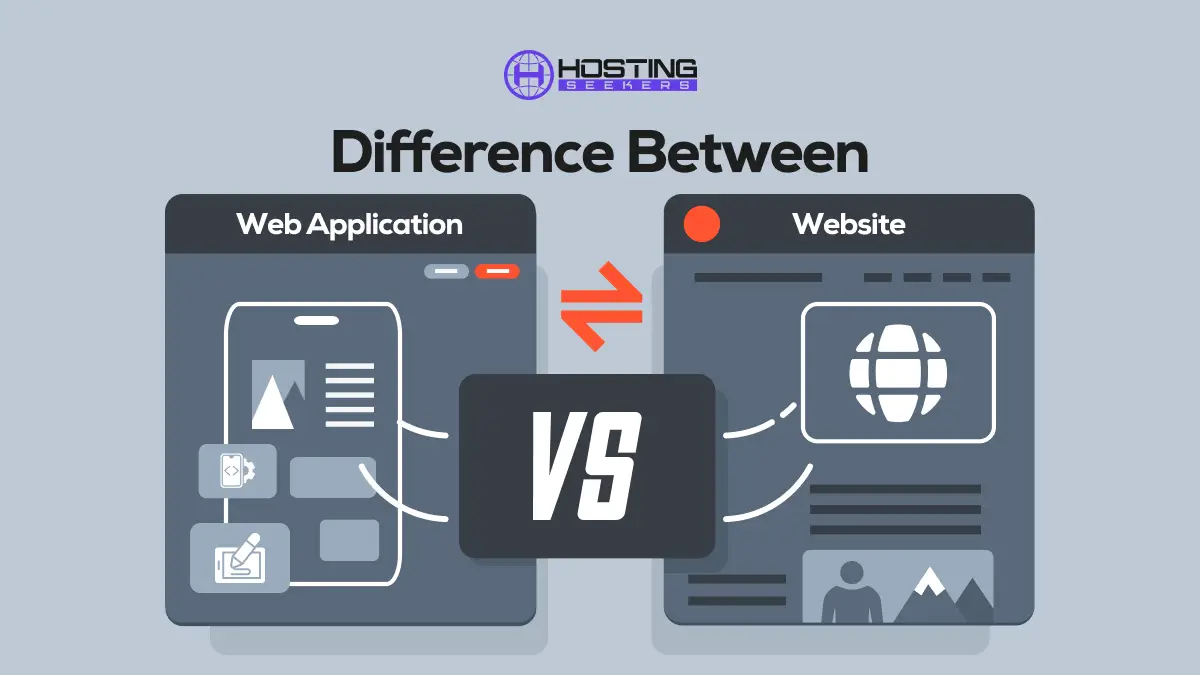
Difference Between Web application and Website
Comparison Updated on : July 24, 2026As many people utilize the terms web application and Website interchangeably, they are quite different in functionality and purpose. Understanding the difference between a web application and a website is more important, mostly for businesses, developers, and anyone planning to develop an online platform.
A website is mainly designed to offer information to visitors. It focuses on displaying content like images, videos, and blogs. Users mostly visit a website to explore, read, or learn, and their interactions are limited.
A web application, on the other hand, is developed to perform tasks and allows users to interact with the system. It is more functional and dynamic. Users can log in, submit data, make payments, manage accounts, and perform different actions just like they would in a mobile or desktop app, but through a web browser. Let’s dig deeper to understand the core difference between web applications and websites.
What is a Web Application?
A web application is software that runs in a web browser rather than being installed on your phone or computer. You can easily use it by opening a website. All the processing and data storage happen on a server, while you interact with it through your browser.
Unlike a typical website that only displays information, a web application enables users to perform actions such as filling out forms, logging in, making payments, uploading files, or managing data. In simple terms, a web application is a website that lets you perform actions rather than just read information.
Types of Web Application
1. Static Web Applications
These are the simplest type of web applications. They mainly display fixed content and do not change based on user input. The pages are created using HTML and CSS, and they show the same information to every visitor. They are fast and easy to build but offer minimal interaction.
2. Dynamic Web Applications
Dynamic web applications show different content to different users. They interact with databases and servers to fetch or update information. For example, when you log in to a website and see your personal dashboard, you are using a dynamic web application.
3. Single-Page Applications (SPA)
In this type, the entire application loads once, and then content changes without reloading the page. This makes the experience faster and smoother. Popular platforms like Gmail and Facebook use single-page application technology to provide a more app-like feel.
4. Multi-Page Applications (MPA)
These web applications load a new page every time you click on something. Most traditional websites and many eCommerce platforms use this structure. They are well-suited to large platforms with extensive content and features.
5. E-commerce Web Applications
These are built specifically for online shopping. They allow users to browse products, add items to a cart, make payments, and track orders. Amazon, Flipkart, and Shopify-based stores are examples of e-commerce web applications.
6. Portal Web Applications
Portal web applications give different users access to different types of content. For example, a student portal, employee portal, or customer portal shows customized information based on who logs in.
7. Progressive Web Applications (PWA)
These are modern web applications that work like mobile apps. They can be installed on a device, work offline, and send notifications. They provide a fast and reliable experience even on slow internet connections.
Key Features of Web Application
1. Mobile-First Interface
Modern web applications are designed with mobile users first. This means the layout, buttons, and navigation automatically adjust to fit smartphones and tablets, providing a smooth and easy-to-use experience on smaller screens.
2. Accessibility from Anywhere
Web applications can be accessed from any location using an internet connection. Whether you are at home, in the office, or traveling, you can log in and use the application from any device without installing software.
3. Real-Time Data Processing
Web applications can update information instantly. For example, chat messages, order status, notifications, and live tracking are updated in real time, giving users accurate, up-to-date information.
4. Social Integration
Many web applications allow users to sign in with social media accounts or to share content directly on platforms like Facebook, Google, or LinkedIn. This makes registration easier and helps increase engagement.
5. Reporting and Analytics
Web applications can track user activity, sales, traffic, and performance. This data helps businesses understand user behavior, measure growth, and make better decisions.
6. Cross-Platform Compatibility
Web applications run on various operating systems and devices, including Windows, macOS, Android, and iOS. As long as a device has a web browser, the application will run smoothly without needing a separate version for each platform.
Pros and Cons of Web Application
Pros of Web Applications
- Easy to access through any web browser.
- There is no need to download or install software.
- Works on multiple devices like mobile, tablet, and desktop.
- Updates are applied automatically to all users.
- Cost-effective for businesses.
- Accessible from anywhere with an internet connection.
Cons of Web Applications
- Requires a stable internet connection.
- It can be slower than native mobile or desktop apps.
- Security risks if not adequately protected.
- Limited access to device features.
- Performance depends on browser and network speed.
What is a website?
A website is a collection of interlinked web pages accessible via a single domain name. These pages contain information about business, products, and services. Users visit websites to read, learn, explore, or get details about a company, services, or a topic. A website mainly focuses on providing information rather than allowing users to perform complex actions.
Types of Websites
1. Static Website
A static website shows fixed content that is the same for every visitor. The pages do not change unless they are edited manually. These websites are fast, secure, and easy to host, making them ideal for small businesses, personal profiles, or simple informational pages.
2. Dynamic Website
A dynamic website displays content that can change in response to user interaction or database data. These websites update automatically, providing a more interactive experience. Blogs, social media platforms, and user dashboards are common examples.
3. eCommerce Website
An e-commerce website is designed to sell products or services online. It allows users to browse products, add items to a shopping cart, make payments, and track orders. Online stores like Amazon or Shopify-based websites are eCommerce websites.
4. Business Website
A business website represents a company online. It provides details about services, products, contact information, and brands. It helps build trust and attract customers by creating a professional online presence.
5. Portfolio Website
A portfolio website is used by professionals such as designers, developers, photographers, and writers to showcase their work. It highlights projects, skills, and experience to attract potential clients or employers.
6. Educational Website
Educational websites provide learning materials, online courses, tutorials, and academic resources. Schools, colleges, and e-learning platforms use these websites to educate students and share knowledge.
7. Blog Website
A blog website focuses on publishing articles, opinions, tips, and stories. Content is updated regularly, and readers can comment and share posts. Bloggers and businesses use blogs to share information and improve online visibility.
8. News Website
A news website provides the latest updates on current events, politics, sports, entertainment, and more. Content is updated frequently to keep readers informed with real-time or daily news.
Key Features of Website
1. User-Friendly Design
A good website is easy to navigate and simple to use. Visitors should be able to find information quickly without confusion. Clear menus, readable text, and well-organized pages help improve the user experience.
2. Precise Content
The content on a website should be explicit, accurate, and valuable. It should explain products, services, or information simply, so visitors understand what the website offers.
3. Fast Loading Times
A website should load quickly. Slow websites frustrate users and can cause them to leave. Fast loading also helps improve search engine rankings.
4. Visually Appealing Graphics
Attractive images, colors, and layouts make a website more engaging. A well-designed website creates a positive impression and keeps visitors interested.
5. SEO Optimization
Search engine optimization helps a website appear in search results on Google and other search engines. Proper keywords, headings, and structure make it easier for people to find the Website online.
6. Social Media Integration
Websites can include links to social media platforms like Facebook, Instagram, or LinkedIn. This allows users to share content and helps businesses grow their online presence.
7. Security Measures
A secure website protects user data and prevents cyber threats. Features like SSL certificates and secure forms help keep information safe.
8. Mobile Optimization
A website should work properly on smartphones and tablets. Mobile-friendly design ensures that content looks good and functions well on all screen sizes.
Pros and Cons of Website
Pros of a Website
- Helps create an online presence for individuals and businesses
- Accessible to users around the world
- Provides information 24/7
- Cost-effective way to promote products and services
- Easy to update and manage content
- Builds trust and brand credibility
Cons of a Website
- Limited user interaction compared to web applications
- Requires regular updates to keep information accurate
- Needs maintenance and security to avoid cyber threats
- Depends on the internet connection to access
- Can become outdated if not managed properly
Similarities Between Web Application and Website
- Both a web application and a website are accessed through a web browser such as Firefox, Chrome, Safari, or Edge. Users do not need to install any special software to utilize them. They simply enter a web address and access the platform.
- Both require an internet connection to work. Since they are hosted on web servers, data and content are loaded through the internet. Without a connection, neither a website nor a web application can function correctly.
- Both are built using the same web technologies as HTML for structure, CSS for design, and JavaScript for interaction. Whether it is a simple website or a complex web application, these technologies are the foundation.
- Both are hosted on servers. This means that all files, databases, and services are stored online and delivered to users when requested. Hosting allows them to be accessed from anywhere in the world.
- Both utilized a domain name and URL. For instance, users type a website address into their browser to reach either a website or a web application.
- Both work across multiple devices like smartphones, computers, and tablets. As long as a device has a web browser, users can access it very easily.
- Both businesses and individuals build an online presence. A website helps share information, while a web application offers services, but both represent a brand or individual online.
- Both web applications and websites can be SEO optimized; they can perform SEO practices like keywords, page structure, and fast loading, which help improve visibility for both web applications and websites in search results.
Web Application vs Website: Top Comparison
| Feature | Website | Web Application |
| Purpose | Provides information to users | Allows users to perform tasks and actions |
| User Interaction | Limited interaction, mainly reading and browsing | High interaction, such as login, forms, payments, and data management |
| Functionality | Focused on displaying content | Focused on processing user input and delivering results |
| User Login | Usually not required | Often requires user authentication |
| Database Usage | May or may not use a database | Always connected to a database |
| Real-Time Updates | Mostly static or updated manually | Supports real-time updates |
| Examples | Company websites, blogs, news portals | Gmail, online banking, and eCommerce dashboards |
| Complexity | Simple to moderate | More complex and feature-rich |
Web Application vs Website: Which One to Select in 2026?
Choosing between a web application and a website in 2026 depends on your goal, what you want users to do, and how you want them to interact with your product or service. Here’s a straightforward guide to help you decide:
When to Choose a Website
Choose a website if your main goal is to inform, represent your brand, or share content.
Best for:
- Branding and company presence
- Sharing information like service details, contact info, and FAQs
- Blogs, portfolios, news updates, static content
- SEO and organic reach on search engines
- Simple user interaction (reading, browsing, basic contact forms)
When to Choose a Web Application
Choose a web application if your goal is to let users do things, interact deeply, or perform tasks.
Best for:
- User accounts and dashboards
- E-commerce stores with cart & checkout
- Online tools (booking systems, finance apps, chat tools)
- Real-time interaction (data syncing, updates, notifications)
- Complex features like analytics, messaging, automation
Final Verdict
When it comes to selecting between a web application and a website, there’s no one-size-fits-all answer. The right choice mainly depends on your business goals, user needs, and the type of experience you want to deliver. If your main objective is to share information, build brand awareness, and attract visitors through search engines, then a website is the best option.
Websites are ideal for businesses that want to showcase their services, publish blogs, display contact details, and maintain a strong online presence without requiring users to log in or perform complex actions.
Frequently Asked Questions
Q 1. What is the main difference between a website and a web application?
Ans. The main difference is their purpose. A website primarily displays information, while a web application allows users to perform actions such as logging in, making payments, submitting forms, or manipulating data.
Q 2. Can a website be converted into a web application?
Ans. Yes, a website can be easily converted into a web application by adding features such as databases, user accounts, dashboards, and interactive tools.
Q 3. Which one is better for SEO, a website or a web application?
Ans. Websites are generally better for SEO because they focus on content that search engines can easily index. Moreover, modern web applications can also be optimized for SEO with proper structure and server-side rendering.
Q 4. Do web applications cost more to develop than websites?
Ans. Yes, web applications usually cost more because they require complex development, databases, security systems, and ongoing maintenance, while websites are simpler and less expensive to build.
Q 5. Can a business use both a website and a web application?
Ans. Yes, many businesses use both. A website helps attract visitors and promote the brand, while a web application provides services, user accounts, and tools for registered users.

manvinder Singh
https://www.hostingseekers.com
Manvinder Singh is the Founder and CEO of HostingSeekers, an award-winning go-to-directory for all things hosting. Our team conducts extensive research to filter the top solution providers, enabling visitors to effortlessly pick the one that perfectly suits their needs. We are one of the fastest growing web directories, with 500+ global companies currently listed on our platform.