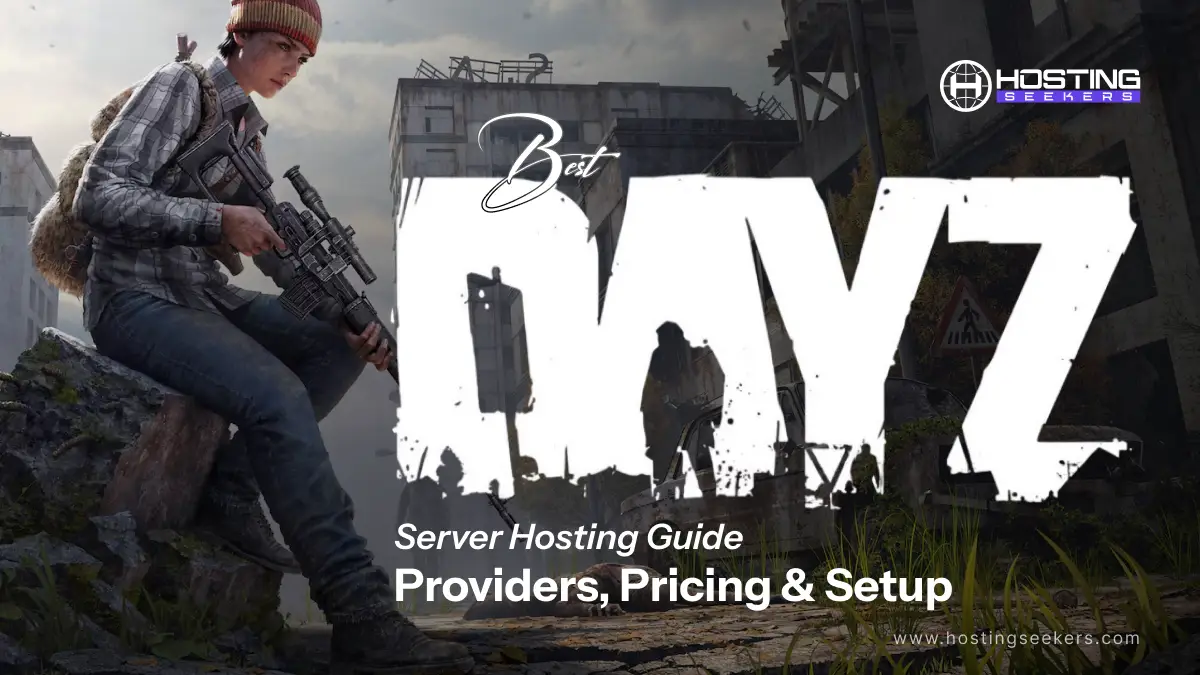
Best DayZ Server Hosting Guide: Providers, Pricing & Setup (2026)
Game Published on : January 5, 2026Choosing the right DayZ server hosting provider can significantly impact gameplay quality, server uptime, mod support, and overall player experience.
In this comprehensive 2026 guide, we will walk you through the best DayZ server hosting providers, compare their features and pricing, and provide a step-by-step setup tutorial so you can launch your own server with confidence.
What is DayZ Server Hosting?
DayZ server hosting refers to renting or deploying a dedicated or virtual server that runs the DayZ game environment independently from a player’s local system. Instead of relying on public servers, DayZ server hosting allows you to create a private or community-based multiplayer world with complete control over gameplay rules, mods, maps, and player access.
DayZ is a survival game that demands stability, low latency, and consistent uptime. That’s why professional DayZ server hosting is essential. A reliable hosting provider ensures smooth player synchronization, persistent worlds, and protection against lag or unexpected crashes.
Unlike self-hosting on a home PC, professional DayZ server hosting offers optimized hardware, enterprise-grade networks, and 24/7 monitoring. This makes it ideal for gamers, streamers, and communities that want uninterrupted survival gameplay.
Why Choose Professional DayZ Server Hosting?
Running a DayZ server is more than just putting the game online; it’s about delivering a smooth, stable, and immersive survival experience for your players. Professional DayZ server hosting provides the infrastructure, tools, and support needed to manage high-performance servers without technical headaches.
1. Superior Performance & Low Latency
Professional hosting providers use powerful CPUs, fast NVMe or SSD storage, and high-speed networks to ensure smooth gameplay, more rapid world loading, and minimal lag even during peak player activity.
2. Reliable Uptime & Stability
With enterprise-grade data centers and redundant systems, professional DayZ hosting ensures consistent uptime. This means fewer crashes, stable sessions, and a better overall experience for your community.
3. Easy Mod & Server Management
DayZ servers rely heavily on mods. Professional hosts offer one-click mod installation, Steam Workshop integration, and control panels that make configuration, updates, and backups simple, even for beginners.
4. DDoS Protection & Security
Public DayZ servers are vulnerable to attacks. Professional hosting includes advanced DDoS protection, firewalls, and secure environments to keep your server online and your player data safe.
5. Scalable Resources
As your player base grows, professional DayZ hosting lets you scale RAM, CPU, storage, or slots easily without migrating to a new server or experiencing downtime.
6. Full Control & Customization
From loot tables and map settings to player limits and server rules, professional hosting gives you complete administrative control to create a unique DayZ experience tailored to your community.
7. 24/7 Expert Support
Access to experienced support teams means faster issue resolution, guidance with mods or configurations, and peace of mind, especially during updates or unexpected server issues.
DayZ Server Hosting Features to Look For
Choosing the right DayZ server hosting provider is essential for delivering a smooth, lag-free, and customizable survival experience. Not all hosting plans are built the same, so understanding the key features can help you avoid performance issues and management headaches as your server grows.
1. High-Performance Hardware
Look for hosting providers that use powerful CPUs with high clock speeds and NVMe or SSD storage. Fast hardware ensures quicker world loading, smooth gameplay, and better performance during intense in-game activity.
2. Low Latency & Global Data Center Locations
A server located close to your target player base reduces ping and lag. Providers with multiple global data centers let you choose the best location for optimal connectivity.
3. Full Mod Support & Steam Workshop Integration
Mods are a core part of DayZ gameplay. Choose a host that supports easy mod installation, automatic updates, and seamless Steam Workshop integration to simplify server customization.
4. User-Friendly Control Panel
An intuitive control panel makes it easy to start, stop, restart the server, manage mods, edit configuration files, and schedule tasks without advanced technical knowledge.
5. DDoS Protection & Server Security
DayZ servers can be vulnerable to attacks. Reliable hosting includes built-in DDoS protection, firewalls, and secure infrastructure to keep your server stable and online.
6. Automated Backups & Data Recovery
Regular automated backups protect your game data, player progress, and configurations. Quick restore options are crucial in case of crashes or misconfigurations.
7. Scalable Resources
As your community grows, your server should grow with it. Look for flexible plans that allow easy upgrades to RAM, CPU, storage, and player slots without downtime.
8. High Uptime Guarantee
A strong uptime guarantee (99.9% or higher) ensures consistent server availability and minimizes disruptions that can frustrate players.
9. Full FTP & File Access
Full access to server files via FTP or a file manager allows for advanced customization, manual mod installations, and fine-tuned configuration changes.
10. 24/7 Technical Support
Around-the-clock support from experienced technicians is essential, especially during updates, mod conflicts, or performance issues.
DayZ Server Requirements
| Category | Minimum | Recommended (32-64 Players) |
| CPU | Quad-core 3.0 GHz+ | 6-8 cores (e.g., i5 equiv.) |
| RAM | 8 GB | 16 GB+ |
| Storage | 20 GB SSD | 500 GB SSD |
| OS | Windows 10/11 64-bit or Linux | Same |
| Network | 10 Mbps upload, UDP 2302-2305 | 1 Gbit/s, Ethernet |
Top 5 DayZ Server Hosting Providers & Platforms
All the providers listed above are part of our recommended top game hosting providers, tested for performance, uptime, and mod compatibility.
| Provider | Price (starting/mo) | Key Strengths | Key Features |
| Host Havoc | $18.50 | High-performance, advanced controls | High-clock CPUs, global DCs, one-click mods/DZSA, DDoS protection, 24/7 support |
| Survival Servers | $10 | Reliability for modded servers | Scalable plans, easy mod mgmt, high uptime, auto updates, responsive support. |
| GTXGaming | $14.78 | Beginner-friendly, global low latency | TCAdmin panel, FTP access, backups, fast setups, and an intuitive interface. |
| Nitrado | $12.10 | Managed for beginners/casual play | Web panel, slot scaling, auto backups/updates, easy mods, cross-platform. |
| PingPerfect | $15 | Low latency for PvP/competitive | Global nodes, mod compatibility, DDoS protection, network stability, and fast support. |
1. Host Havoc
Price: $18.50/mo
Host Havoc leads in DayZ hosting with high-performance hardware, global data centers, and one-click mod installers, including DZSA Launcher support. Pricing starts at $18.50/month for 20 slots, scaling to $77/month for 80 slots, with 24/7 support and a 3-day money-back guarantee. It excels for advanced users needing robust controls and DDoS protection.
Key Features:
- High-clock, enterprise-grade CPUs.
- Global data center locations.
- One-click mod installers with DZSA Launcher support.
- Advanced control panel with full configuration access.
- Enterprise-level DDoS protection.
- 24/7 expert technical support.
2. Survival Servers
Price: $10/mo
Survival Servers is known for its reliability and strong support for modded DayZ gameplay. It offers scalable plans suitable for both small groups and growing communities, delivering consistent performance and uptime. Entry-level pricing starts at around $10 per month.
Key Features:
- Scalable server plans for all group sizes.
- Easy mod installation and management.
- Optimized for mod-heavy DayZ server.
- High uptime and stable performance.
- Automatic updates and server maintenance.
- Responsive customer support.
3.GTXGaming
Price: $14.78/mo
GTXGaming is a beginner-friendly and budget-conscious DayZ hosting provider with global coverage. It offers simple setup and reliable performance through an intuitive control panel. Pricing starts between $14 for 10 slots and $77.93 per month for 60 slots.
Key Features:
- Global server locations for low latency.
- TCAdmin control panel for easy management.
- Full FTP access for advanced customization.
- Automatic backups.
- Fast setup and intuitive interface.
- Reliable customer support.
4. Nitrado
Price: $12.10/mo
Nitrado delivers a fully managed DayZ hosting experience, making it ideal for beginners and casual players. It provides flexible slot scaling and automated tools for easy server management. Pricing starts at approximately $12–22 per month.
Key Features:
- User-friendly web-based control panel
- Flexible player slot scaling (starting from 4 slots)
- Automatic backups and updates
- Easy mod uploads and management
- Cross-platform support
- Managed hosting environment
5.PingPerfect
Price: $15/mo
PingPerfect specializes in low-latency DayZ hosting, making it ideal for competitive and PvP-focused servers. It offers strong network performance and modem compatibility across global locations. Pricing starts at around $15 per month for 30+ slots.
Key Features:
- Low-latency global server nodes
- Excellent mod compatibility
- Advanced DDoS protection
- High network stability
- Fast and knowledgeable support
How to Set Up a DayZ Server (Step-by-Step)
Setting up a DayZ server allows you to customize gameplay, install mods, and control player access. You can either host it yourself or use a professional DayZ server hosting provider.
Step 1: Choose Your Hosting Method
You have two options:
- Dedicated Game Server Hosting (Recommended): Best for stability, performance, and easy mod management.
- Self-Hosting (Local or Dedicated Machine): Requires strong hardware, technical knowledge, and manual configuration.
- For most players and communities, managed DayZ hosting is the easiest and most reliable option.
Step 2: Select Server Location & Slots
- Choose a server location closest to your players to reduce latency.
- Decide the number of slots (20–80+ players, depending on your community size).
- Higher player counts require better CPU, RAM, and fast storage (NVMe preferred over SATA SSD).
Step 3: Install the DayZ Server
If using a hosting provider:
- Log in to your game control panel
- Select DayZ (Standalone)
- Install with one click
- For self-hosting:
- Download SteamCMD
- Install the DayZ Dedicated Server
- Configure server files manually
Step 4: Configure Server Settings
Edit the serverDZ.cfg file to customize:
- Server name & password
- Max players
- Perspective (1PP/3PP)
- Difficulty & gameplay rules
- Restart schedule
This file controls how your DayZ server behaves in-game.
Step 5: Set Up Mods
- Mods enhance gameplay and attract players.
- Use Steam Workshop mods.
- Add mod IDs to your server launcher.
- Ensure that both the server and players have the same mod list.
- Many hosts support DZSA Launcher for easy mod syncing.
Step 6: Configure Ports & Firewall
Make sure the required ports are open:
- Default DayZ ports: 2302–2305 (UDP)
- Hosting providers usually handle this automatically.
- For self-hosting, configure the firewall and router port forwarding
Step 7: Start the Server & Test
- Start the server from the control panel or command line
- Join using the DayZ Launcher or DZSA Launcher
- Test performance, mods, and settings
- Fix any startup or mod errors before going public
Summing Up
Choosing the right DayZ server hosting is essential for delivering a smooth, lag-free, and enjoyable survival experience. From reliable hardware and low-latency server locations to full mod support and easy server management, the right hosting provider gives you complete control over gameplay and performance. Whether you are running a small private server for friends or building a large public DayZ community, investing in professional hosting ensures better uptime, faster load times, and fewer technical headaches.
Frequently Asked Questions
Q 1. Is DayZ server hosting legal?
Ans. Yes, DayZ server hosting is entirely legal as long as you own a legitimate copy of the game and follow Bohemia Interactive’s server monetization and modding policies. Most professional hosting providers fully comply with these rules.
Q 2. Can I install mods?
Ans. Absolutely. DayZ supports Steam Workshop mods, allowing you to enhance gameplay with new maps, weapons, vehicles, and mechanics. Most hosting providers offer one-click mod installation and support tools, such as the DZSA Launcher, for easy mod syncing.
Q 3. How many players can join?
Ans. The number of players depends on your hosting plan. Most DayZ servers support 20 to 80 players, while high-performance servers can handle 100+ slots with optimized hardware and proper configuration.
Q 4. Can I upgrade later?
Ans. Yes. Most DayZ hosting providers allow you to upgrade server slots, RAM, CPU resources, or storage at any time, making it easy to scale as your community grows.
Q 5. When to Choose DayZ Server Hosting?
Ans. Choose DayZ server hosting if:
- You want full control over server settings and gameplay rules
- You plan to run a modded DayZ server using Steam Workshop or DZSA Launcher
- You need stable performance and low ping for smooth multiplayer gameplay
- You are hosting a public server or long-term community
- You expect your player base to grow and need easy upgrades
Q 6. Which location gives the lowest ping?
Ans. The lowest ping is achieved by selecting a server location closest to where most of your players are physically located. A shorter distance means lower network latency and smoother gameplay. For example, European players get the best performance from servers in Germany, France, or the Netherlands, while North American players benefit most from New York, Dallas, or Los Angeles. For Asian players, locations like Singapore or India typically offer the lowest ping. To ensure optimal performance, always host your DayZ server in the region where the majority of your community is based.

manvinder Singh
https://www.hostingseekers.com
Manvinder Singh is the Founder and CEO of HostingSeekers, an award-winning go-to-directory for all things hosting. Our team conducts extensive research to filter the top solution providers, enabling visitors to effortlessly pick the one that perfectly suits their needs. We are one of the fastest growing web directories, with 500+ global companies currently listed on our platform.