Best WordPress Plugins for Every Website Type (Free & Paid)
WordPress Published on : April 3, 2026WordPress powers over 43% of all websites on the internet, which proves its flexibility, scalability, and the sheer power of its plugin ecosystem. But with more than 65,000 plugins available in the WordPress Plugin Directory alone, choosing the right ones for your website can be confusing.
This guide will help you with this decision as we have researched and combined the best WordPress plugins across different categories. Whether you are building a personal blog, an eCommerce store, or a corporate website, the right plugins can make the difference between a slow, frustrating experience and a fast, search-engine-optimized setup. For each plugin, we break down what it does, its features, and whether the free version is enough or if you need the upgraded one.
So, let’s dive in and see!
What are WordPress Plugins and How Do They Work?
WordPress plugins are software extensions that add specific features or functionalities to your website. They integrate seamlessly with your WordPress core and allow you to customize your site without modifying its base code.
How do Plugins Work?
- Plugins are written in PHP and integrate with WordPress hooks and APIs
- Once installed, they can modify or extend website behavior
- You can activate, deactivate, or uninstall them anytime
- Most plugins offer both free (basic) and premium (advanced) versions
Example:
- An SEO plugin helps in improving search engine rankings
- The cache plugin helps speed up your website
- Security plugin helps to protect against malware
In general, plugins transform a basic WordPress site into a fully functional digital platform.
Quick List: Best WordPress Plugins (Free & Paid)
| Plugin | Type | Free Version | Paid Version | Primary Use |
| Yoast SEO | SEO | Yes | Yes | On-page SEO optimization, XML sitemaps, schema, and readability checks |
| Elementor | Page Builder | Yes | Yes | Drag-and-drop page design, landing pages, website layout customization |
| SeedProd | Website Builder | Yes | Yes | Landing pages, custom themes, coming soon, and maintenance pages |
| UpdraftPlus | Backup & Migration | Yes | Yes | Automated backups, restore points, and website migration |
| MonsterInsights | Analytics | Yes | Yes | Google Analytics dashboard, GA4 reports, and eCommerce tracking |
| Smash Balloon | Social Media | Yes | Yes | Social feed embedding for Instagram, Facebook, YouTube, TikTok |
| Uncanny Automator | Automation | Yes | Yes | Workflow automation between WordPress plugins and third-party apps |
| Visualizer | Tables & Charts | Yes | Yes | Interactive charts, graphs, data tables, CSV, and Google Sheets import |
| WP Rocket | Performance | No | Yes | Caching, lazy loading, minification, and Core Web Vitals optimization |
| Envira Gallery | Gallery | Yes | Yes | Responsive image and video galleries, albums, and lightbox display |
| Wordfence Security | Security | Yes | Yes | Firewall, malware scanning, and brute-force login protection |
| WPForms | Contacts Forms | Yes | Yes | Contact forms, lead forms, surveys, payment forms |
| WooCommerce | e-commerce | Yes | Yes | Online store setup, product catalog, checkout, shipping, payments |
| WP Courseware | Membership and LMS | No | Yes | Online course creation, quizzes, certificates, and student tracking |
| Optinmonster | Pop-up and Lead generation | No | Yes | Lead capture popups, exit-intent campaigns, and email list building |
| Akismet | Antispam | Yes | No | Spam comment filtering and form spam protection |
| WPML | Translation & Multilingual | Yes | Yes | Multilingual websites and language translation |
| Brevo | Push Notifications | Yes | Yes | Email, SMS, WhatsApp, push campaigns, automation workflows |
| Schema Pro | Schema Markup | No | Yes | Structured data and rich snippet optimization |
| Really Simple SSL | SSL / HTTPS | No | Yes | SSL activation, HTTPS redirect, security hardening |
| Code Snippets | Code Management | Yes | Yes | Safe PHP, CSS, JS snippet management without editing theme files |
| Smush | Image Optimization | Yes | Yes | Image compression, lazy loading, WebP conversion |
1. Yoast SEO (SEO)
- Pricing: Starts at $118.80/year
- Active Installation: 10+ Million
- Best For: Bloggers, businesses, publishers, and website owners who want to improve on-page SEO, readability, schema, and technical SEO without needing advanced expertise.

Yoast SEO is one of the most popular WordPress SEO plugins, trusted by 13+ million websites worldwide. It helps optimize pages and blog posts for search engines with real-time SEO analysis, readability checks, XML sitemaps, schema support, and social preview controls. The plugin is widely used by beginners as well as enterprise websites. It has four payment sections – Yoast SEO Premium, Yoast WooCommerce SEO, Yoast SEO AI+, and Yoast SEO for SEO.
Key Features:
- Real-time SEO analysis and content suggestions
- Readability analysis
- XML sitemap generation
- Meta title and description optimization
- Schema markup support
- Canonical URLs and breadcrumb controls
- Social sharing previews
- 24/7 customer support
- Redirect manager (Premium)
- Multiple focus keywords (Premium)
- Free Version: On-page SEO analysis, XML sitemap, readability score, schema basics, breadcrumbs, and social previews.
- Paid Version: Redirect manager, internal linking suggestions, multiple keyphrases, orphaned content filters, premium support, and advanced SEO insights.
2. Elementor (Page Builder)
- Pricing: Starts at $60/year
- Active Installation: 10+ Million
- Best for: Designers, agencies, freelancers, businesses, and beginners who want to build custom WordPress pages visually without coding.
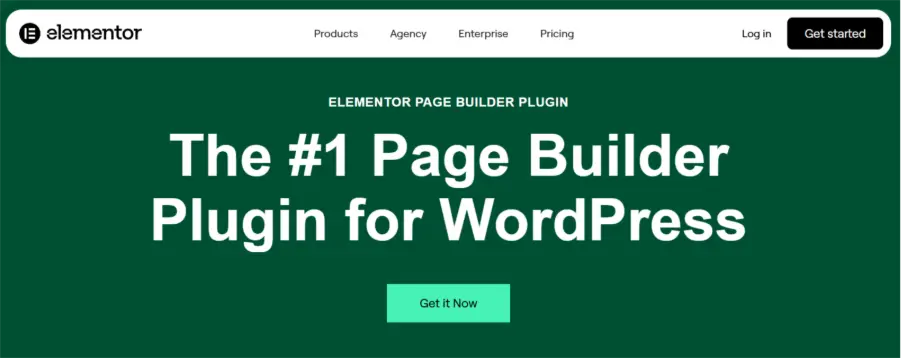
Elementor is one of the most widely used WordPress page builders, known for its intuitive drag-and-drop editor and real-time front-end design experience. It allows users to create landing pages, homepage layouts, blog templates, pop-ups, and even complete websites using a visual interface.
Key Features:
- Drag-and-drop live page editor
- Responsive editing for desktop, tablet, and mobile
- Pre-built blocks and templates
- Theme builder (Pro)
- Popup builder (Pro)
- WooCommerce builder (Pro)
- Custom headers and footers
- Form widget (Pro)
- Motion effects and animations
- Integration with marketing tools
- Free Version: Basic page builder, widgets, templates, responsive editing, and drag-and-drop design tools.
- Paid Version: Theme builder, popup builder, advanced widgets, WooCommerce integration, forms, motion effects, and premium templates.
3. SeedProd (Website Builder)
- Pricing: Starts at $79/year
- Active Installation: 700,000+
- Best for: Entrepreneurs, marketers, and businesses that need landing pages, coming-soon pages, fully custom themes, and maintenance mode pages, all without code.

SeedProd was originally created in 2011 as a coming-soon and maintenance-mode solution. It has since evolved into a full-featured no-code WordPress website builder capable of designing entire custom themes, headers, footers, archive pages, WooCommerce product pages, and more. Its drag-and-drop builder generates lightweight, fast-loading pages that work seamlessly with any theme. With SeedProd’s free version, you can build up to three websites using its AI website builder.
Key Features:
- Full-site editing: build custom WordPress themes (headers, footers, templates, archives)
- Landing page builder for sales pages, squeeze pages, webinar pages, thank-you pages, and 404 pages
- Coming Soon and Maintenance Mode pages with countdown timers and opt-in forms
- Drag-and-drop block-based editor (no coding required)
- 300+ professionally designed templates
- Built-in subscriber management and email marketing integrations
- WooCommerce-ready product page and cart builder
- SEO-friendly, mobile-responsive output
- Subscriber gating and access control
- Free Version: Coming soon pages, maintenance mode, basic page templates, and subscriber collection.
- Paid Version: Full website builder, unlimited landing pages, advanced blocks, WooCommerce integration, priority support, and premium templates.
4. UpdraftPlus (Backup and Migration)
- Pricing: Starts at $70/year
- Active Installation: 3+ Million
- Best for: Website owners, developers, and agencies that need automated backups, restoration, and migration tools.

UpdraftPlus is one of the most trusted WordPress backup and migration plugins. It allows users to schedule automatic backups of files and databases and store them on cloud platforms like Google Drive, Dropbox, and Amazon S3. It also supports easy website restoration and migration.
Key Features:
- Scheduled automatic backups
- One-click restore
- Cloud storage integrations
- Manual and scheduled migration
- Incremental backups (Premium)
- Database encryption
- Multisite support
- Cloning and staging
- Free Version: Manual and scheduled backups, restore, and cloud storage integrations.
- Paid Version: Incremental backups, migration tools, cloning, multisite support, advanced scheduling, and premium support.
5. MonsterInsights (Analytics)
- Pricing: Starts at $199/year
- Active Installation: 2+ Million
- Best for: Business owners, bloggers, and marketers who want clear, actionable analytics data directly inside their WordPress dashboard.

With over 3 million active installs, MonsterInsights is the most popular Google Analytics plugin for WordPress. It eliminates the complexity of setting up GA4 tracking, offering a simple connection process and a purpose-built analytics dashboard inside WordPress that shows only the reports that actually matter for growing your business. Companies such as Microsoft, Bloomberg, FedEx, Yelp, and Subway use MonsterInsights to manage their analytics setup.
Key Features:
- Custom analytics dashboard inside WordPress admin
- Real-time stats, traffic source reports, and top content reports
- eCommerce tracking for WooCommerce and Easy Digital Downloads (Pro)
- Events tracking: outbound links, affiliate links, form submissions, file downloads
- Custom dimensions and user journey tracking
- Page speed reports powered by Google
- GDPR/CCPA compliance tools
- Popular Posts widget for increasing page views
- Free Version: Basic GA4 connection, real-time overview, top pages report, and referral traffic data.
- Paid Version: Advanced eCommerce tracking, events tracking, custom dimensions, page-level analytics, affiliate link tracking, video tracking, and priority support.
6. Smash Balloon (Social Media)
- Pricing: All access bundles start at $598/year
- Platform-wise pricing options are also available
- Active Installation: 1+ Million
- Best for: Businesses, bloggers, and brands that want to display beautiful, live social media feeds on their WordPress website.
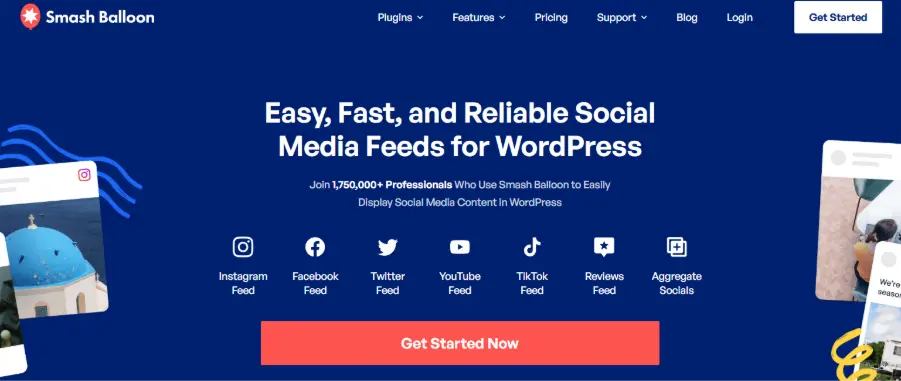
Smash Balloon is the best social media feeds plugin for WordPress, trusted by over 1,750,000 professionals worldwide – including brands like Coca-Cola and Chick-fil-A. Rather than a single plugin, Smash Balloon offers a suite of dedicated feed plugins for each major social platform. Each plugin is individually built for speed, reliability, and customization, with a native Feed Customizer that makes styling easy without code.
Available Feed Plugins:
- Instagram Feed: display Instagram posts, stories, and reels
- Facebook Feed: show Facebook page posts, albums, and events
- Twitter/X Feed: embed live Twitter/X timelines
- YouTube Feed: showcase YouTube channel videos and playlists
- TikTok Feed: embed TikTok videos
- Reviews Feed: aggregate Google, Yelp, and other reviews
- Social Wall: combine feeds from multiple platforms in one display
Key Features:
- Fully responsive and mobile-friendly feeds
- SEO Booster for indexing social content
- Downtime Prevention: caches content so your website still displays feeds even if the social API is unavailable
- Speed Optimizer for performance
- GDPR-compliant (no cookies loaded until user consent)
- Deep customization via Feed Customizer (no code)
- Feed Analytics (available as an add-on)
- Free Version: Each plugin has a free version with a basic feed display and limited customization.
- Paid Version: Full customization, multiple feed sources, filters, shoppable feeds, moderation, priority support, and an all-access bundle available.
7. Uncanny Automator (Automation)
Pricing: Starts at $199/year
Active Installation: 50,000+
Best for: WordPress site owners who want to automate repetitive tasks, connect plugins, and build workflows, without writing code.
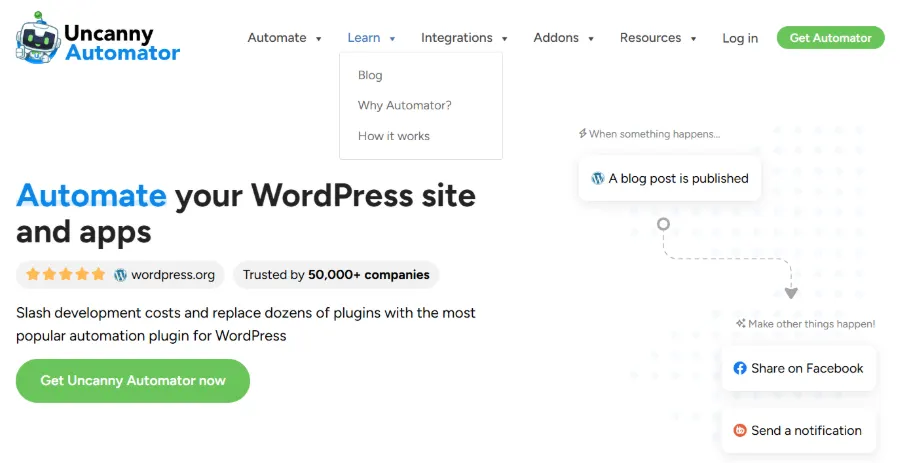
Uncanny Automator is described as the easiest and most powerful no-code WordPress automation plugin. If you have used Zapier, the concept will be immediately familiar: when something happens on your website (a trigger), Automator makes something else happen (an action). This allows you to connect WordPress plugins, third-party apps, and external services into seamless automated workflows called “recipes.”
Key Features:
- Visual recipe builder: set triggers and actions without code
- Integrates with 180+ WordPress plugins and third-party apps
- eCommerce automation: trigger marketing campaigns, reward store credit, or schedule bonus offers after purchases
- Google Sheets integration: log purchases, form submissions, or course completions automatically
- Webhook support for connecting to external services (supports JSON, XML, arrays, and more)
- WooCommerce, LearnDash, BuddyBoss, MemberPress, and Mailchimp integrations
- Conditional logic for advanced recipe branching
- Delayed and scheduled actions
- User enrollment and membership automation
- Free Version: Unlimited recipes using free triggers and actions across supported plugins; no time limits.
- Paid Version: Unlocks all integrations, conditional logic, scheduled delays, loops, webhooks, Google Sheets sync, and priority support.
8. Visualizer (Tables & Charts)
- Pricing: Starts at $199/year
- Active Installation: 20,000+
- Best for: Data-driven websites, bloggers, analysts, and businesses that want to present complex data using interactive, responsive charts and tables.
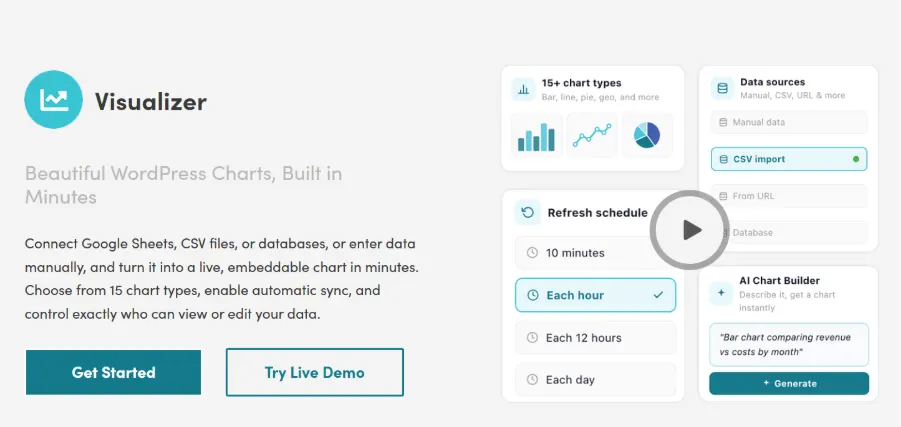
Visualizer is a powerful plugin by Themeisle that allows you to create, manage, and embed interactive, responsive charts, graphs, and tables into WordPress posts and pages. It leverages three leading data visualization libraries, the Google Visualization API, DataTables.net, and ChartJS, to deliver animated, cross-browser-compatible visuals that look great on all devices.
Key Features:
- Diverse chart types: line, bar, pie, column, area, scatter, geo, gauge, and more
- Manual data entry or import from CSV and Google Sheets (Pro)
- Fully customizable chart colors, fonts, labels, and tooltips
- Interactive charts that respond to user hover and click events
- Responsive and mobile-friendly by default
- DataTables integration for sortable, searchable, paginated tables
- Import from Excel (XLSX) – Pro feature
- Embed charts using shortcodes or the Gutenberg block editor
- Live preview demo available before installation
- Free Version: Core chart types, manual data entry, basic customization, Google Visualization API support.
- Paid Version: Advanced chart types, CSV/Excel/Google Sheets import, private charts, more customization options, and priority support.
9. WP Rocket (Performance)
- Pricing: Starts at $59/year
- Active Installation: 5,370,000+
- Best for: bloggers, freelancers, agencies, and e-commerce websites that need fast loading speed and improved Core Web Vitals.

WP Rocket is a premium performance optimization plugin focused on caching, lazy loading, file optimization, and database cleanup. It is widely used to improve page speed scores and reduce load times without requiring technical configuration.
Key Features:
- Page caching
- Browser caching
- Lazy loading for images and videos
- CSS and JavaScript minification
- GZIP compression
- Database optimization
- Delay JavaScript execution
- CDN integration
- Cache preloading
- Free Version: Not available.
- Paid Version: Full caching, lazy loading, file optimization, database cleanup, CDN support, and premium support.
10. Envira Gallery (Gallery)
- Pricing: Starts at $79/year
- Active Installation: 100,000+
- Best for: Photographers, designers, creative agencies, and any WordPress site that needs a fast, beautiful, professional image or video gallery.
Envira Gallery has been downloaded over 5,000,000+ times, making it one of the most trusted gallery plugins in the WordPress ecosystem. Built with performance and SEO in mind, Envira allows anyone to create stunning galleries in 5 minutes or less using a simple drag-and-drop builder. It is compatible with all leading page builders, including Elementor, Beaver Builder, Divi, and the native Gutenberg block editor.
Key Features:
- Drag-and-drop gallery builder (upload, rearrange, and publish in minutes)
- Responsive galleries with lightbox viewer
- Image gallery, video gallery, albums, and slideshow support
- Mobile-optimized gallery display
- SEO-friendly: optimized for speed and proper image indexing
- Social sharing integration (Pro)
- WooCommerce integration for e-commerce image proofing (Pro)
- Pagination and deep-linking for large galleries (Pro)
- Gallery tags and filtering
- Works with Elementor, Divi, and Beaver Builder
- Free Version: Unlimited galleries, drag-and-drop builder, lightbox viewer, responsive display, and basic gallery management.
- Paid Version: Albums, social sharing, video galleries, gallery tags, pagination, WooCommerce e-commerce, image proofing, priority support, and more templates.
11. Wordfence Security (Security)
- Pricing: Starts at $149/year
- Active Installation: 5+ Million
- Best for: Website owners who need a strong WordPress firewall, malware scanning, and login protection.

Wordfence is one of the most popular WordPress security plugins, offering endpoint firewall protection, malware scanning, login security, and real-time threat intelligence. It is widely trusted for protecting WordPress sites from brute-force attacks and malware injections.
Key Features:
- Web application firewall
- Malware scanner
- Brute force protection
- Two-factor authentication
- Live traffic monitoring
- IP blocking
- Country blocking (Premium)
- Real-time firewall rules (Premium)
- Free Version: Firewall, malware scanner, login protection, and basic alerts.
- Paid Version: Real-time threat defense feed, country blocking, premium support, and real-time malware signatures.
12. WPForms (Contact forms)
- Pricing: Starts at $99/year
- Active Installation: 6+ Million
- Best for: Businesses, blogs, and e-commerce sites that need professional forms, lead capture, and surveys.
WPForms is one of the most beginner-friendly form builder plugins for WordPress. It provides drag-and-drop form creation for contact forms, lead forms, surveys, payment forms, and newsletter subscriptions. User experience is their first priority, and they have pre-built form templates. You can create a form in less than 5 minutes.
Key Features:
- Drag-and-drop form builder
- Pre-built templates
- Contact forms
- Survey and poll forms
- Payment forms
- Multi-step forms
- Spam protection
- Email marketing integrations
- Free Version: Basic contact forms, templates, spam protection, and email notifications.
- Paid Version: Payment gateways, surveys, conditional logic, advanced integrations, and file uploads.
13. WooCommerce (e-Commerce)
- Premium Pricing: Free (additional paid commercial upgrades available)
- Active Installation: 7+ Million
- Best for: Businesses and entrepreneurs building online stores on WordPress.
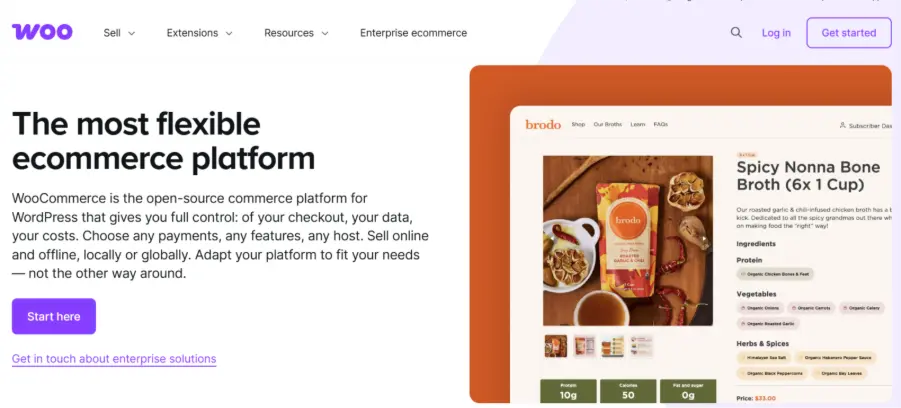
WooCommerce is the most widely used open-source e-commerce platform for WordPress. Allow users to create online stores for physical products, digital products, subscriptions, and bookings. It supports inventory management, payment gateways, tax controls, and shipping options.
Key Features:
- Product catalog management
- Themes
- Inventory control
- Secure checkout
- Multiple payment gateways
- Shipping management
- Tax settings
- Coupons and discounts
- Subscription and booking extensions
- Free Version: Core store management, products, checkout, shipping, tax, and payment gateway integrations.
- Paid Version: Advanced extensions for subscriptions, bookings, memberships, marketing, and shipping tools.
14. WP Courseware (Membership and LMS)
- Pricing: Starts at $159/year
- Active Installation: 1,000+
- Best for: Course creators, educators, coaching businesses, and membership websites

WP Courseware is a WordPress LMS plugin designed for creating, managing, and selling online courses. It offers drag-and-drop course building, quizzes, certificates, and student progress tracking, making it suitable for both solo educators and training businesses.
Key Features:
- Drag-and-drop course builder
- Quiz and test creation
- Course certificates
- Student progress tracking
- Drip content scheduling
- Instructor and student dashboards
- Payment and membership integrations
- Course prerequisites
- Multimedia lesson support
- Email notifications
- Free Version: Not available.
- Paid Version: Full LMS functionality with updates and premium support.
15. Optinmonster (Pop-up & Lead Generation)
- Pricing: Starts at $210/year
- Active Installation: 1+ Million
- Best for: Lead generation, popups, conversion optimization, and email list growth
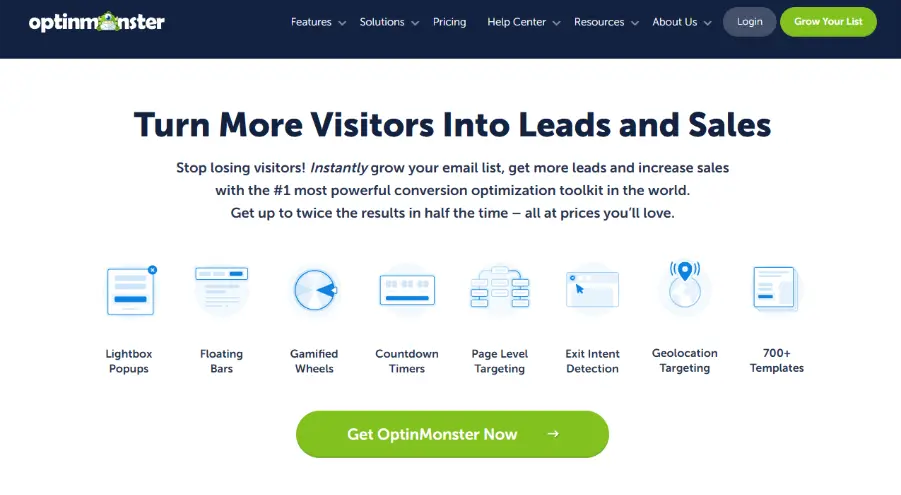
OptinMonster is one of the most popular lead generation and pop-up tools for WordPress. It helps businesses convert website visitors into subscribers and customers using popups, floating bars, slide-ins, exit-intent campaigns, and behavioral targeting.
Key Features:
- Exit-intent popups
- 700+ customizable templates
- A/B testing
- Countdown timers
- Page and device targeting
- Scroll triggers
- Analytics reporting
- Revenue attribution
- Campaign scheduling
- CRM and email integrations
- Free Version: Limited integrations via WordPress connector plugin.
- Paid Version: Unlocks advanced pop-up campaigns, behavioral targeting, A/B testing, exit-intent technology, and conversion analytics.
16. Akismet (Antispam)
- Pricing: Starts at $9.95/month
- Active Installation: 6+ Million
- Best for: Blogs, business sites, and publishers that need automated spam comment filtering.
Akismet is the default anti-spam plugin developed for WordPress websites. It automatically filters and blocks spam comments and malicious form submissions to keep websites clean and secure.
Key Features:
- Automatic spam detection
- Comment filtering
- Form spam protection
- Spam history logs
- Status tracking
- Global spam database
- Free Version: Basic spam protection for personal sites.
- Paid Version: Commercial use, advanced reporting, and premium support.
17. WPML (Translation & Multilingual)
Pricing:
- Multilingual blog: $45.20/year
- Multilingual CMS: $114.79/year
- Multilingual Agency: $230.75/year
- Active Installation: 100,000+
- Best for: Businesses and publishers targeting global audiences with multilingual websites.
WPML is one of the most trusted multilingual plugins for WordPress. It allows users to translate pages, posts, products, menus, and theme content into multiple languages. It works best for corporate websites as well as a blog website and aligns with other plugins without a hint of glitch.
Key Features:
- Full website translation
- WooCommerce multilingual support
- Translation management
- Automatic translation
- Language switcher
- SEO-friendly translated URLs
- Free Version: Not available.
- Paid Version: Complete multilingual website support with automatic and manual translations.
18. Brevo (Push notification)
- Pricing: Free
- Active Installation: 100,000+
- Best for: Email marketing, SMS campaigns, push notifications, and customer engagement

Brevo is a multi-channel marketing automation plugin for WordPress that supports email campaigns, SMS, WhatsApp, chat, push notifications, and automation workflows. It is particularly useful for e-commerce and lead nurturing.
Key Features:
- Email marketing campaigns
- SMS marketing
- Push notifications
- WhatsApp campaigns
- Chat widgets
- Marketing automation workflows
- WooCommerce integration
- Abandoned cart recovery
- AI-powered campaign tools
- Advanced analytics
- Free Version: Includes basic email marketing and contact management features.
- Paid Version: Premium plans vary based on email volume and advanced automation features.
19. Schema Pro (Schema Markup)
- Pricing: Starts at $79/year
- Active Installation: 4+ million
- Best for: SEO professionals, bloggers, and businesses looking to improve rich snippets and structured data visibility.

Schema Pro helps add structured data markup to WordPress pages and posts without coding. It supports schema types like articles, products, reviews, FAQs, and local business markup. You don’t need to be well-versed in coding, as no coding is required, and automation is available across multiple pages.
Key Features:
- Article schema
- FAQ schema
- Product schema
- Review schema
- Local business schema
- Recipe schema
- Automated field mapping
- 14-day money-back guarantee
- Free Version: Not available.
- Paid Version: Full schema automation, multiple schema types, 100% ACF compatible, and premium support.
20. Really Simple Security (SSL/HTTPS)
- Pricing: Starts at $69/year
- Active Installation: 3+ Million
- Best for: Website owners needing SSL migration and HTTPS security hardening.

Really Simple Security (formerly Really Simple SSL) helps WordPress websites move from HTTP to HTTPS and adds essential security hardening features. It offers two-factor authentication, an SSL certificate, login protection, and much more. It is a lightweight, easy-to-use plugin with a fast 1-minute setup and performance-focused modular features.
Key Features:
- One-click SSL activation
- HTTPS redirects
- Mixed content fixer
- Security headers
- Login protection
- Vulnerability checks
- Free Version: SSL activation and HTTPS redirect tools.
- Paid Version: Advanced security hardening, login protection, and vulnerability monitoring.
21. Code Snippets (Code Management)
- Pricing: Starts at $149/year
- Active Installation: 1+ Million
- Best for: Developers and website admins who need to add custom PHP, CSS, or JavaScript without editing theme files.
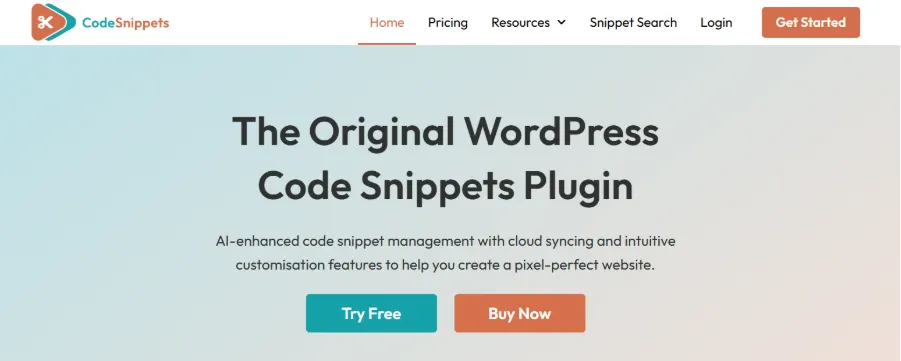
Code Snippets lets users safely add custom code to WordPress websites without modifying functions.php, reducing the risk of theme update conflicts. It provides an easy-to-use graphical interface for managing snippets like mini plugins, along with cloud integration for accessing community-powered code enhancements.
Key Features:
- PHP snippet management
- Custom CSS/JS snippets
- Safe activation and deactivation
- Import/export snippets
- Syntax highlighting
- Conditional execution
- Free Version: PHP snippet management, import/export, Multisite support, and Code Snippets Cloud access.
- Paid Version: Advanced snippet conditions, cloud sync, and priority support.
22. Smush (Image Optimization)
- Pricing: Starts at $60/year
- Active Installation: 1+ Million
- Best for: Websites with image-heavy pages, blogs, and portfolios.
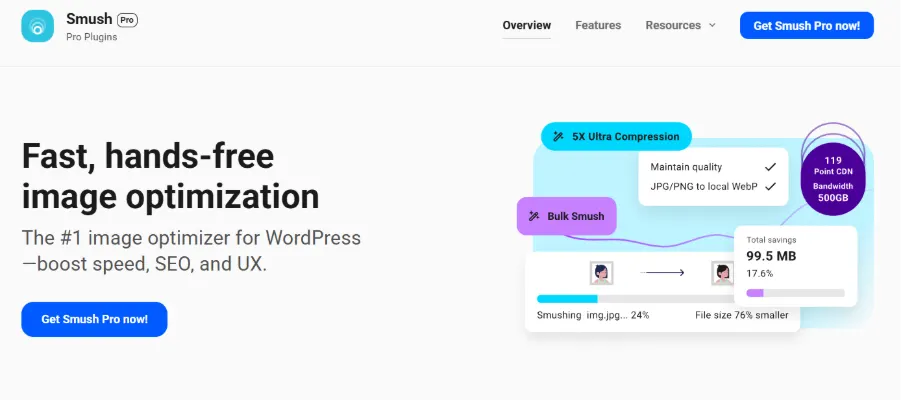
Smush is one of the most popular image optimization plugins for WordPress. It compresses images, enables lazy loading, and improves page load speed without noticeable quality loss. Also supports bulk optimization, lazy loading, WebP/AVIF conversion, and automatic image resizing to improve site speed and Core Web Vitals performance.
Key Features:
- Lossless image compression
- Bulk image optimization
- Lazy loading
- WebP conversion
- CDN integration
- Image resizing
- Free Version: Basic image compression, lazy loading, and bulk optimization.
- Paid Version: CDN, WebP conversion, higher compression levels, and advanced optimization tools.
Discover our latest guide to AI Plugins for WordPress and find the best solutions for smarter website management.
How to Choose Between Free and Paid Plugins?
One of the most common questions WordPress users ask is whether they should stick to free plugins or invest in paid versions. The answer depends entirely on your website’s goals, traffic, and budget.
Choose Free Plugins When:
- You are just starting out and still learning WordPress
- Your website is a personal blog or a small portfolio with low to moderate traffic
- The free version covers all the features you currently need
- You want to test a plugin’s interface and compatibility before committing financially
- Your budget is limited, and the plugin’s free tier is actively maintained
- You are building a staging or development site
Choose Paid Plugins When:
- Your website is a business that depends on performance, conversions, or rankings
- You need advanced features that are only available in the premium tier (e.g., scheduled backups, advanced eCommerce tracking, multi-location SEO)
- You want guaranteed access to priority support and rapid bug fixes
- You are managing client websites where reliability is non-negotiable
- The ROI on a paid feature (e.g., faster site speed, better analytics) clearly outweighs the cost
- You need regular automated updates without manual intervention
General Rule of Thumb: Try the free version first. If you consistently run into limitations or need a feature locked behind a paywall, upgrading is almost always worth it, especially for business-critical functions like SEO, backups, and analytics.
Final Thoughts
The WordPress plugin ecosystem is one of the most powerful assets available to any website owner. With the right combination of plugins, you can build a fast, SEO-optimized, secure, and visually stunning website, regardless of your technical skill level.
The plugins reviewed in this guide represent the best-in-class options across every major category as of 3rd April 2026, based on available data. Start with your site’s biggest pain points:
- If you are not ranking in search, prioritize an SEO plugin like Yoast SEO or Elementor.
- If your site is slow, WP Rocket can make an immediate difference.
- If you want to grow your social presence, Smash Balloon makes it effortless to embed live feeds.
Remember: more plugins do not always mean a better website. Install only what you need, keep everything up to date, and regularly audit your active plugins to remove anything that no longer serves a purpose. Quality over quantity is the golden rule of plugin management.
Frequently Asked Questions
Q1. What are WordPress plugins?
Ans. WordPress plugins are software extensions that add new features and functionality to a WordPress website, changing its core code. They will help you add functions like contact forms, page builders, SEO tools, caching, and much more. There are over 90,000 plugins as of 2026, and 62,000 free plugins.
Q2. Are WordPress plugins free or paid?
Ans. Many plugins offer free versions with basic features, while premium versions provide advanced functionality and support.
Q3. How many plugins should a WordPress website use?
Ans. There is no fixed number, but it’s recommended to use only essential plugins to avoid performance issues. Do not add any poorly coded plugins, as they may impact your website’s performance.
Q4. What is the best SEO plugin for WordPress?
Ans. Popular options include Yoast SEO, Rank Math, and AIOSEO, depending on your needs.
Q5. Are paid WordPress plugins worth it?
Ans. Yes, especially for business websites that require advanced features, security, and dedicated support.
Q6. What are the essential plugins every WordPress site should have?
Ans. There are many essential plugins, like SEO plugins, caching, backup, security, and analytics plugins, which help your website run smoothly.
Q7. Can too many plugins slow down a WordPress site?
Ans. Yes, poorly coded or excessive plugins can impact performance and loading speed.
Q8. How do I choose the best WordPress plugin?
Ans. Focus on your website’s needs, whether you want to improve SEO efficiency, performance rate, boost security measures, and also check reviews, ratings, update frequency, compatibility, and support before installing any plugin.

manvinder Singh
https://www.hostingseekers.com
Manvinder Singh is the Founder and CEO of HostingSeekers, an award-winning go-to-directory for all things hosting. Our team conducts extensive research to filter the top solution providers, enabling visitors to effortlessly pick the one that perfectly suits their needs. We are one of the fastest growing web directories, with 500+ global companies currently listed on our platform.