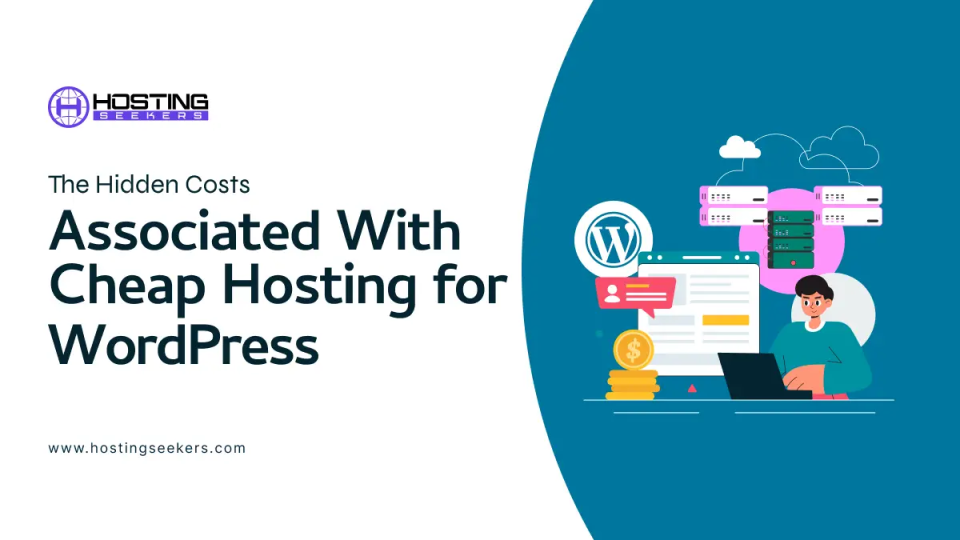
The Hidden Costs Associated With Cheap Hosting for WordPress
IT Updated on : January 5, 2026WordPress is an excellent online tool for individuals or business owners without coding skills and development experience who want to build a website or blog for their brand. The open-source version (wordpress.org) allows them to seamlessly design and develop an effective website and choose a suitable and secure web hosting provider.
If a web hosting provider offers managed hosting for WordPress, they will be responsible for maintaining the technical aspects of the website, including software updates, security, backups, and performance optimization. This gives website owners more time to focus on the content and imagery that enhances search engine optimization (SEO) and builds a loyal customer base.
Monthly or annual prices for managed hosting for WordPress services vary widely depending on the provider, contract length, storage, bandwidth, email capacity, and extras such as Secure Sockets Layer (SSL) certificates and auto-updates. There are also various discounts and promotions that lower service prices, as web hosting providers compete with one another.
However, you can expect to pay between $2 and $8 a month, which is highly affordable.
Unfortunately, these cheap hosting for WordPress services often come with a range of hidden costs that aren’t included in your managed packages.
This article explores five hidden costs associated with cheap hosting for WordPress.
1. Premium Plugins
A plugin adds a specific and useful feature or functionality to your WordPress website. For example, you may add an AI-powered chatbot plugin, such as Zendesk or Tidio, to your website so that your visitors can access round-the-clock support. This feature improves the user experience (UX) and increases leads.
There are three types of plugins:
- Free plugins: Free plugins are entirely free with no upfront or additional costs. There are 60,000 free plugins available in the WordPress plugin directory.
- Freemium plugins: Freemium plugins offer basic features or versions for free, but users have to pay to access additional features. WooCommerce is not only the most popular eCommerce plugin for WordPress, but also a great example of a freemium plugin: it’s free to install and offers hundreds of free or paid extensions.
- Premium plugins: You can only install a premium plugin on your website after you have paid, either a one-time fee or a regular subscription. They offer advanced features and functionality that make them worth paying for, along with auto-updates and customer support.
You are likely to need to purchase some premium plugins to make the most effective website, especially for SEO, security, and performance. However, these costs vary widely from $2 to $1,000 per year, so do your research.
2. Premium Themes
Themes shape the look and feel of a WordPress website, with templates, stylesheets, images, and scripts helping deliver a seamless design. For example, Flatsome is an excellent theme for online shops as it has built-in eCommerce features that enhance the user experience.
Like plugins, many free themes exist. These aren’t necessarily poor quality, as each free theme in the official library is created by a professional WordPress developer.
However, brands that want to succeed often rely on premium themes with intricate design elements to look more professional and stand out from competitors. In addition, premium themes offer advanced customization options, customer support, regular updates, and optimized SEO, thanks to their enhanced performance and mobile-friendliness.
WordPress offers a great variety of free and premium themes for all users, with paid themes ranging from $2 to $200 per year or up to $1,000 for lifetime access.
3. Domains
When building a WordPress website, you will need to create and register a domain name (mybusinessname) and a top-level domain (.com). This will become part of your URL (https://www.mybusinessname.com/products) and will be the first impression visitors get of your brand and what products or services you offer.
Some cheap web hosting providers include free domain name registration, either for a set period or forever. Whilst other web hosting providers will require you to pay for your chosen domain name, the cost will partly depend on the TLD (top-level domain) you choose. Here are some examples of TLDs, also known as extensions:
- Generic TLDs such as .com, .net, and .org. These are the most commonly used and, therefore, the most well-known.
- Country-code TLDs such as .us (US), .uk (United Kingdom), and .ca (Canada). These are assigned for specific countries, allowing brands to boost local visibility.
- Sponsored TLDs such as .gov (government), .mil (US military), and .edu (education).
- Industry-specific TLDs such as .live, .tech, .ai, .shop, and .io. These can make your domain more unique and specific to what your website offers.
The most popular TLD in the world is .com, with almost 300 million registered domains. Here are some reasons why .com is the most recommended extension for website owners:
- Enhances trust and credibility: Many visitors already trust the well-known .com extension and don’t associate it with spammy websites.
- Improves SEO ranking: Google and other search engines favor .com domains and are more likely to display search results from websites with the .com TLD.
- Increases direct traffic: Since most websites use the .com extension, many people automatically type a website address followed by this TLD, which will increase your direct traffic.
Ensure you buy a domain name from an ICANN-accredited registrar and always renew it before the expiration date.
4. WordPress Development
It’s easier than ever to build a functioning WordPress website without coding knowledge and web development skills, thanks to the ever-growing list of YouTube tutorials and the customizable page builders when you select a theme.
However, some website owners may want additional features, designs, and functionalities that they cannot do themselves. Although not directly linked to hosting for WordPress costs, if you hire a professional website developer to create a custom site, your website costs will skyrocket.
5. Additional Security
Neglecting security is a common mistake when creating a cheap WordPress website, and one you should avoid, as it deters visitors and increases your chances of damaging your business reputation.
All websites that handle sensitive information, such as customer addresses and credit card details, should have an SSL certificate. When an SSL certificate is installed on your WordPress website, ‘https://’ will appear at the beginning of your URL, which increases trust and credibility.
Some web hosting providers will include a basic Domain Validation (DV) SSL certificate in their managed hosting for WordPress package. However, advanced validation levels, such as Extended Validation (EV) and Organization Validation (OV), will incur additional costs for website owners.
The price varies depending on the type of certificate and the level of security, so make sure to research before you buy.
In addition, backups, firewalls, and malware scanning are also essential for protecting your website and its visitors. These cybersecurity services are also a hidden cost associated with hosting for WordPress.
Is hosting for WordPress Cheap?
The cost of creating a WordPress website and hosting it with a third-party provider is pretty cheap, thanks to professional web hosting providers competing for your business. In addition, WordPress offers hundreds of free themes that make engaging websites and free plugins that add excellent features and functionalities.
However, the associated costs, from domain names and security to premium plugins and themes, can significantly add up. If you are planning to build a WordPress website with the most responsive theme, a wide array of features (from plugins), the best security, and a .com domain, you’ll need the right amount of funds.
The amount of money needed can vary massively depending on your industry, design ideas, and budget, so it’s best to do your own research.

manvinder Singh
https://www.hostingseekers.com
Manvinder Singh is the Founder and CEO of HostingSeekers, an award-winning go-to-directory for all things hosting. Our team conducts extensive research to filter the top solution providers, enabling visitors to effortlessly pick the one that perfectly suits their needs. We are one of the fastest growing web directories, with 500+ global companies currently listed on our platform.