
GoDaddy Customer Service: Fastest Ways to Get Help in 2026 (Phone, Chat & Email)
IT Updated on : June 30, 2026When your domain stops working, your website goes offline, or you need urgent hosting assistance, the fastest ways to contact GoDaddy customer service include 24/7 live chat, phone support, or email. These support channels help you quickly resolve account, billing, technical, and domain-related issues without delays.
GoDaddy provides multiple customer support options for users worldwide, including dedicated phone numbers, live chat assistance, and helpful self-service resources.
In this guide, we’ll walk you through the fastest ways to contact GoDaddy customer service, including official support numbers, step-by-step live chat instructions, support hours, and expert tips to get quicker resolutions for urgent website problems.
GoDaddy Phone Numbers
| Country | Phone Number |
|---|---|
| United States (Toll-Free) | +1 480 366 3549, +1 480 463 8300 |
| Canada (Toll-Free) | +1 866 938 1119, +1 844 494 9065 |
| Australia | +61 1300 351 076, +61 03 8820 5819, +61 02 8042 8920 |
| India (Toll-Free) | 040-67607600 |
| Argentina | +54 11 52353894 |
| Austria | +43 800 300248 |
| Belgium | +32 78 48 03 73, +32 78 48 06 96 |
| Brazil | +55 4003 3329, +55 21 3956 9989, +55 11 47003260 |
| Chile | +56 44 8909 402, +56 2 3236 6711 |
| Denmark | +45 78 72 57 85 |
| Germany | +49 89 21 094 807 |
| Spain | +34 91 198 05 24 |
| France | +33 9 70 01 93 53 |
| Hong Kong | +852 30085887, +852 3018 8600 |
| Ireland | +1 480 366 3549, +353 1 653 5976 |
| Italy | +39 800934119 |
| Mexico | +52 55 8877 3680, +1 480 463 8860 |
| Netherlands | +31 85 064 4504 |
| Norway | +47 235 02 160 |
| Peru | +51 1 7097939 |
| Poland | +48 12 881 57 90, +48 42 203 64 26, +48 22 292 26 69 |
| Portugal | +351 351 300 609 032 |
| Switzerland | +41 44 511 1274, +41 43 508 3969, +41 43 508 3970 |
| Finland | +358 9 424 50 695, +358 3 410 89 752 |
| Sweden | +46 077 588 80 23 |
| Turkey | +90 850 390 75 46 |
| United Arab Emirates | +44 20 7084 9215, +1 480 463 8746, +800 032 0329 |
| United Kingdom | 020 7084 1810 |
| Venezuela | +58 212 3357403, +800 1008643 |
| Ukraine | +380 89 320 25 29 |
| Taiwan | +886 0801 491 492 |
All phone numbers verified as of April 2026. Phone numbers are sourced from official support pages and may change over time. Please verify on the GoDaddy website.
GoDaddy WhatsApp Support Numbers
| Country | WhatsApp Phone Number |
|---|---|
| India | +91 40 6760 7655 |
| Argentina | +52 155 4744 8181 |
| Brazil | +55 11 3958 0967 |
| Chile | +56 44 204 4387 |
| Germany | +49 89 38037850 |
| Spain | +34 982 751 001 |
| France | +33 970 019 536 |
| Hong Kong | +852 3008 5638 |
| Ireland | +852 3008 5638 |
| Italy | +39 800 940 564 |
| Mexico | +52 155 4744 8181 |
| Peru | +51 1700 9397 |
| United Kingdom | +44 20 7023 7958 |
| Taiwan | +886 2 7737 4447 |
GoDaddy Customer Service Email Support
How to contact GoDaddy support via email?
1. Go to https://www.godaddy.com/
2. Then click on ‘Contact Us.’
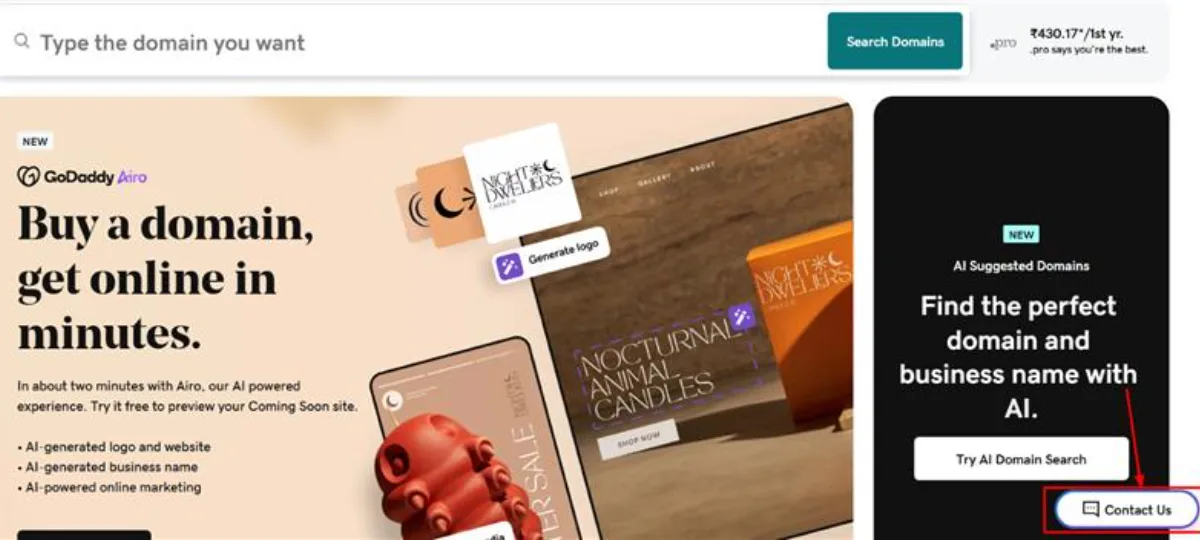
3. You will be directly connected to the virtual assistant
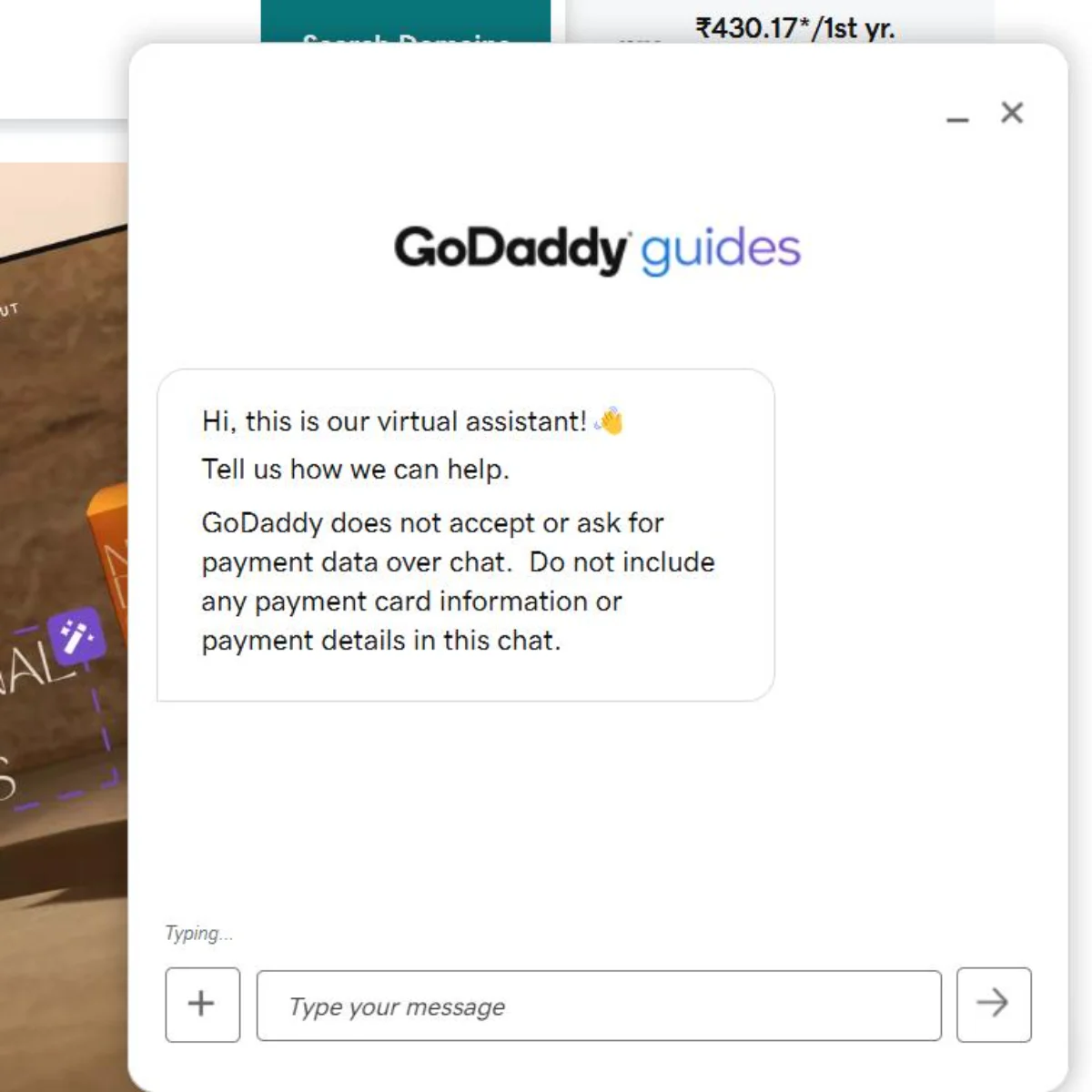
4. You can ask for a support email in the chat
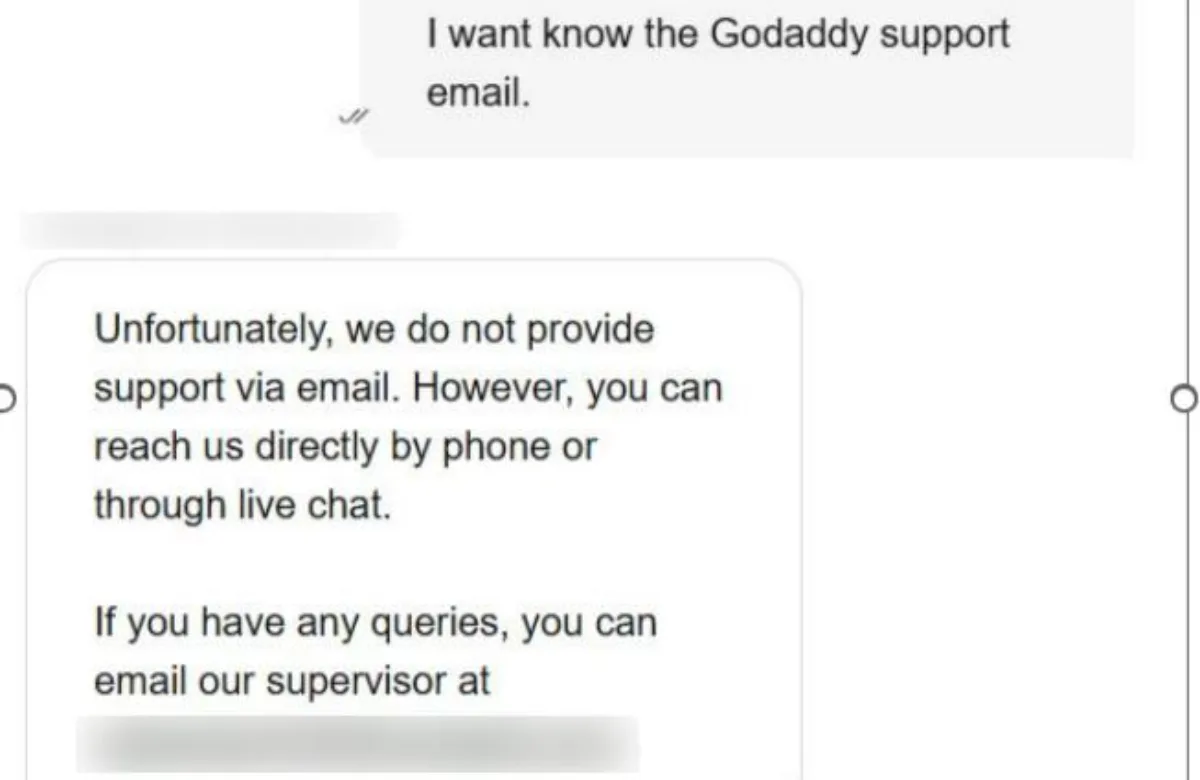
GoDaddy does not provide general customer support via email. The email addresses listed below are for specific departments only and may not respond to general queries.
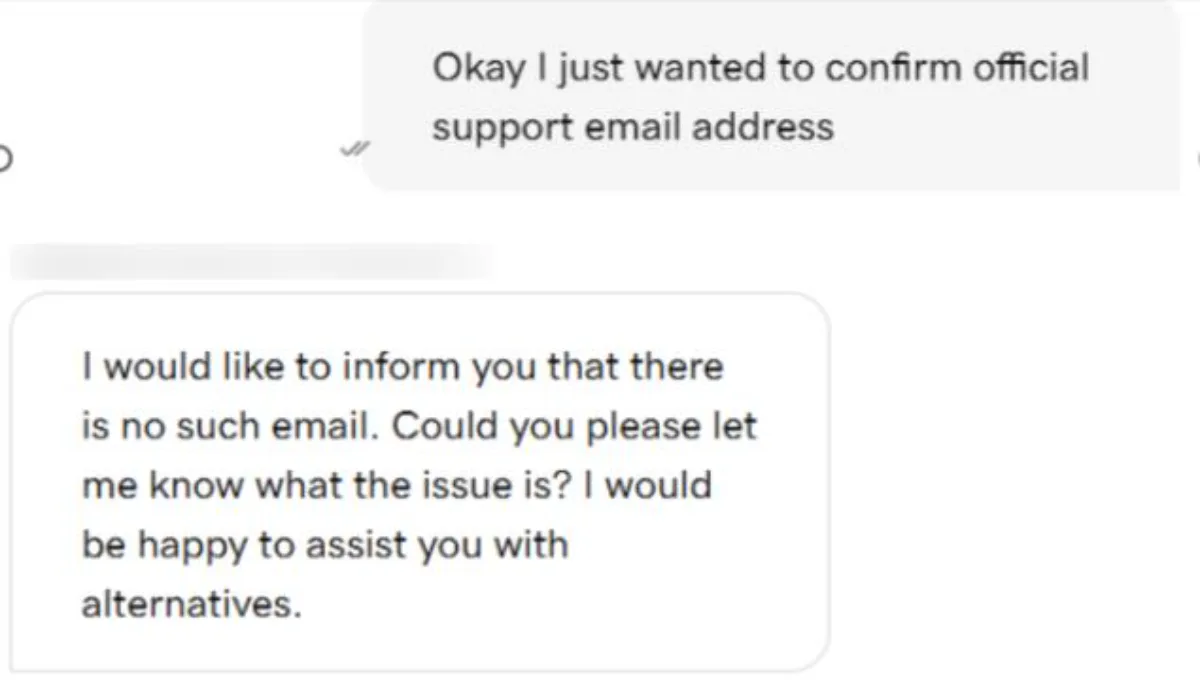
Other GoDaddy Support Emails
| Department | Email Address |
|---|---|
| Affiliate Program | affiliates@godaddy.com |
| Brand Marketing | brandmarketing@godaddy.com |
| Investor Relations | investors@godaddy.com |
| Charity – 501 C3 Support | charity@godaddy.com |
| Events – Local Events | brandmarketing@godaddy.com |
| Media – TV, Radio, Print | tvmedia@godaddy.com |
| Online Advertising | posmopps@godaddy.com |
| People Operations | hr@godaddy.com |
| Production | gdp@godaddy.com |
| Resellers | resellersales@securepaynet.net |
| Search Engine Advertising | searchadvertising@godaddy.com |
| Legal | legal@godaddy.com |
| Commerce Partner | commercesales@godaddy.com |
| Complaint | copyrightcomplaints@godaddy.com |
GoDaddy Useful Links
| Section | Link |
|---|---|
| Customer Care | Visit Page |
| Resources Blog | Visit Page |
| Help Center | Visit Page |
| Guides | Visit Page |
| Community | Visit Page |
| Events | Visit Page |
| Courses | Visit Page |
| Industry News | Visit Page |
| Careers | Visit Page |
| Report Abuse | Visit Page |
GoDaddy Social Media
| Platform | Profile Link |
|---|---|
| Visit Profile | |
| Visit Profile | |
| X (formerly Twitter) | Visit Profile |
| Visit Profile | |
| YouTube | Visit Channel |
GoDaddy Headquarters and Locations
| Country | Location |
|---|---|
| United States | Tempe, Arizona (Headquarters) |
| United States | Kirkland, Washington |
| United Kingdom | Nottingham (International Flagship Office) |
| Romania | Iasi |
| Serbia | Belgrade |
| India | Gurugram |
| India | Pune |
How to Get in Touch with GoDaddy Customer Service?
There are multiple ways you can contact GoDaddy Customer Support. Some of them are listed below:
- Contact via GoDaddy Live Chat
- Get in Touch by GoDaddy Phone Support
- Contact GoDaddy Support via Email
- Contact using WhatsApp
Let’s discuss these methods in detail:
1. Contacting GoDaddy Support via Live Chat Option
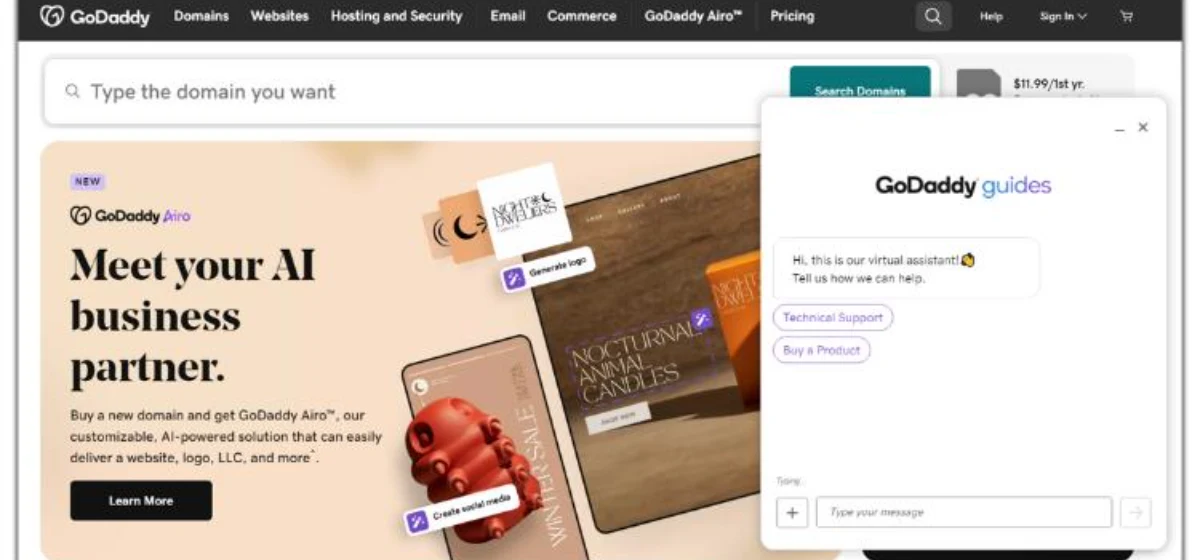
GoDaddy chat support is the quickest and easiest method to get in touch with the experts. To get GoDaddy online chat support, you need to follow some simple steps
Step 1: Visit the GoDaddy website.
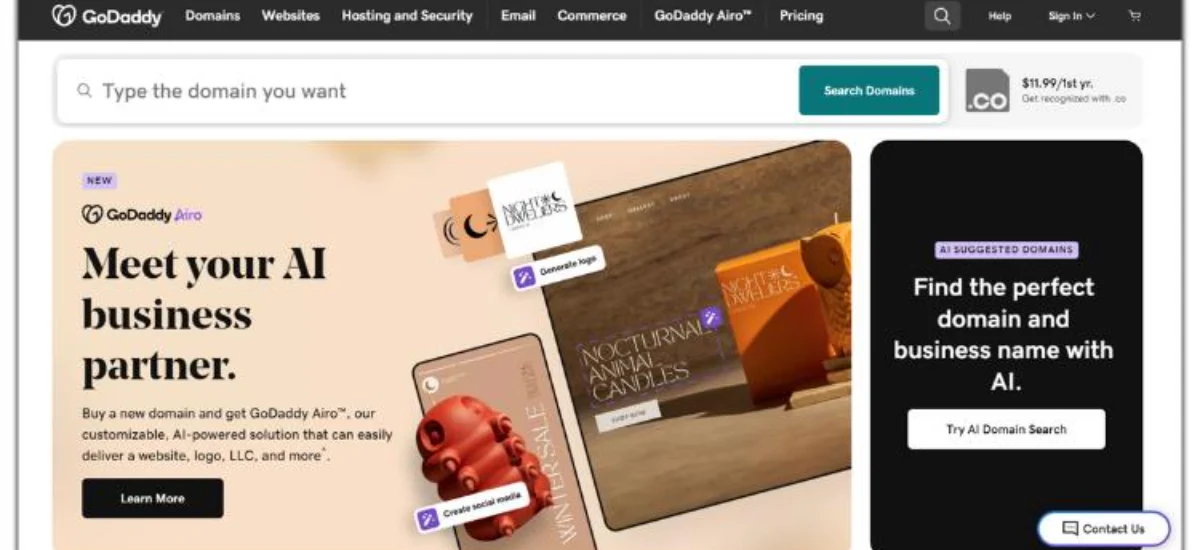
Step 2: Move the cursor to the bottom-right corner of the screen, click on the “Contact Us” button, and start chatting.
GoDaddy Live Agent – Best Times to Contact
| Channel | Availability |
|---|---|
| US Phone | 24/7 |
| India Phone | Every day 9:00 AM to 7:00 PM IST |
| Live Chat | 24/7 (bot first, then agent) |
| WhatsApp (India) | 24/7 |
| Text Support (US) | 24/7 |
What to Do When GoDaddy Live Chat is Not Working?
GoDaddy’s live chat is available 24/7, but users sometimes encounter issues where the chat widget fails to load, doesn’t connect to an agent, or disappears entirely. This can happen due to browser settings, server-side availability windows, or high traffic volumes.
Common Reasons GoDaddy Chat Stops Working
- Browser extensions (ad blockers, privacy tools) are blocking the chat widget
- Cookies or JavaScript are disabled in your browser settings
- GoDaddy’s chat widget is temporarily unavailable due to high demand
- VPN or firewall blocking GoDaddy’s chat domain
- An outdated browser cache is preventing the widget from loading
Here’s What to Do When GoDaddy Chat Is Not Working
1. Clear your browser’s cache and cookies, then reload GoDaddy.com.
2. Disable any ad blockers or privacy extensions (e.g., uBlock, Privacy Badger) for the GoDaddy domain.
3. Try a different browser, such as Chrome, Firefox, or Edge, which are most compatible.
4. Disable your VPN if active, as some VPN IPs may be restricted from chat access.
5. Navigate directly to godaddy.com/help/contact-us and click “Chat Now” from there.
6. Try in Incognito/Private mode to rule out extension conflicts.
2. Contact GoDaddy Support via Phone Number (GoDaddy Phone Support)
GoDaddy provides country-specific phone numbers for customer support. GoDaddy customer service phone numbers are available in the following countries: Australia, Argentina, Brazil, Canada, Chile, Denmark, Germany, Spain, Hong Kong, India, Ireland, Israel, Italy, México, Netherlands, New Zealand, Norway, Austria, Peru, Poland, Portugal, Switzerland, South Africa, Finland, Sweden, Turkey, United Arab Emirates, United Kingdom, United States, Venezuela, Greece, Ukraine, Taiwan, and Hong Kong.
All you need to do is take the steps listed below:
1. Go to the official website.
2. On the website, click on the CONTACT US button in the top-right corner.
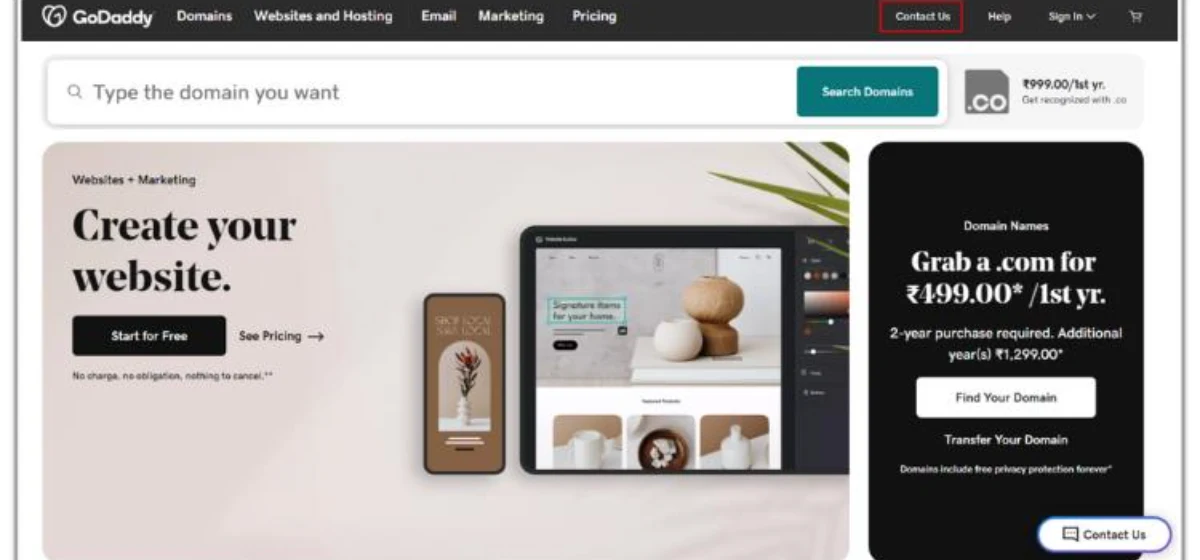
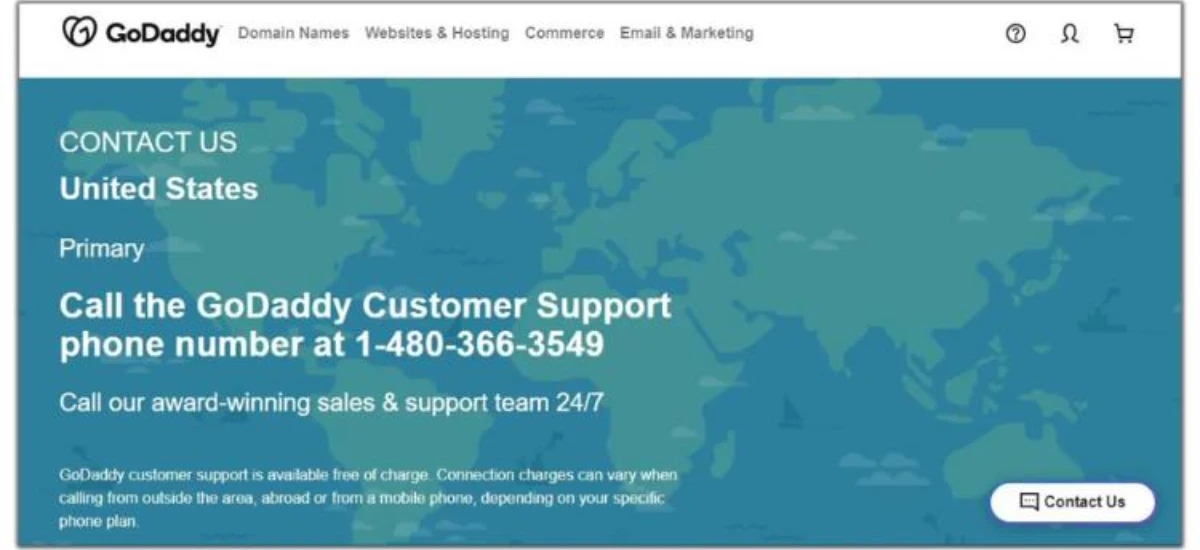
3. If the number given is compatible with your existing address, give it a call. To view the GoDaddy help numbers for additional regions, scroll down the Contact Us page, and you will see a list of the numbers specified for the countries.
GoDaddy India Support Hours Contact Details (2026)
GoDaddy India operates a dedicated regional support team for Indian customers. Unlike GoDaddy’s US operations, which run 24/7, GoDaddy India’s customer service timing has defined business hours; so, plan your call accordingly.
GoDaddy India – Official Support Timings
| Support Type | Details |
|---|---|
| Phone Support | Every day: 9:00 AM – 7:00 PM IST |
| Phone Number (India) | +91 40-6760-7600 |
| WhatsApp Support | +91 40-6760-7655 (24/7) |
| Chat Support | 24/7 (English — via GoDaddy.com) |
| Language | English & Hindi available via phone |
Pro Tip: If your issue is outside phone support hours (before 9 AM or after 7 PM IST), use the 24/7 WhatsApp channel at +91 40 6760 7655 or switch to the live chat on GoDaddy.com.
Does GoDaddy Offer a Callback Option?
GoDaddy Callback Current Status (2026)
GoDaddy has previously offered a ‘Request a Call’ feature through its website. However, as of 2026, this feature is listed as “not available right now” on GoDaddy’s official callback page (godaddy.com/help/call-back). GoDaddy has not announced its return, and there is currently no self-service way to schedule a callback from GoDaddy support.
3. Contacting GoDaddy Support via Email
GoDaddy does not offer direct public email support like traditional providers, but you can still receive email assistance after initiating contact.
4. Contacting GoDaddy Support via WhatsApp
GoDaddy also provides support through WhatsApp, which is quick and convenient for mobile users.
Step-by-Step Process:
Step 1: Go to the GoDaddy website.
Step 2: Click on “Contact Us”
Step 3: Select the “WhatsApp Support” option
Step 4: You will be redirected to WhatsApp
Step 5: Start chatting with the support team
Get Your Queries Resolved from GoDaddy’s Useful Resources
GoDaddy Community Support
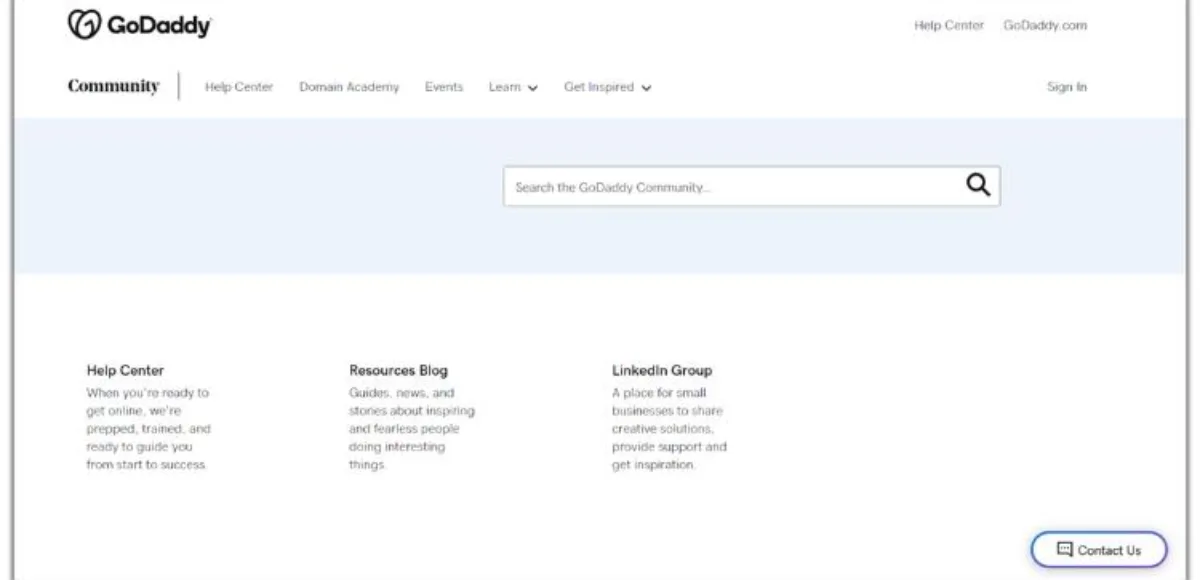
On the GoDaddy Community Forum, users and experts can exchange knowledge, pose queries, and discuss topics related to web hosting and domain registration services
Within this helpful forum, both authorized GoDaddy representatives and other users can offer solutions, pointers, and advice.
To get access to the GoDaddy community forum, follow these steps:
1. Go to the GoDaddy website.
2. Navigate to the upper-right corner of the website and click on the CONTACT US button.
3. Click COMMUNITY from the website’s menu bar.
What to do when a GoDaddy account gets hacked or compromised?
Finding out that your GoDaddy account has been compromised is a serious, time-sensitive situation. Hackers often change the account email, password, and two-factor authentication details within minutes of gaining access, and you will be locked out entirely. Here’s a step-by-step emergency response plan for GoDaddy account compromised support.
Step 1: Call GoDaddy Immediately
Your first action should be to call GoDaddy support. Phone support allows agents to act faster and apply emergency account locks.
When the automated system greets you, say: “Account hacked.” This keyword flags your call as a security emergency and can elevate your call priority for faster routing to a live agent.
Step 2: Take Immediate Action If You Still Have Access
If you can still log in to your GoDaddy account, act immediately to lock down your account before the attacker can make more changes:
- Change your account password immediately to a strong, unique password.
- Change the email address associated with your account to a secure, uncompromised email.
- Update your Support PIN.
- Remove any unfamiliar delegate access under your account settings.
- Delete unknown or unauthorized API keys at developer.godaddy.com.
- Remove unused or suspicious payment methods from your account.
- Remotely sign out of all active sessions: Go to Account Settings → Select “Active Sign-ins” → Click “Sign Out All”.
- Enable two-step verification (2SV/2FA) if it’s not already active.
Step 3: Use GoDaddy’s Account Recovery Form
- If you are completely locked out of your account (email and password changed by the attacker), GoDaddy provides a dedicated account recovery process:
- Visit changeupdate.com – this is GoDaddy’s official account recovery portal.
- Fill out the recovery form with your original account details (name, registered address, last 4 digits of payment method, etc.).
- Attach a copy of your government-issued photo ID to the follow-up email GoDaddy sends.
- Allow up to 96 hours for GoDaddy’s recovery team to verify your identity and restore access.
How to Prevent Future Account Compromise
- Enable two-step verification (2SV) on your GoDaddy account, as this is the single most effective protection against account takeovers.
- Use a unique, strong password for GoDaddy and never reuse passwords from other sites.
- Regularly check your account’s “Activity” section for unrecognized IP addresses or login events.
- Ensure your registered mobile number is current, and recovery codes and OTPs are sent here.
- Periodically audit delegate access to ensure only trusted users have access to your account.
Conclusion
GoDaddy’s customer support offers timely assistance, knowledgeable agents, and a variety of contact options, ensuring that customers receive the help they need efficiently. While there may be occasional issues reported, overall feedback suggests a positive experience with their exceptional customer service and technical expertise. GoDaddy has solidified its reputation as a trusted partner for businesses and developers alike.
Frequently Asked Questions
Q 1: How can I contact GoDaddy customer support?
Ans. GoDaddy customer service can be reached through phone, live chat, or email. GoDaddy’s contact information is available on their website.
Q 2: How long does it typically take to receive a response from GoDaddy support?
Ans. Response times may vary depending on the support channel and the nature of the inquiry. Generally, GoDaddy tech support aims to respond promptly to customer queries.
Q 3: What is GoDaddy’s WhatsApp Number?
Ans. The GoDaddy WhatsApp number in India is +91 40 6760 7655.
Q 4: Is GoDaddy an Indian company?
Ans. No, GoDaddy is an American company.
Q 5: How do I email a complaint to GoDaddy?
Ans. To email a complaint to GoDaddy, you can email at copyrightcomplaints@godaddy.com
Q 6: How do I skip the GoDaddy virtual assistant and talk to a real person?
Ans. When you contact GoDaddy via phone, the virtual assistant will greet you first. To reach a real person faster, say “representative” or press 0 when prompted. Alternatively, use the live chat option on GoDaddy’s website and type “talk to a person” or “agent” to be connected with a real support guide quickly.
Q 7: What is GoDaddy’s customer number and PIN?
Ans. Your GoDaddy customer number is a unique ID assigned to your account. You can find it by logging into your GoDaddy account and navigating to the top-right corner under your profile. Your support PIN is a 4-digit code set in your account security settings. Both are asked when you call GoDaddy support to verify your identity — but they are not mandatory to call.
Q 8: Can I chat with GoDaddy without logging in?
Ans. Yes, you can start a live chat with GoDaddy without logging in. Simply visit GoDaddy.com, scroll to the bottom-right corner, and click the “Contact Us” button. You will be connected to GoDaddy’s virtual assistant first — type “agent” or “representative” to request a live support guide. However, for account-specific issues, you will need to verify your identity during the chat.
Q 9: How long does GoDaddy support take to respond?
Ans. Response time depends on the contact method:
| Contact Method | Average Response Time |
|---|---|
| Phone | Immediate — 2 to 5 minutes wait |
| Live Chat | 2 to 10 minutes, depending on traffic |
| 30 minutes to a few hours | |
| Email (specific departments) | 24 to 72 hours |
Q 10: Does GoDaddy have 24/7 support in India?
Ans. No, GoDaddy does not offer 24/7 support in India. Indian customers can reach GoDaddy support every day from 9:00 AM to 7:00 PM IST via phone at 040-67607600 or WhatsApp at +91 40 6760 7655.
Q 11: Does GoDaddy have 24/7 support in the US?
Ans. Yes, GoDaddy offers 24/7 customer support in the United States. You can call anytime at +1 480-366-3549 or +1 480-463-8300, or use the live chat option on GoDaddy.com at any hour.
References Link:
https://www.godaddy.com/contact-us
https://www.godaddy.com/
https://careers.godaddy/locations
https://community.godaddy.com/s/

manvinder Singh
https://www.hostingseekers.com
Manvinder Singh is the Founder and CEO of HostingSeekers, an award-winning go-to-directory for all things hosting. Our team conducts extensive research to filter the top solution providers, enabling visitors to effortlessly pick the one that perfectly suits their needs. We are one of the fastest growing web directories, with 500+ global companies currently listed on our platform.