Google AI Mode: A New Way to Search Online
IT Updated on : October 15, 2026Are you still following the traditional method of searching online, where you type a query into Google, browse through several links, and piece together the answer yourself? Google AI Mode changes that. Instead of relying on short queries or opening multiple pages, you can ask detailed questions and get direct, AI-powered answers.
It uses the latest Gemini models, Google’s most advanced generative AI technology. AI Mode comes with a range of features and benefits, which we will discuss in this blog. Let’s get started and explore how it can enhance your search experience.
What is Google AI Mode?
Google AI Mode is a revolutionary search feature that moves beyond traditional link-based results. Similar to AI Overviews, which provide summarized answers, AI Mode offers a chatbot-like experience where users can ask complex, descriptive questions and receive detailed responses.
It is powered by the latest Gemini Models and delivers in-depth responses, complete with visual cards for local businesses, product specifications, and real-time availability. Users can access it via a new “AI Mode” tab in Google Search or the mobile app, making it ideal for descriptive queries.
Google AI Mode is available in over 200 countries and territories worldwide and supports more than 35 languages.
How to Access Google AI Mode?
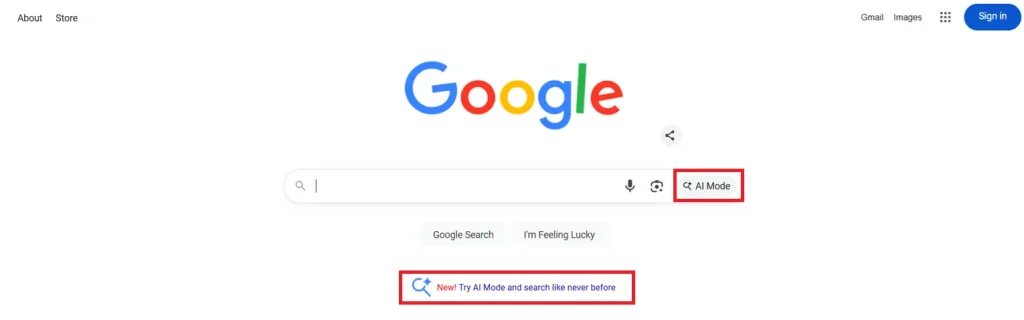
Google Search Labs is currently available to a limited number of people in selected countries. For the US region, you can find AI Mode on the Google search Page, or you can try AI Mode by clicking on the notification below the search bar and start experiencing.
Furthermore, Google Search Labs and experiments are available in 7 languages and over 120 countries and territories.
How to Enable Google AI Mode?
Indian users need to enable Google AI Mode and then start experiencing it. Let’s take a step-by-step look at how to enable AI Mode and activate it.
Step 1: Go to Google.com and click on the Search Labs icon.
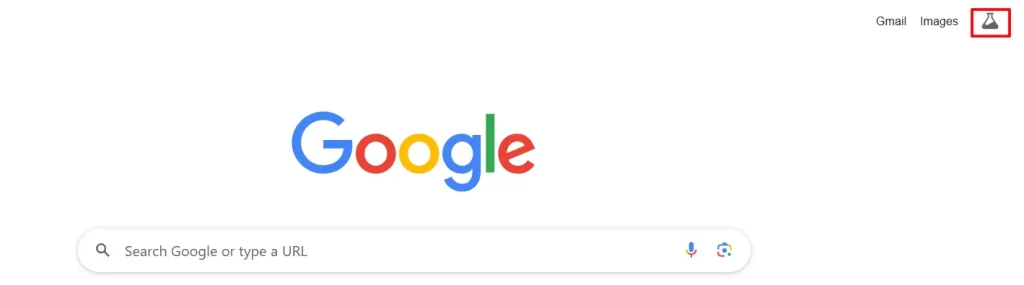
Step 2: From the new experiments section, turn on AI Mode, and you can begin experiencing AI Mode.
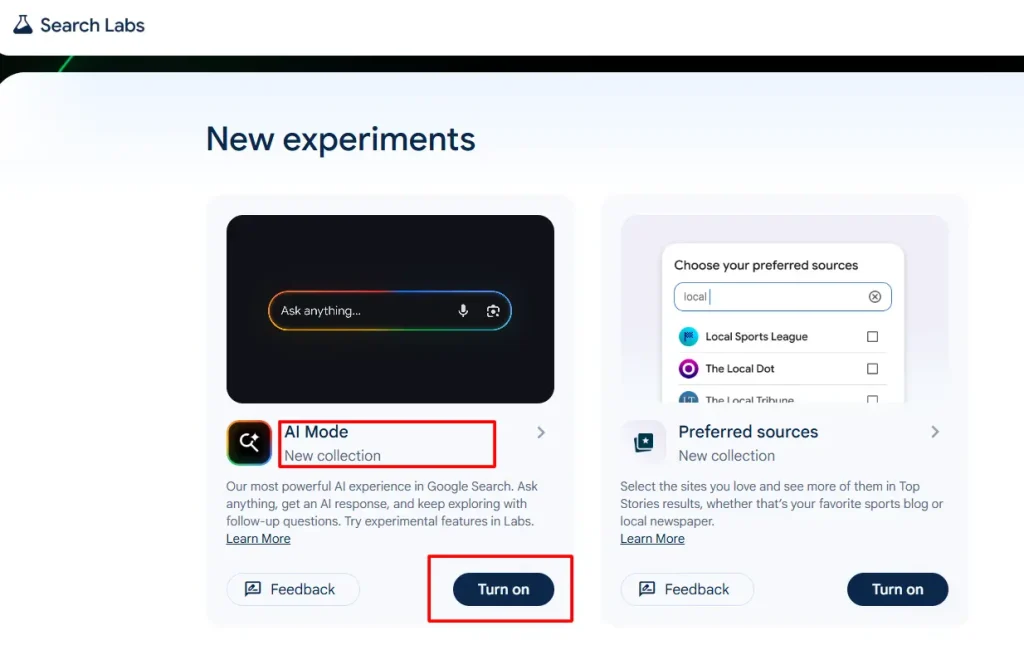
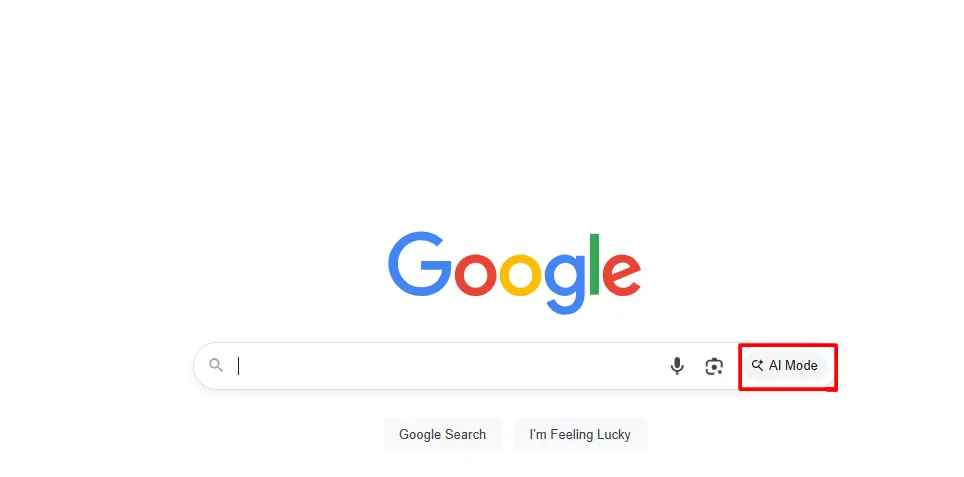
Step 3: Once it is enabled, you should see the AI Mode toggle below the search bar on Google’s homepage.
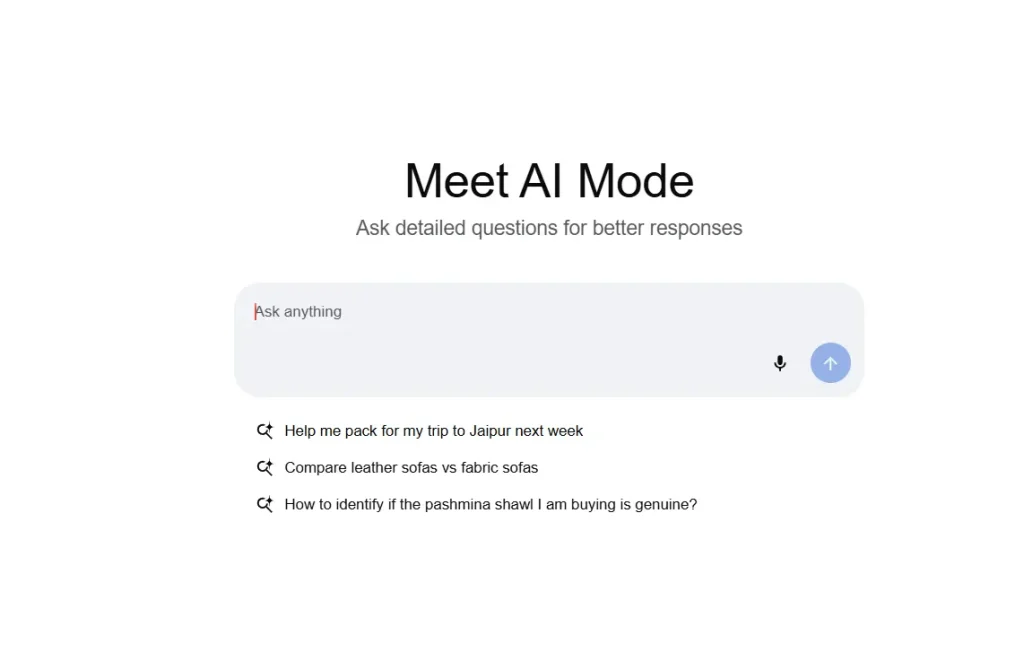
Step 4: Clicking on AI Mode will redirect you to its chatbot interface. You can ask questions and start experiencing them.
How AI Mode Works
AI Mode takes AI overviews to the next level, expanding their capabilities. It breaks down your question into smaller parts and searches for each one simultaneously. This advanced reasoning enables it to dig deeper across the web and deliver more relevant, accurate, and well-rounded answers in one step. With more intelligent interaction and broader understanding, AI Mode helps users get better results faster.
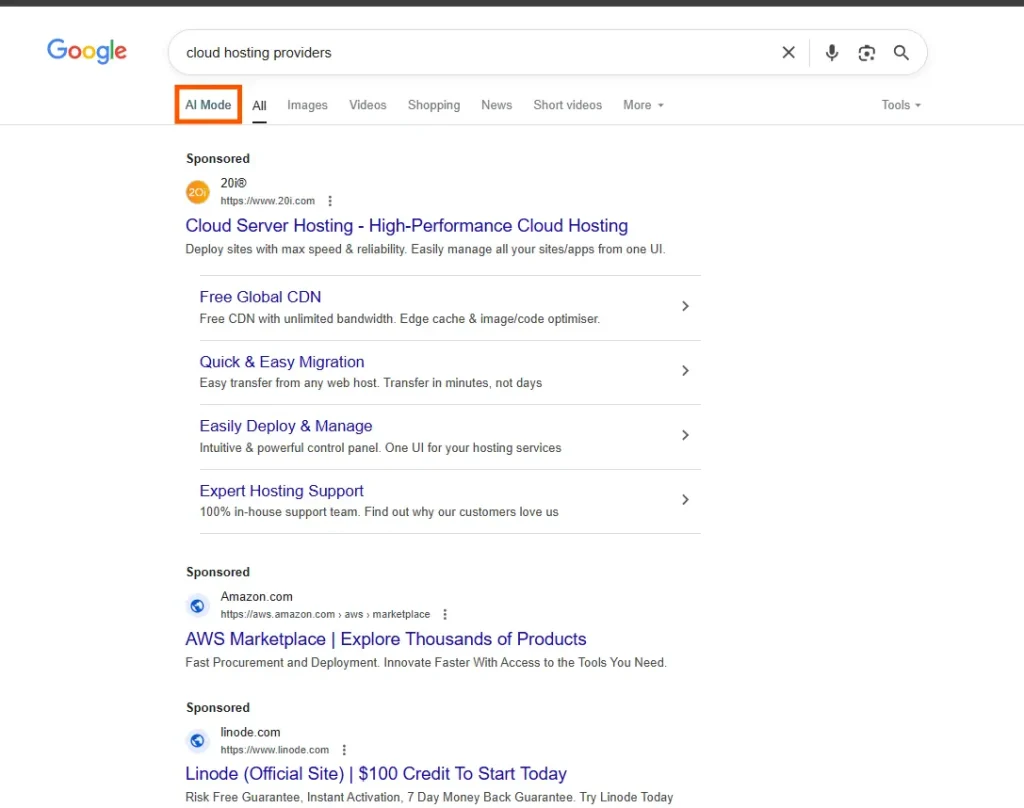
For instance, let’s say you search for the largest web hosting companies and click on AI Mode.
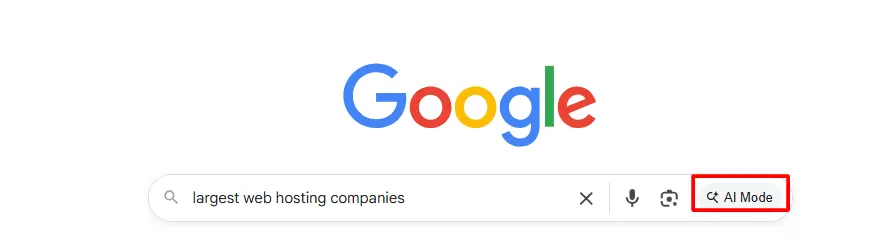
It summarizes the content from top-ranking websites and provides detailed answers.
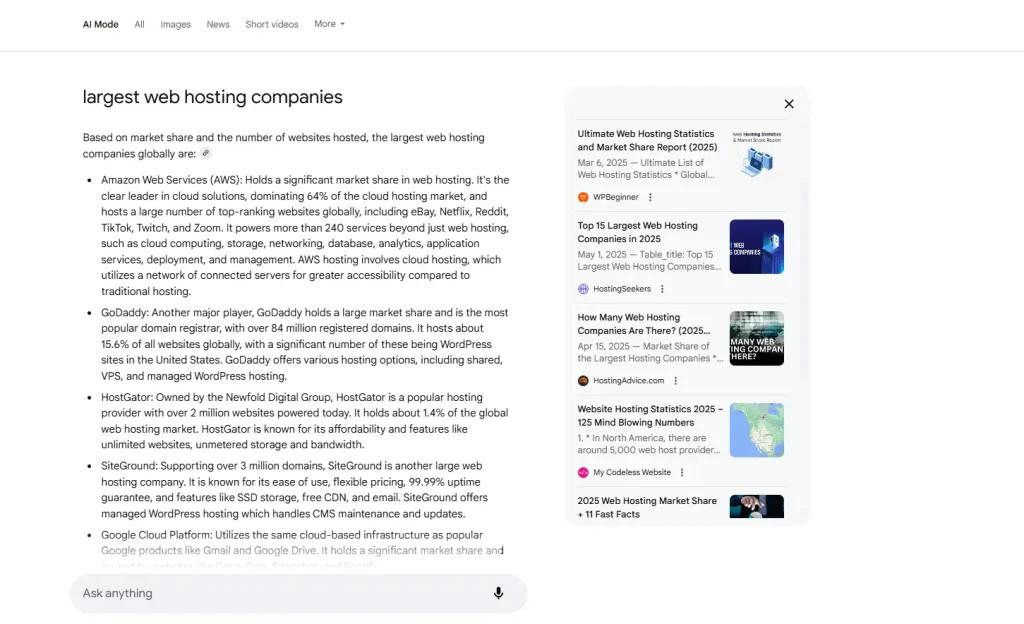
You can ask more questions related to your topic from the ‘Ask anything’ tab and conduct multiple searches as needed.
What are the Other Features of Google AI Mode?
AI Mode introduces a plethora of features that make you feel like it’s your assistant. Let’s check out other features.
1. Deep Search
Deep Search is the research mode. It breaks your question into many searches, reasons across what it finds and writes a cited report in minutes, as Google described when it introduced it. Treat it as a first draft of research, then verify the claims that matter.
2. Search Live
Search Live lets you talk to Search in real time, including using your camera to ask about what you see. Google explains how it works on its Live in Search help page. It is mainly a mobile experience.
3. Personal Intelligence
Personal Intelligence lets AI Mode tailor answers using your earlier searches and activity. According to
Google’s Personal Intelligence page, it is available if you are 18 or older and have history and personalized recommendations turned on, and you can ask it to remember or forget specific details. You can also connect to Google apps such as Gmail, Calendar, and Google Photos for more personal context, and disconnect them at any time through the connected apps settings.
4. Canvas
Canvas opens a workspace alongside the chat where you can draft documents, plan projects, and build simple apps or tools. Google brought Canvas to AI Mode for users in the United States, in English, in March 2026.
5. Image creation
With Gemini 3 Pro, AI Mode can create and edit images for users 18 and older, and Google says it is optimized for infographics and diagrams. Google covers the basics on its Create and edit images in Search page.
6. Connected apps and Gemini 3 Pro
Beyond Google’s own apps, partners such as Canva have announced integrations that let you move AI Mode results into an editable design. You can also choose the Pro model from the menu in the Ask for anything bar for harder questions. Google says Gemini 3 Pro in AI Mode is available in English in many countries to Google AI Plus, Pro, and Ultra subscribers aged 18 and over, and that it has daily usage limits. Pro also powers generative layouts, where AI Mode builds interactive visuals, calculators, and simulations when you ask for them, as explained in Google’s Gemini 3 in Search announcement.
How is AI Mode Different from an AI Overview?
Well, both AI Mode and AI Overview are core models of Google that run on the Gemini AI model. The AI Overview shows up in almost 55% of Google searches. Additionally, since March 2025, the AI Overview has grown by 115%. Moreover, nearly 100% of keywords that trigger AI Overviews are of informational intent. (Source: Wordstream). With the rise of AI, Google launched AI Mode to make users’ searches more personalized.
Therefore, we can say that AI Mode is an enhanced version of the AI Overview. Let’s compare how AI Mode differs from an AI Overview.
1. More Elaborate Reasoning
As the AI Overview only summarizes information from different sources, AI Mode interprets it and provides a conclusion.
2. Multimodal understanding
In the Google app, AI Mode can answer questions depending on the photos or images you have uploaded.
3. Follow-up questions
You can easily ask follow-up questions, and AI will respond to them more promptly.
AI Mode vs AI Overview: Comparison Table
| Feature | Google Search | AI Overviews | AI Mode | Gemini App |
|---|---|---|---|---|
| Purpose | Find specific websites, quick facts, and navigate to relevant pages. | Provides a quick snapshot of an answer with links, similar to an advanced featured snippet. | Supports deeper exploration with detailed, multi-source answers. | A general-purpose AI assistant for chatting, writing, coding, and creating. |
| Interaction | Each search is typed and run independently. | Displays a summary on the results page, with an option to explore further in AI Mode. | Uses a conversational format with follow-up questions that retain context. | Supports conversations, extended chats, and ongoing projects. |
| Complexity | Best for simple, direct queries. | Best for straightforward questions that benefit from a quick summary. | Handles complex, multi-layered queries, including planning, comparisons, and analysis. | Handles open-ended tasks, drafting, brainstorming, and problem-solving. |
| Where It Appears | Google Search at google.com and the Google app. | At the top of some regular Google Search results. | On its own page at google.com/ai and in the Google app. | At gemini.google.com and in the Gemini mobile app. |
| What You See | A ranked list of links, sometimes with snippets. | A concise AI-generated summary with source links. | A detailed AI response with source links, follow-ups, and some interactive visuals. | A chat-style response with features such as Canvas and other creation tools. |
| Availability | Widely available across supported regions and devices. | Available in supported Google Search markets and languages. | Available across many countries and languages; some advanced features require a Google AI plan. | Available through the web and mobile apps, with some features dependent on the Google AI plan. |
| Capabilities | Text, voice, and image search through tools such as Google Lens. | AI-generated summaries of information from search results. | Multimodal input, query fan-out, Deep Search, and personalization where supported. | Text, image, and file input; content creation, coding, and image generation. |
| Best For | Finding a specific website, login page, or local business. | Getting quick answers to straightforward questions. | Researching complex topics, comparing options, and exploring detailed questions. | Drafting content, brainstorming ideas, coding, and managing longer projects. |
Note: Features, availability, and plan requirements may vary by country, language, account, and Google product updates.
Agentic Capabilities Inside AI Mode
What are agentic capabilities?
Agentic capabilities are the part of AI Mode that moves from answering questions to helping you get something done. Instead of opening several booking sites and comparing times yourself, you describe what you need in plain language, and AI Mode does the legwork.
Google’s own description of the experiment says it lets AI Mode handle the work of finding the best reservations or tickets that fit your needs, so you can book directly.
Example: booking a restaurant table
A restaurant reservation is the clearest example. You might type something like “find me a table for 8 people next Saturday for a birthday dinner, outdoor rustic garden vibes with live music.”
AI Mode then searches across reservation platforms and restaurant sites, checks real-time availability against your party size, date and preferences, and returns a short list of matching restaurants with open time slots. You pick a time, review the booking details such as the party size, date, and cancellation policy, add any special request, and confirm the reservation through the booking partner.
How it works behind the scenes
Google has said this works through live web browsing based on Project Mariner, direct partner integrations in Search, and its Knowledge Graph and Maps data, as described in its announcement of agentic and personalized features in AI Mode. Partners named at launch included OpenTable, Resy, and Tock.
Traditional vs AI: How Google Search Has Evolved?
Google search has undergone a dramatic transformation, shifting from serving static links to delivering dynamic, AI-powered experiences. Let’s compare traditional vs. AI results
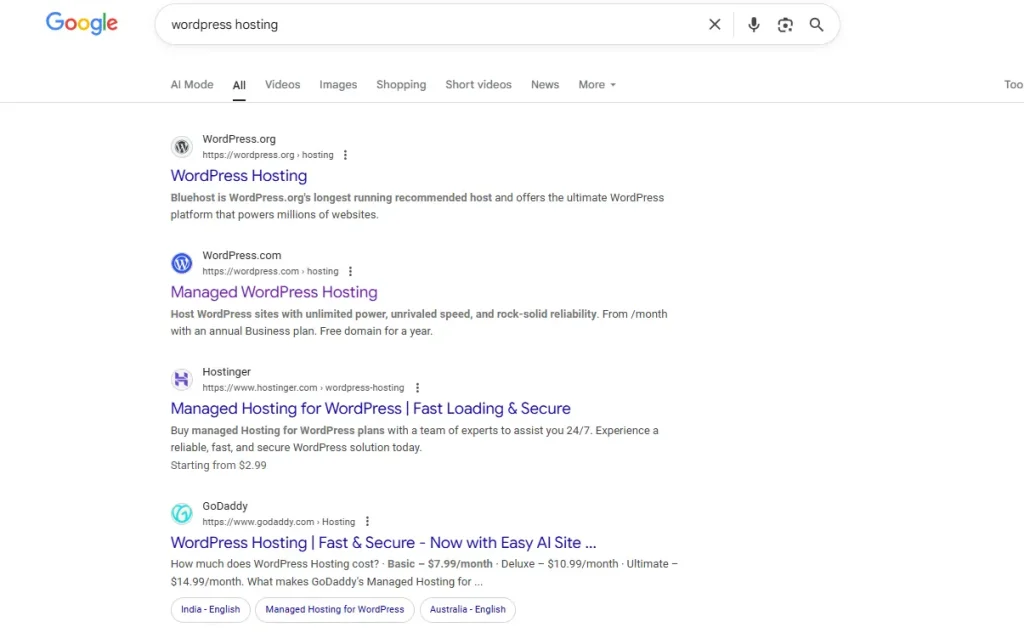
Traditional Google Search
Initially, traditional Google searches relied heavily on exact keywords and had a limited understanding of intent or context. Additionally, there was no conversational flow; each search was treated independently, with no memory or continuity between the queries.
AI-Powered Google Search
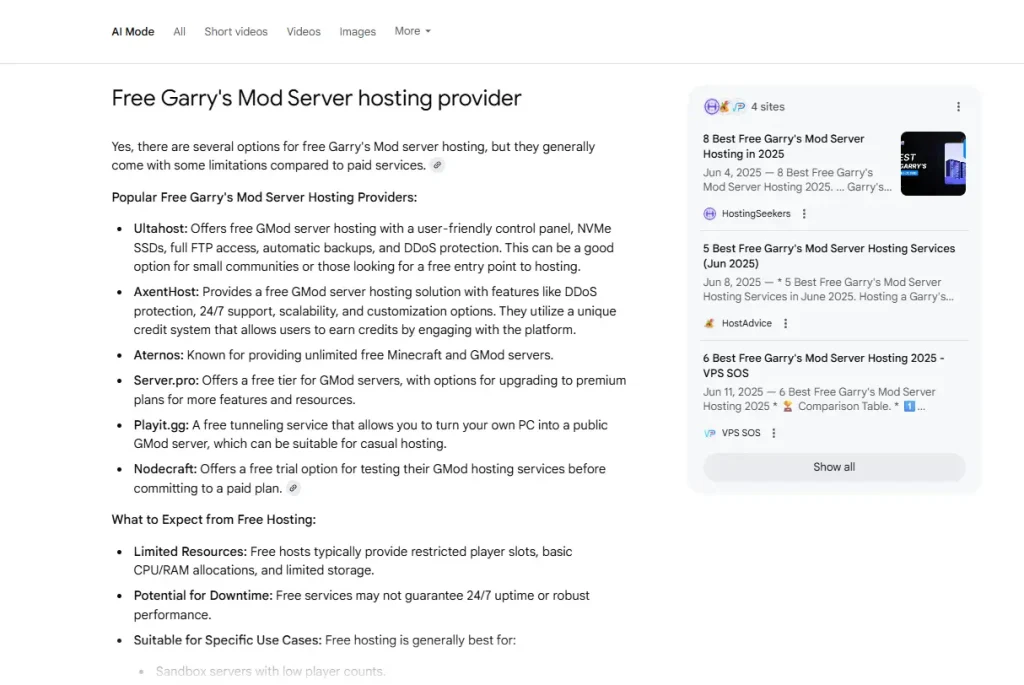
Google now interprets natural language and user intent, even for complex queries. The AI Overview offers summaries and exact answers to user queries, providing quick insights without requiring users to click.
And now, AI Mode has enhanced AI Overview to search in a conversational flow by not only typing queries but also through voice assistants and images. Therefore, with this improved version, users can easily interact with the search function, similar to a chatbot, by asking for comparisons, top providers, and other relevant information.
Troubleshooting: AI Mode Not Showing
If you can’t see AI Mode, work through these checks. First, confirm your country and language are on Google’s supported list. Second, make sure you are signed in, and try google.com/ai directly. Third, update the Google app or your browser. Fourth, check your account type.
On a work account, a Workspace administrator can turn Search and Assistant off, which removes Search history, and only the admin can change that in the admin console. Some features, including Gemini 3 Pro, also require a personal account you manage yourself, so they will not appear on a work or school account. Google’s Help page also notes that Search settings are currently being updated, so menus may differ from what you see described.
On mobile versus desktop, the entry points differ slightly. On desktop, use the AI Mode button under the search bar or go to google.com/ai. On mobile, tap AI Mode on the Google app home screen. Search Live in particular is built for mobile, where it can use your camera and microphone.
Summing Up
AI Mode is a significant move by Google that transforms the way users search and personalizes search results. As this feature is powered by Gemini 2.5, it enhances the search experience, making it more interactive, intuitive, and human-like. As Google continues to innovate and refine this feature, it’s clear that we are entering a new era where search isn’t just about finding answers but about having intelligent conversations.
Frequently Asked Questions
Q1. What is Google AI Mode?
Ans. Google AI Mode is a conversational search experience inside Google. You can ask detailed questions by text, voice, images or files, get an AI-written response with links to sources, and ask follow-ups.
Q2. How do I access Google AI Mode?
Ans. Go to google.com/ai, enter a question on google.com and tap AI Mode, or tap AI Mode on the Google app home screen. You no longer need to enable it through Search Labs.
Q3. How does AI Mode work?
Ans. It uses a technique called query fan-out. Your question is split into subtopics, each is searched at the same time, and the results are combined into one answer.
Q4. How is AI Mode different from AI Overviews?
Ans. AI Overviews give a short summary at the top of regular results. AI Mode is a dedicated experience with fuller answers, follow-up questions, and more advanced reasoning.
Q5. Is AI Mode free?
Ans. The core experience is available without a paid plan. Some advanced options, such as Gemini 3 Pro, are available to Google AI Plus, Pro, and Ultra subscribers and have daily limits.
Q6. Why can’t I see AI Mode?
Ans. Check that your country and language are supported, that you are signed in, and that your app or browser is up to date. Work or school accounts may be restricted by an administrator.
Q7. Does AI Mode work on a work account?
Ans. Basic access may work, but some features need a personal Google Account, and Workspace admins can turn off Search history and related settings.
Q8. Do website owners need special optimization for AI Mode?
Ans. Google says no extra requirements or special markups are needed. Strong SEO fundamentals, helpful content and technical sound site still apply.
q9. Can AI Mode book a table or ticket for me?
Ans. Google is testing agentic capabilities in AI Mode that search booking platforms for real-time availability and lets you complete a reservation with a partner. Access has been limited to certain subscribers and regions through Search Labs, so check Google’s current availability page.

manvinder Singh
https://www.hostingseekers.com
Manvinder Singh is the Founder and CEO of HostingSeekers, an award-winning go-to-directory for all things hosting. Our team conducts extensive research to filter the top solution providers, enabling visitors to effortlessly pick the one that perfectly suits their needs. We are one of the fastest growing web directories, with 500+ global companies currently listed on our platform.