WordPress Managed Hosting vs Unmanaged: What’s the Difference?
Comparison Published on : March 23, 2026When people compare Managed Hosting for WordPress vs Unmanaged, they are actually thinking about choosing a way to run a WordPress website, whether they should go with the one where the host handles most technical work, or the other where you handle it yourself?
WordPress.com defines managed hosting as a setup where the provider takes care of backups, security, caching, and other technical aspects. And explain unmanaged hosting where those responsibilities typically fall on the site owner or admin. That difference matters because updates, backups, performance, and security all affect how much time, skill, and support your website will need.
What Is Managed Hosting for WordPress?
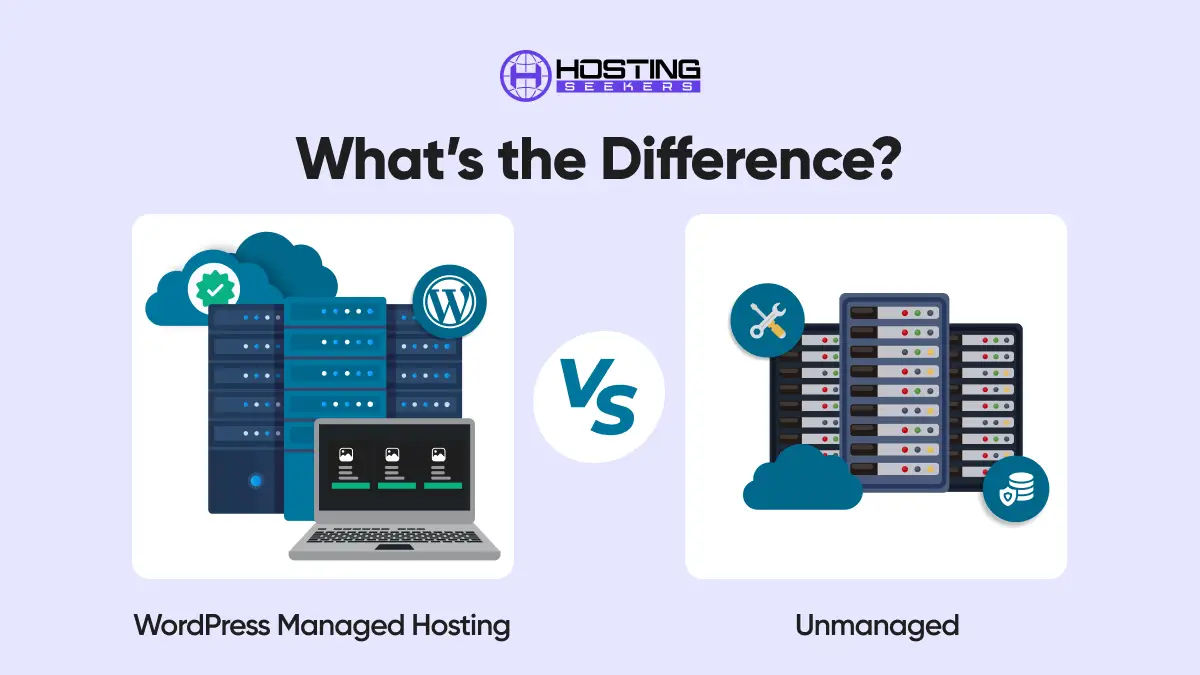
Managed hosting for WordPress is a service model in which the hosting provider takes responsibility for the technical management of your WordPress environment. Instead of requiring you to configure, update, and secure your server yourself, the hosting provider handles these operational tasks on your behalf.
On a managed WordPress hosting plan, the provider takes care of the following:
- WordPress core, plugin, and theme updates
- Automated daily or real-time backups
- Security monitoring, firewall configuration, and malware scanning
- Server-level performance optimization (caching layers, CDN integration)
- Uptime monitoring and infrastructure maintenance
- WordPress-specific technical support
Managed hosting for WordPress is built specifically for WordPress. The servers are pre-configured to run WordPress efficiently, and the support teams are trained to handle WordPress-specific issues. Providers in this segment include WP Engine, Kinsta, Flywheel (a WP Engine brand), Cloudways (managed cloud hosting), and SiteGround’s managed plans, among others.
The managed model is essentially a hosting service where the provider acts as a silent technical administrator, freeing you to focus entirely on content, business growth, and user experience.
What Is Unmanaged Hosting for WordPress?
Unmanaged hosting for WordPress, also known as self-managed or traditional hosting, refers to environments where the responsibility for server management falls on the user. The hosting provider supplies the hardware, network connectivity, and data center infrastructure, but the configuration, maintenance, security, and software updates are entirely up to you.
Unmanaged hosting typically comes in these forms:
- Virtual Private Servers (VPS): A virtualized slice of a physical server. Providers like DigitalOcean, Linode (now Akamai Cloud), and Vultr offer unmanaged VPS plans where you receive a root-level Linux instance with no pre-installed software stack.
- Dedicated Servers: A physical server exclusively allocated to a single customer. All configuration and maintenance is the customer’s responsibility.
- Shared Hosting (partially unmanaged): Many entry-level shared hosting plans update the server OS but leave WordPress installation, plugin updates, and security hardening to the user.
On an unmanaged plan, you are responsible for installing and configuring WordPress (including your web server of choice, such as Apache or Nginx), PHP, MySQL or MariaDB, SSL/TLS certificates, firewall rules, backup solutions, security hardening, and software updates. This requires solid knowledge of Linux server administration and WordPress configuration.
The appeal of unmanaged hosting is maximum control combined with lower base pricing. You decide exactly what software runs on your server, how resources are allocated, and how the environment is configured.
Key Differences Between Managed and Unmanaged Hosting for WordPress
The primary difference lies in who manages the technical responsibilities.
- In managed hosting, the provider handles maintenance, security, and optimization.
- In unmanaged hosting, you handle everything yourself.
- Other major differences include:
- Ease of use: Managed is beginner-friendly; unmanaged requires technical knowledge
- Performance optimization: Managed hosting includes built-in optimizations
- Security: Managed hosting offers proactive monitoring
- Flexibility: Unmanaged hosting allows deeper customization
Managed Hosting for WordPress: Advantages
1. Hassle-Free Maintenance: Managed hosting eliminates the need to manually update WordPress core, plugins, and themes.
2. Enhanced Security:
Most providers implement:
- Firewalls
- Malware scanning
- DDoS protection
- Automatic patching
3. Optimized Performance:
Managed environments include:
- Server-level caching
- CDN integration
- Optimized database queries
This leads to faster load times and improved Core Web Vitals.
4. Expert Support: Support teams specialize in WordPress, helping resolve issues quickly and efficiently.
5. Automatic Backups: Regular backups ensure quick recovery in case of errors or cyberattacks.
Managed Hosting for WordPress: Disadvantages
1. Higher Cost: Managed hosting is significantly more expensive than unmanaged options due to added services and optimization layers.
2. Limited Control
Users may face restrictions such as:
- Limited plugin usage
- No root access
- Controlled server configurations
3. Less Flexibility: Advanced users may find managed environments restrictive for custom setups.
Unmanaged Hosting for WordPress: Advantages
1. Full Control
You can configure:
- Server environment
- Software stack
- Security settings
- Custom scripts
2. Cost-Effective: Unmanaged hosting plans are generally cheaper since they don’t include additional management services.
3. High Customization
Perfect for developers who want to:
- Use custom caching systems
- Deploy unique architectures
- Optimize performance manually
4. Scalable Infrastructure: Ideal for building complex, scalable applications using cloud-based resources.
Unmanaged Hosting for WordPress: Disadvantages
1. Requires Technical Expertise
Users must understand:
- Server management
- Security practices
- Performance tuning
2. Time-Consuming: Managing updates, backups, and security manually takes time and effort.
3. Security Risks: Without proper configuration, websites can be vulnerable to attacks.
4. No Dedicated Support: Support is usually limited to infrastructure issues, not WordPress-specific problems.
Managed vs Unmanaged Hosting for WordPress: Comparison Table
| Feature | Managed Hosting for WordPress | Unmanaged Hosting for WordPress |
| Server Management | Provider handles all management | User manages everything |
| Technical Expertise Required | None to minimal | Intermediate to advanced |
| WordPress Updates | Automatic (core, plugins, themes) | Manual by user |
| Security & Patching | Provider monitors and patches | User’s full responsibility |
| Performance Optimization | Built-in (caching, CDN) | Manual configuration required |
| Backups | Automated daily or more frequently | Manual or self-configured |
| Customer Support | WordPress-specific expert support | General server support |
| Scalability | Often seamless, provider-handled | Manual resource scaling |
| Cost | Higher monthly plans | Lower base cost, hidden effort |
| Control & Flexibility | Limited (sandboxed environment) | Full root/admin access |
| Best Suited For | Bloggers, SMBs, non-technical users | Developers, agencies, tech users |
Who Should Choose Managed Hosting for WordPress?
Managed hosting for WordPress is the right choice in the following scenarios:
- Business owners and entrepreneurs who need a reliable website but do not have server administration skills, and do not wish to acquire them.
- Bloggers and content creators whose primary focus is content production and audience growth, not infrastructure management.
- E-commerce store owners running WooCommerce who need consistent uptime, fast load times, and PCI-compliant infrastructure without managing it themselves.
- Small and medium-sized businesses that cannot justify a full-time DevOps resource but need a professional, high-performance web presence.
- Organizations with compliance or security requirements (such as GDPR-sensitive data) benefit from the provider’s built-in security infrastructure.
- Anyone who has previously experienced a site hack, security breach, or major downtime event on a self-managed server and wants to avoid repeating it.
- Teams where the engineering bandwidth is focused on product development, not server management, and outsourcing infrastructure is a strategic efficiency gain.
Who Should Choose Unmanaged Hosting for WordPress?
Unmanaged hosting for WordPress is the right choice in the following scenarios:
- Experienced developers and system administrators who are comfortable with Linux server management and prefer full control over their environment.
- Web development agencies managing multiple client WordPress sites can centralize hosting on a well-configured server, significantly reducing per-site hosting costs.
- Technical freelancers who need a cost-efficient hosting environment and have the skills to administer it securely.
- Projects with specific technical requirements like custom server software, non-standard PHP configurations, or applications beyond WordPress, that cannot be accommodated on a managed platform.
- Developers building WordPress-based SaaS products or large-scale platforms who need granular control over the infrastructure to meet performance and architecture requirements.
- Budget-conscious technical users who are willing to invest time in server management to reduce hosting costs.
How to Choose the Right Hosting for WordPress Type?
The decision between managed and unmanaged hosting for WordPress comes down to an honest assessment of four factors:
1. Your Technical Skill Level
If you are not comfortable working in a Linux command-line environment, configuring a web server, or managing system security, unmanaged hosting is not the right choice, regardless of the cost savings.
Choose managed hosting to ensure your site is properly maintained and secured. If you have solid server administration experience and are confident in your ability to build and maintain a secure, optimized environment, unmanaged hosting gives you more control and better value.
2. Your Available Time
Server administration is a recurring time commitment, not a one-time task. Security patches, software updates, monitoring alerts, backup verification, and performance tuning are ongoing activities.
If your time is better spent on your business, content, or product, managed hosting is the more efficient choice. The premium you pay for managed hosting essentially buys back your time.
3. Your Budget
Managed hosting costs more upfront but can be more cost-effective overall when you factor in the value of your time, the cost of security incidents, and the potential revenue impact of downtime.
For high-traffic, revenue-generating sites, the investment in managed hosting is typically justified. For development, staging, or low-traffic sites where cost efficiency matters more than managed services, unmanaged VPS plans offer better resource-to-cost ratios.
4. Your Site’s Purpose and Scale
A mission-critical business website that drives significant revenue demands reliable uptime, strong security, and fast performance; all of which are core deliverables of managed hosting.
A development sandbox, a personal portfolio, or a test environment may not warrant the expense of managed hosting if the operator has the technical skills to manage the server themselves.
Conclusion
Managed Hosting for WordPress vs Unmanaged is not about one option being well-suited for all. Managed hosting is built for convenience, bundled maintenance, and WordPress-focused support, while unmanaged hosting is built for users who are willing to handle updates, backups, and technical administration themselves. If your goal is to spend less time maintaining infrastructure, managed hosting is usually the safer fit; if your goal is deeper control and you have the technical ability to manage it, unmanaged hosting can be the better match.
Frequently Asked Questions
Q1. What is managed hosting for WordPress?
Ans. Managed hosting for WordPress is a service where the hosting provider handles technical tasks such as updates, security, backups, and performance optimization specifically for WordPress websites.
Q2. Is unmanaged hosting cheaper than managed hosting?
Ans. Yes, unmanaged hosting is generally more affordable because it does not include additional services like maintenance, security management, and performance optimization.
Q3. Which hosting type is better for beginners?
Ans. Managed hosting for WordPress is better for beginners because it removes the need for technical knowledge and simplifies website management.
Q4. Do developers prefer unmanaged hosting?
Ans. Yes, many developers prefer unmanaged hosting because it provides full control over server configurations and allows for advanced customization.
Q5. Can you switch from unmanaged to managed hosting?
Ans. Yes, you can migrate your website from unmanaged to managed hosting. Most managed hosting providers offer migration tools or support to make the transition smooth.
Q6. Is managed WordPress hosting worth it in 2026?
Ans. Yes, it’s worth it for most users as it saves time, improves security, and boosts performance by handling all technical tasks automatically.
Q7. Which hosting is faster: managed or unmanaged?
Ans. Managed hosting is faster by default, while unmanaged hosting can be faster only if properly optimized by an expert.

manvinder Singh
https://www.hostingseekers.com
Manvinder Singh is the Founder and CEO of HostingSeekers, an award-winning go-to-directory for all things hosting. Our team conducts extensive research to filter the top solution providers, enabling visitors to effortlessly pick the one that perfectly suits their needs. We are one of the fastest growing web directories, with 500+ global companies currently listed on our platform.