11 Best WordPress Alternatives in 2026 (Free & Paid)
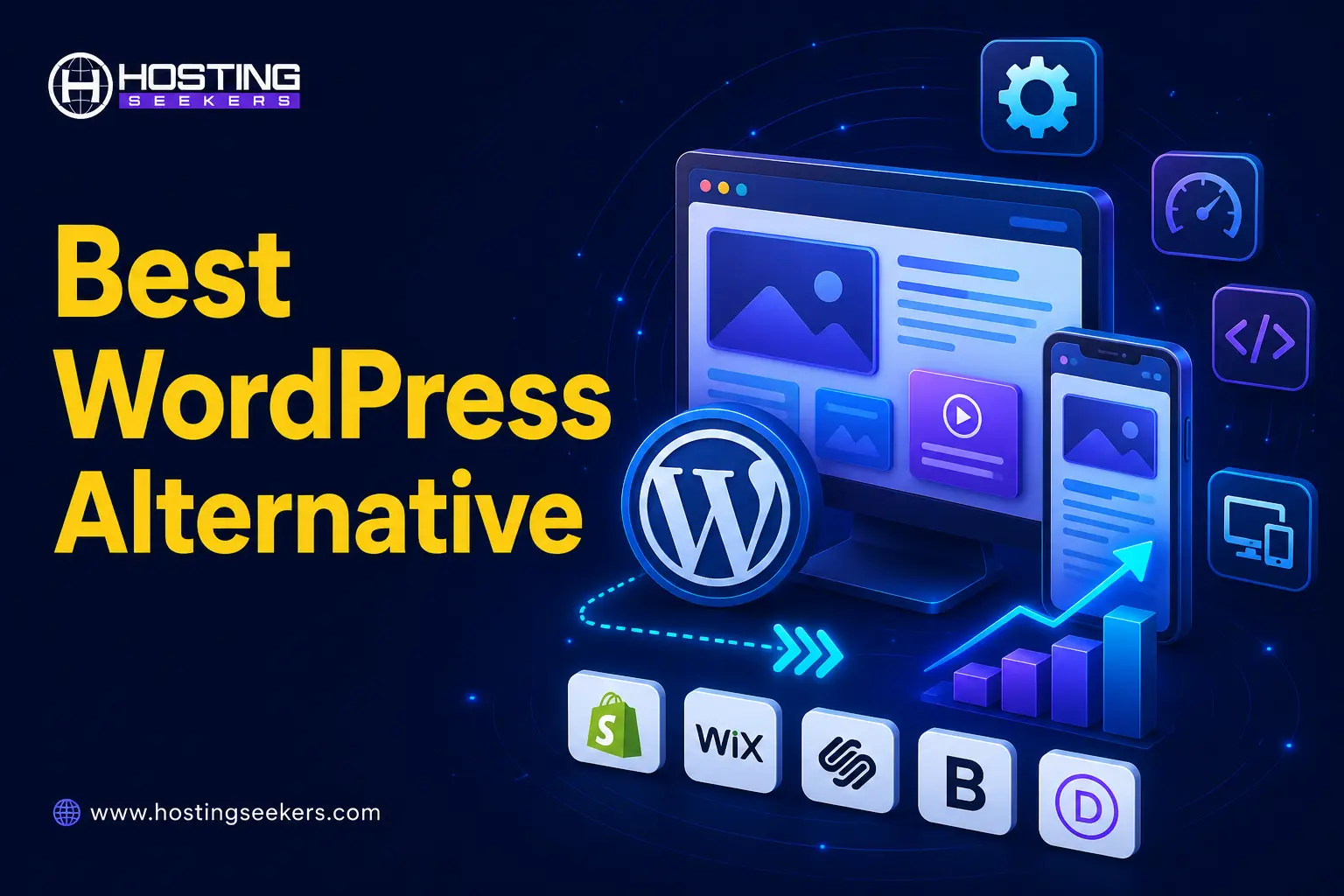
WordPress Updated on : July 10, 2026The best WordPress alternatives in 2026 include Wix, Squarespace, Ghost, Shopify, Webflow, Framer, WordPress.com, Joomla, Drupal, Hostinger Website Builder, and EmDash. Each option caters to different needs, such as ease of use, blogging, ecommerce, or open-source flexibility. Users seek alternatives to address issues with plugin maintenance, rising hosting costs, or a challenging learning curve.
Here are the best WordPress alternatives to consider in 2026, and the ideal choice depends on the specific requirements of the website rather than its appearance.
Best WordPress Alternatives in 2026?
The best WordPress alternative depends on your needs: Wix excels in ease of use, Squarespace is perfect for design-oriented blogs and portfolios, Ghost is suitable for newsletters and memberships, and Shopify is ideal for ecommerce. Webflow offers advanced design control, Framer is great for quick modern landing pages, and WordPress.com allows use without self-hosting. For open-source CMS, Joomla is excellent for multi-user sites, while Drupal fits large enterprises. Hostinger Website Builder is recommended for budget-friendly options, and EmDash is the best emerging pick for AI-native and security-first development.
| Tool | Best For | Starting Price | Free Plan | Why Consider It? |
|---|---|---|---|---|
| Wix | Beginners & all-purpose sites | $17/mo | Yes | AI site builder, huge template library, no plugin management. |
| Squarespace | Design-conscious blogs & portfolios | $19/mo | 14-day Trial | Premium templates, built-in booking & invoicing. |
| Ghost | Newsletters & publishing | $15/mo | 14-day Trial | Fast editor and 0% fee on paid memberships. |
| Shopify | Ecommerce stores | $29/mo | 3-day Trial | Powerful checkout and large app ecosystem. |
| Webflow | Professional designers | $15/mo | Yes | Visual builder with clean code output. |
| Framer | Landing pages | $10/mo | Yes | AI-powered design and animations. |
| WordPress.com | WordPress bloggers | $4/mo | Yes | WordPress experience without server management. |
| Joomla | Directories & community sites | Free | Yes | Advanced user permissions and flexibility. |
| Drupal | Enterprise websites | Free | Yes | Excellent for large, complex websites. |
| Hostinger Website Builder | Budget beginners | $2.99/mo | No | Affordable hosting with AI website builder. |
| EmDash | AI-native developers | Free | Yes | Open-source, AI-ready, security-focused platform. |
*Starting prices reflect each provider’s lowest publicly listed paid tier, billed annually, as of mid-2026. Confirm current pricing on each platform’s official site before purchasing, as providers frequently adjust plans.
1. Wix
Best Overall Alternative for Beginners
Free Plan – Available
Paid Plan Includes:
- Light $17/month
- Core $29/month
- Business $39/month
- Business Elite $159/month
Wix remains the most recognizable WordPress alternative, and for good reason: its AI-assisted site builder (Wix Harmony) generates a working site from a text prompt, then hands you a drag-and-drop editor to refine it by hand.
The platform offers a free forever plan alongside four premium tiers: Light, Core, Business, and Business Elite, with managed hosting, a free domain voucher for the first year, and built-in marketing tools included at every paid level. If you need assistance with your website, billing, account management, or technical issues, visit our comprehensive Wix Customer Service guide to learn about all the available support options.
| Pros | Cons |
|---|---|
| No hosting, plugins, or software updates to manage—Wix handles all of it. | Switching templates later is limited compared to code-based builders. |
| AI site generator plus a full manual editor for hands-on control. | Ecommerce features only start on the Core plan, not the entry tier. |
| Core plan and above unlock ecommerce, bookings, and analytics in one place. |
2. Squarespace
Best for Design-Led Blogs & Portfolios
Free Plan – No (14-day free trial available)
Paid Plan Includes:
- Basic $19/month
- Core $29/month
- Plus $49/month
- Advanced $99/month
Squarespace is the go-to pick for writers, photographers, and small businesses who want a polished site without touching code. Its template library is widely regarded as the most design-forward in the no-code space.
All plans include fully managed cloud hosting, and the platform now runs a four-tier structure: Basic, Core, Plus, and Advanced, with transaction fees decreasing as you move up. If you need help with your website, billing, domains, subscriptions, or technical issues, check out our detailed Squarespace Customer Support guide to learn about all the available support options.
| Pros | Cons |
|---|---|
| Consistently rated among the best-looking templates of any website builder. | No free-forever plan. |
| Built-in invoicing, scheduling (via Acuity), and email marketing tools. | Custom code access for deeper customization requires the Core plan or higher. |
| All plans support selling products or services, unlike some competitors’ entry tiers. |
3. Ghost
Best for Newsletters & Content-First Publishing
Free Plan – No (14-day free trial available)
Paid Plan Includes:
- Starter $15/month
- Publisher $29/month
- Business $199/month
- Custom option available for complex needs
Ghost was purpose-built for writers and publishers, not general-purpose websites, which is exactly why it’s a strong WordPress alternative for anyone whose “site” is really a newsletter or membership publication.
The managed Ghost (Pro) service takes 0% of your membership revenue (only standard Stripe processing fees apply), a meaningful difference from platforms that take a cut of subscriber payments.
| Pros | Cons |
|---|---|
| Native paid-membership and newsletter tools without third-party plugins. | Not designed for ecommerce or highly visual marketing sites. |
| Open-source core lets you self-host for free if you’re comfortable managing a server. | Fewer themes and design flexibility compared to Wix or Squarespace. |
| Clean, fast editor built specifically for long-form writing. |
4. Shopify
Best for Ecommerce & Online Stores
Free Plan – No (3-day free trial available)
Paid Plan Includes:
- Basic $29/month
- Grow $79/month
- Advanced $299/month
- Plus starts from $2,300/month
If your WordPress site exists mainly to sell products, Shopify is usually a better foundation than WordPress + WooCommerce, since checkout, inventory, and payment processing are native to the platform rather than bolted on through plugins.
Shopify offers secure e-Commerce hosting. This is included with every plan, along with PCI DSS compliance by default. This removes two of the biggest technical burdens of running a self-hosted online store. If you need assistance with your store, billing, payments, or technical issues, visit our comprehensive Shopify Customer Support guide to explore all the available support options.
| Pros | Cons |
|---|---|
| Purpose-built checkout with high conversion-rate optimization built in. | Costs can rise quickly after adding premium apps and a custom theme. |
| Massive app ecosystem for shipping, accounting, and marketing integrations. | Less suitable for content-heavy blogs than product-focused online stores. |
| Transaction fees decrease, and features scale smoothly from small businesses to Shopify Plus enterprise. |
5. Webflow
Best for Designers Who Want Pixel-Level Control
Free Plan – Yes
Paid Plan Includes:
- Basic $15/month
- Premium $25/month
- Team $2,500/month
- Enterprise custom
Webflow sits between a website builder and a professional design tool. It gives you Figma-like visual control while outputting production-ready code, no plugin conflicts, no PHP to maintain. Every Webflow site plan includes managed AWS hosting, automatic SSL, a global CDN, and built-in backups, positioning it as a complete hosting-and-design solution rather than just a CMS. If you need help with your account, billing, hosting, or technical issues, visit our detailed Webflow Customer Support guide to explore all the available support options.
| Pros | Cons |
|---|---|
| Visual canvas with real CSS/HTML output, reducing vendor lock-in on the design layer. | Steeper learning curve than Wix or Squarespace. |
| Strong CMS for blogs and content-heavy marketing websites. | Site plans and Workspace (team) plans are billed separately, which can complicate budgeting. |
| Built-in on-page SEO and AI visibility tools, including AI-powered audits on higher-tier plans. |
6. Framer
Best for Fast, Modern Landing Pages
Free Plan – Yes (with 500 credits to use free)
Paid Plan Includes:
- Basic $10/month (1000 credits/month)
- Pro $30/month (3000 credits/month)
- Enterprise custom option available
Framer has grown quickly as the go-to tool for founders and marketers who need a sharp, animated site live in a day. Its AI tools can generate a full page from a prompt, then hand off to a visual editor for polish.
Framer’s every paid plan includes hosting, SSL, and automatic updates bundled into the subscription, which save you the separate hosting and maintenance costs that come with a self-hosted WordPress site.
| Pros | Cons |
|---|---|
| Fastest idea-to-published-site workflow of any tool in this list. | The entry plan supports only 1–2 CMS collections, making it limiting for larger blogs with multiple categories. |
| Free custom domain support and built-in animations without requiring custom code. | 301 redirects, which are essential for smooth website migrations, are only available on the Pro plan. |
| More affordable than Webflow at the entry-level pricing tier. |
7. WordPress.com
Best Option If You Still Want WordPress, Without Self-Hosting
Free Plan – Yes
Paid Plan Includes:
- Personal $4/month
- Premium $8/month
- Business $25/month
- Commerce $45/month
- Enterprise custom option available
If your issue with WordPress is the hosting and maintenance side and not with the editor or block system, then WordPress.com solves that without asking you to learn a new tool. WordPress.com (the hosted service) offers the same familiar editor and content structure, while Automattic manages the server, backups, security, and maintenance for you. If you need assistance with your account, billing, subscriptions, or technical issues, check out our comprehensive WordPress.com Customer Support guide to learn about all the available support options.
Hosting, domains, privacy, and security are bundled into one flat price per plan, and as of an April 2026 platform update, plugin access is now included starting on the entry-level Personal plan rather than being restricted to higher tiers.
| Pros | Cons |
|---|---|
| Uses the same WordPress editor and content structure your team already knows. | Custom plugin and theme uploads require the Business plan or higher. |
| No separate hosting purchase, security patching, or uptime monitoring to manage. | Offers less flexibility than a self-hosted WordPress.org website on independent hosting. |
| Plugin access is now available from the Personal plan upward, not just Business and higher plans. |
8. Joomla
- Best Open-Source Alternative for Multi-User Sites
- Free, open-source software; costs are limited to your own hosting, domain, and any premium extensions you choose to add.
Joomla is the other major open-source CMS besides WordPress, and it remains free to download and self-host. It’s a natural fit for organizations that need more granular, built-in user-permission levels than WordPress offers, membership directories, intranets, and multi-author community sites.
As with WordPress, you will need to bring your own hosting; Joomla itself doesn’t charge licensing fees, but budget for hosting, a domain, and (optionally) premium templates or extensions.
| Pros | Cons |
|---|---|
| Free, open-source, and self-hostable like WordPress. | Smaller theme and plugin ecosystem than WordPress. |
| Strong native access-control levels for multi-author and membership websites. | Steeper learning curve for non-technical users than hosted website builders like Wix. |
| Large extension directory that makes it easy to add new features and functionality. |
9. Drupal
- Best Open-Source Alternative for Enterprise & High-Traffic Sites
- Free, open-source software; costs are limited to your own hosting, domain, an https://www.semrush.com/blog/prompt-tracking/ d any development or agency support you bring in.
Drupal is the other heavyweight open-source CMS alongside WordPress, and it’s the one most large organizations reach for once a site needs to handle complex content structures, multiple sub-sites, or millions of monthly visitors without breaking down.
The platform is free and open source, and the newer Drupal CMS distribution adds a visual drag-and-drop page builder (Drupal Canvas), pre-built “recipes” for common use cases, and optional AI tools, aimed at closing the ease-of-use gap with WordPress while keeping Drupal’s enterprise-grade security and scalability.
| Pros | Cons |
|---|---|
| Free and open source, with no licensing fees at any scale. | Still requires more technical setup and hosting knowledge than most hosted website builders. |
| Built to handle high traffic, complex permissions, and multi-site management better than WordPress out of the box. | Smaller ecosystem of themes and beginner-friendly resources compared to WordPress. |
| Drupal CMS 2.0 adds a visual page builder and AI tools, making it easier for new users. |
10. Hostinger Website Builder
Best Budget Pick for Beginners
Free Plan – No (30-day refund available)
Paid Plan Includes:
- Premium $2.99/month, renewal pricing $10.99/month
- Business $3.79/month, renewal pricing $16.99/month
Hostinger Website Builder is a very budget-friendly option. It bundles hosting, a domain, an AI site generator, and a drag-and-drop editor into a single low-cost plan, a practical fit if your concern is the added expense of hosting, security plugins, and a premium theme. It is available as Premium and Business plans, paid upfront for 12-, 24-, or 48-month terms, with a lower monthly rate for the longer term.
| Pros | Cons |
|---|---|
| Among the most affordable bundled hosting and website builder solutions available. | Renewal pricing increases significantly after the introductory promotional period. |
| Includes an AI website generator along with AI-powered tools for logo creation, copywriting, and heatmaps, even on entry-level plans. | Shared hosting resources may result in slower performance during sudden traffic spikes. |
| Free domain name and SSL certificate are included with annual subscription plans. |
11. EmDash
- Best for Developers Building AI-Native, Security-First Sites
- Free, open-source software (MIT license). You only pay for hosting, whether that’s Cloudflare Workers’ pay-as-you-go pricing or your own Node.js server.
EmDash is released by Cloudflare in April 2026 as an open-source, serverless CMS built entirely in TypeScript on the Astro framework. it’s designed for developers who want a faster, more secure alternative to traditional CMS platforms.
Its biggest advantage is security. Instead of giving plugins unrestricted access to your website, EmDash runs each plugin inside an isolated Cloudflare Worker with only the permissions it explicitly requests. This greatly reduces the risk of plugin-related vulnerabilities, one of the biggest security challenges with WordPress.
| Pros | Cons |
|---|---|
| Free and fully open source (MIT license) with no vendor lock-in, and can run on Cloudflare or any Node.js server. | No visual drag-and-drop builder; requires familiarity with TypeScript, Astro, and command-line tools. |
| Sandboxed, permission-based plugin architecture helps address one of WordPress’s biggest security challenges. | Limited third-party plugin and theme ecosystem compared to established CMS platforms. |
| Built-in AI agent support, including MCP server, CLI, and Agent Skills, for teams managing content programmatically. |
Why Look for a WordPress Alternative?
WordPress powers a huge share of the web, and for many sites it’s still the right choice. But it’s worth being honest about where it creates friction:
- Hosting and maintenance overhead: self-hosted WordPress requires you (or a developer) to manage updates, backups, and uptime or pay for managed hosting for WordPress to do it for you.
- Plugin and security upkeep: more plugins mean more potential conflicts, and outdated plugins are a common attack vector for compromised sites.
- Cost creep: a “free” WordPress install adds up fast once you factor in hosting, a security plugin, a page builder, and premium theme licenses.
- Learning curve: the WordPress block editor is more capable than most alternatives, but that capability comes with a steeper setup process for a first-time site owner.
If none of that describes your situation, a WordPress alternative may not actually solve anything; sometimes better managed hosting for your existing WordPress site is the simpler fix. But if you want fewer moving parts to manage, the platforms above are the strongest replacements on the market in 2026.
Which WordPress Alternative Should You Choose?
Use this quick decision framework instead of comparing every feature line by line:
- Want zero maintenance and don’t mind template limits: Wix or Squarespace
- Selling physical or digital products at any scale: Shopify
- Writing-first, newsletter, or paid membership content: Ghost
- Want WordPress’s editor without managing hosting: WordPress.com
- Need full design control and clean code output: Webflow
- Want the fastest path from idea to a live, polished page: Framer
- Need a free, self-hosted CMS with strong user permissions: Joomla
- Running a large, complex, or high-traffic enterprise site: Drupal
- Budget is the top priority, and you want hosting bundled in: Hostinger Website Builder
- You’re a developer who wants sandboxed plugin security and AI-agent-native tooling: EmDash
Summing Up
WordPress earned its dominance honestly; few platforms match its plugin ecosystem and long-term flexibility. But that flexibility assumes you are comfortable managing updates, plugins, and hosting yourself, and for a lot of site owners, that’s simply not the case.
The right alternative comes down to your actual bottleneck: Wix or Squarespace for ease of use, Shopify for ecommerce, Hostinger Website Builder for cost, or WordPress.com if hosting and not WordPress itself is the real complaint.
Choose carefully from the start, as switching platforms later can be difficult, since content and templates don’t transfer cleanly. Pick based on where your site is headed, not just where it is today.
Frequently Asked Questions
Q1. Is there a free alternative to WordPress?
Ans. Yes. Wix, Webflow, and Framer all offer free entry-level plans (typically on a subdomain, with some feature limits), and open-source CMS options like Ghost and Joomla are free to self-host if you’re comfortable managing your own server.
Q2. What is easier to use than WordPress?
Ans. Wix and Squarespace are generally considered easier for non-technical users because they include AI site generators, drag-and-drop editors, and fully managed hosting; there’s no software to install, update, or secure yourself.
Q3. Can I move my existing WordPress site to another platform?
Ans. Most alternatives support content import from WordPress, though the process varies by platform. Design and layout typically need to be rebuilt manually, since themes don’t transfer between systems.
Q4. Is Wix or Squarespace better than WordPress?
Ans. It depends on your priorities. Wix and Squarespace are simpler and require no maintenance, but self-hosted WordPress offers more plugin flexibility and lower long-term costs for complex sites. For most small businesses and portfolios, Wix or Squarespace’s all-in-one approach removes more friction than it costs in flexibility.
Q5. Do WordPress alternatives support ecommerce?
Ans. Yes. Shopify is purpose-built for ecommerce, while Wix, Squarespace, and WordPress.com all support selling products from their mid-tier plans upward. Webflow and Framer support ecommerce as well, though their store features are less mature than Shopify’s.
Q6. Do I still need hosting if I switch away from WordPress?
Ans. Not with hosted builders like Wix, Squarespace, Shopify, Webflow, Framer, or WordPress.com; hosting is bundled into your subscription. You only need separate hosting if you choose a self-hosted, open-source option like Ghost (self-hosted), Joomla, or Drupal.
Q7. What’s the best WordPress alternative for a large enterprise site?
Ans. Drupal is generally the strongest fit for large, complex, or high-traffic enterprise sites, due to its native handling of granular user permissions, multi-site management, and scale. Webflow and WordPress.com’s Business/Commerce tiers can also work for content-heavy enterprise marketing sites that don’t need Drupal’s full complexity.
Q8. Is there an AI-native alternative to WordPress?
Ans. EmDash, released by Cloudflare in April 2026, is the most AI-native option currently available; it ships with a built-in MCP server, a CLI, and agent-oriented tooling designed for AI coding agents to manage content directly. It’s still an early developer preview, though, so it mostly suits technical teams experimenting with AI-driven workflows.
Q9. What is the Best WordPress Alternative?
Ans. Wix is the best overall WordPress alternative for beginners due to its ease of use, AI website builder, and managed hosting. Shopify is ideal for ecommerce, Ghost excels for blogging and newsletters, while Drupal is best suited for enterprise websites.
Source Link:
- https://blog.cloudflare.com/emdash-wordpress/
- https://ghost.org/pricing
- https://www.squarespace.com/pricing
- https://www.wix.com/plans
- https://www.shopify.com/pricing
- https://webflow.com/pricing
- https://www.framer.com/pricing
- https://www.joomla.org/
- https://new.drupal.org/home
- https://www.hostinger.com/website-builder
- https://wordpress.com/pricing/

manvinder Singh
https://www.hostingseekers.com
Manvinder Singh is the Founder and CEO of HostingSeekers, an award-winning go-to-directory for all things hosting. Our team conducts extensive research to filter the top solution providers, enabling visitors to effortlessly pick the one that perfectly suits their needs. We are one of the fastest growing web directories, with 500+ global companies currently listed on our platform.