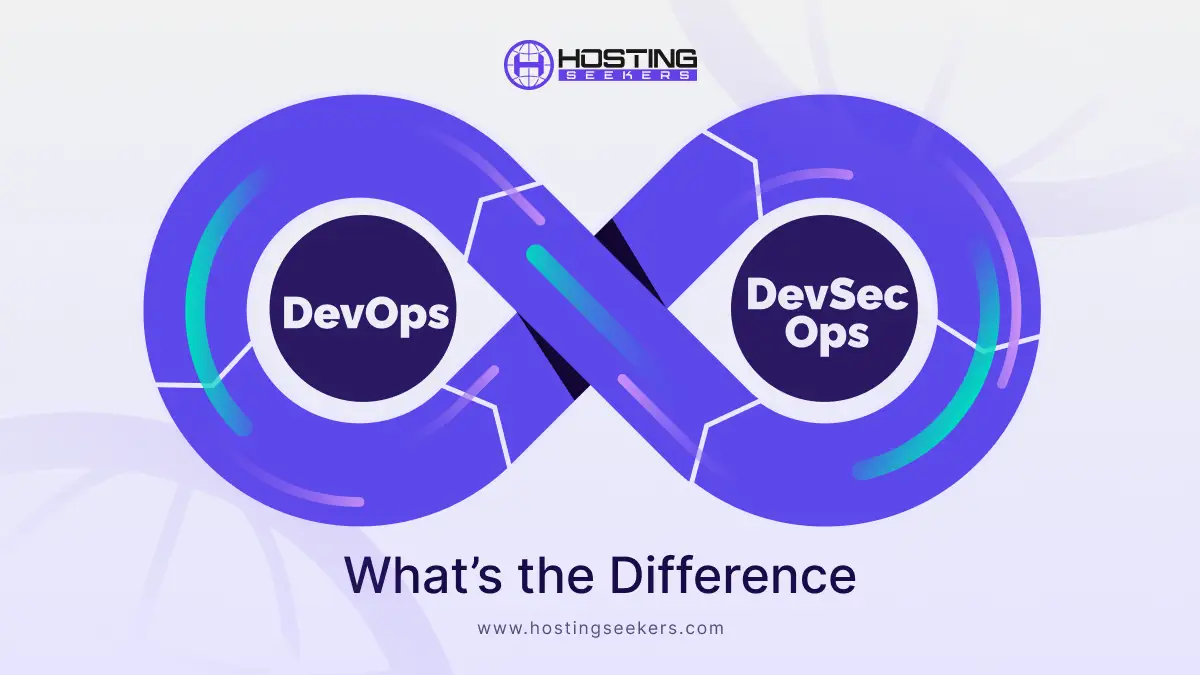
DevOps vs DevSecOps: What’s the Difference
Development Published on : February 5, 2026DevOps focuses on automation, continuous integration, and continuous deployment (CI/CD) to ensure that applications reach users quickly and efficiently. However, with the growing number of cyber threats, data breaches, and regulatory requirements, speed alone is no longer sufficient. Security must be built into the software from the very beginning.
This led to the evolution of DevSecOps, which embeds security practices directly into the DevOps pipeline. Instead of treating security as a separate or final step, DevSecOps makes it a continuous and shared responsibility across development, operations, and security teams.
Understanding the difference between DevOps and DevSecOps helps organizations choose the right approach for delivering software that is not only fast and scalable but also secure and compliant in today’s threat-driven digital landscape.
What is DevOps?
DevOps is a modern software development approach that brings developers (Dev) and IT operations (Ops) together as a single team rather than keeping them in silos. Its main advantage is accelerating, streamlining, and improving the reliability of software delivery through collaboration, automation, and continuous improvement.
In traditional development, developers may build the software and then “hand it over” to the operations team for deployment and management. This often causes delays, errors, and blame-shifting when something goes wrong. DevOps removes this gap by making both teams responsible for the entire lifecycle from writing code to running it in production, a model now standard across modern DevOps companies.
DevOps uses practices like:
- Continuous Integration (CI) – Developers regularly merge their code into a shared repository.
- Continuous Deployment (CD) – The code is automatically tested and released.
DevOps Benefits
1. Faster Software Delivery
DevOps dramatically accelerates the entire software lifecycle from development to deployment. By streamlining workflows and automating repetitive processes, teams can release new features, updates, and bug fixes much faster. This reduced time-to-market helps businesses stay competitive and quickly respond to customer needs and market changes.
2. Stronger Collaboration Across Teams
DevOps removes the traditional barriers between development, operations, QA, and IT teams. Instead of working in silos, teams operate with shared goals, responsibilities, and communication channels. This collaborative culture leads to smoother workflows, fewer misunderstandings, and faster problem resolution.
3. Higher Operational Efficiency
Through intelligent automation and optimized resource management, DevOps minimizes manual effort and human error. Tasks like testing, code deployment, and infrastructure management become faster and more reliable, allowing teams to focus on innovation rather than routine maintenance.
4. Continuous Integration and Continuous Delivery (CI/CD)
CI/CD pipelines enable developers to merge code changes frequently and deploy them automatically after testing. This ensures that software is always ready to release, making updates safer, quicker, and more consistent. As a result, organizations can deliver high-quality software with minimal downtime.
5. Real-Time Monitoring and Continuous Feedback
DevOps provides constant visibility into application performance, infrastructure health, and user experience. Real-time monitoring and feedback loops help teams identify issues early, troubleshoot faster, and continuously improve software reliability and performance.
Key Features of DevOps
1. Continuous Integration (CI)
Developers frequently merge their code into a shared repository where it is automatically tested and validated. This helps detect bugs early, improves code quality, and reduces integration issues.
2. Continuous Delivery & Deployment (CD)
DevOps enables automatic and reliable software releases. Every change that passes testing can be deployed to production without manual intervention, ensuring faster and safer updates.
3. Automation
Routine processes such as testing, building, deploying, and infrastructure setup are automated. This reduces errors, saves time, and improves consistency across environments.
4. Infrastructure as Code (IaC)
Servers, networks, and cloud resources are managed via code rather than manual configuration. This allows teams to set up, modify, and scale infrastructure quickly and accurately.
5. Monitoring and Logging
DevOps provides real-time visibility into system performance, application health, and user activity. Logs and monitoring tools help teams detect issues and proactively optimize performance.
6. Collaboration and Communication
DevOps promotes shared responsibility between development, operations, and QA teams. Better communication leads to faster problem-solving and smoother project execution.
7.Faster Recovery and Reliability
With continuous testing, automated rollbacks, and monitoring, systems can recover quickly from failures, ensuring high availability and business continuity.
Challenges of DevOps
1. Security Risks and Accountability Issues
In DevOps environments, responsibilities are often distributed across multiple teams and tools. Without clear ownership and security controls, this can increase the risk of vulnerabilities, misconfigurations, and data breaches. If security is not integrated into every stage, small gaps can lead to serious threats.
2. High Implementation and Maintenance Costs
Adopting DevOps requires significant investment in cloud platforms, automation tools, CI/CD pipelines, and monitoring systems. Additionally, ongoing maintenance, upgrades, and licensing fees can increase operational costs, especially for small and mid-sized businesses.
3. Time-Intensive Setup and Automation Dependency
Implementing DevOps is not an overnight process. It demands careful planning, tool integration, and workflow redesign. Over-reliance on automation without proper oversight can also lead to errors being deployed more quickly, causing system instability.
4. Steep Learning Curve and Cultural Shift
DevOps requires advanced technical skills along with a change in mindset. Teams must learn new tools, processes, and collaboration methods. Resistance to change, lack of expertise, and internal conflicts can slow down adoption and reduce its effectiveness.
What is DevSecOps?
DevSecOps stands for Development, Security, and Operations. It is an advanced version of DevOps that integrates security at every stage of the software development lifecycle. Instead of treating security as a final checkpoint, DevSecOps treats it as a continuous, automated process.
As cyber threats rise, DevSecOps ensures applications are secure from the very first line of code to production.
Key Features of DevSecOps
1. Security Built into CI/CD Pipelines
DevSecOps integrates security checks directly into Continuous Integration and Continuous Delivery pipelines. Every code update, build, and deployment is automatically scanned for security risks, ensuring that vulnerabilities are identified before they reach production.
2. Early Vulnerability Detection
Instead of waiting until the final stage of development, DevSecOps identifies security flaws during coding and testing. This early detection helps reduce costly fixes and prevents security gaps from becoming major threats.
3. Automated Security Testing
DevSecOps uses automated tools to perform security scans, code analysis, and penetration testing. This eliminates the need for manual checks, improves accuracy, and enables teams to release secure software faster.
4. Reduced Risk of Data Breaches
By continuously monitoring applications and infrastructure, DevSecOps minimizes exposure to cyber threats. Automated threat detection and real-time alerts help prevent unauthorized access and data leaks.
5. Compliance and Data Protection
DevSecOps ensures that applications comply with industry regulations and data protection standards, such as GDPR and PCI-DSS. Compliance checks are built into development pipelines, making it easier to meet legal and security requirements.
DevOps vs DevSecOps: Feature Comparison
| Feature | DevOps | DevSecOps |
| Primary Focus | Speed, automation, and collaboration | Speed, automation, and built-in security |
| Security Approach | Security is handled mostly after development | Security is integrated throughout the process |
| Risk Management | Reactive security | Proactive threat detection |
| Compliance | Limited compliance focus | Strong compliance and governance |
| Automation | CI/CD, infrastructure, and testing | CI/CD plus automated security scans |
| Best For | Fast development and delivery | Secure and compliant software delivery |
DevOps vs DevSecOps: How the Teams Work Really Differs
Although DevOps and DevSecOps share the goal of delivering high-quality software faster, the ways teams operate under each model differ significantly.
| Work Area | DevOps | DevSecOps |
| Development | Focuses on continuous integration and automated testing | Adds secure coding and vulnerability checks alongside CI |
| Operations | Automates deployments and infrastructure | Automates deployments with security and compliance built in |
| Security | Usually reviewed after development | Integrated at every stage of development |
| Monitoring | Tracks uptime and performance | Tracks performance, threats, and security risks |
In DevOps, security often comes into play at the final stage. In DevSecOps, security becomes a continuous activity from the first line of code to production.
Core Components: DevOps vs DevSecOps
Both models rely on automation and collaboration, but DevSecOps extends this to include security as a core pillar.
| Component | DevOps | DevSecOps |
| Core Focus | CI/CD, testing, monitoring | CI/CD, testing, monitoring, and security |
| Team Structure | Developers and operations work together | Developers, operations, and security work as one team |
| Tooling | Jenkins, Docker, Kubernetes | Jenkins, Docker, Kubernetes, plus security tools |
| Mindset | Fast and reliable delivery | Fast, reliable, and secure delivery |
DevSecOps does not replace DevOps—it strengthens it by embedding security into every process.
Best Practices in DevOps and DevSecOps
Both approaches depend on strong workflows and automation, but their priorities differ.
| Area | DevOps Best Practices | DevSecOps Best Practices |
| Coding | Automated testing and builds | Secure coding with automated vulnerability checks |
| CI/CD | Continuous integration and deployment | CI/CD pipelines with built-in security scanning |
| Team Culture | Strong collaboration between Dev and Ops | Collaboration between Dev, Ops, and Security |
| Monitoring | Performance and uptime tracking | Performance tracking plus threat detection |
Both models use Infrastructure as Code (IaC), but DevSecOps also leverages it to automatically enforce security rules, access controls, and compliance policies.
Tools Used: DevOps vs DevSecOps.
The main difference lies in the added security layer in DevSecOps.
| Category | DevOps Tools | DevSecOps Tools |
| CI/CD | Jenkins, GitLab CI | Jenkins, GitLab CI, SonarQube, Checkmarx |
| Containers | Docker, Kubernetes | Docker, Kubernetes with security plugins |
| Monitoring | Prometheus, Grafana | Prometheus, Grafana, Splunk |
| Security | Basic or manual checks | SAST, DAST, vulnerability scanners |
DevSecOps tools ensure that code is not only functional but also safe before it reaches production.
Which One Is Right for Your Business?
Choosing between DevOps and DevSecOps depends on your business goals and risk levels.
- DevOps is ideal for startups and small teams that need to release products quickly and iterate fast.
- DevSecOps is best for enterprises, SaaS platforms, fintech, healthcare, and any business handling sensitive customer data or operating under strict regulations.
If your organization values speed above all else, DevOps may be enough. If you value speed, trust, and compliance, DevSecOps is the better choice.
Conclusion
When comparing DevOps vs DevSecOps, it becomes clear that both are essential to modern software delivery. DevOps brings agility, automation, and collaboration, while DevSecOps takes it a step further by making security a built-in responsibility rather than an afterthought.
For professionals, learning DevOps is a strong foundation. A structured DevOps course not only builds technical skills in CI/CD and cloud automation but also prepares you to evolve into DevSecOps, where security is becoming just as important as speed in today’s digital ecosystem.
Frequently Asked Questions
Q 1. What is the main difference between DevOps and DevSecOps?
Ans. The main difference is security integration. DevOps focuses on speeding up software development and deployment, while DevSecOps integrates security into every stage of the development lifecycle, from coding to deployment.
Q 2. Is DevSecOps better than DevOps?
Ans. DevSecOps is not a replacement for DevOps, but an enhanced version. It is better for organizations that handle sensitive data, compliance requirements, or cloud-based applications where security threats are high.
Q 3. Does DevSecOps slow down development?
Ans. No. DevSecOps uses automated security tools such as vulnerability scanning and code analysis to improve security without slowing down development. In many cases, it reduces delays caused by late-stage security fixes.
Q 4. Can DevOps teams adopt DevSecOps easily?
Ans. Yes. Teams already using DevOps can transition to DevSecOps by adding security tools, testing, and policies to their CI/CD pipelines.
Q 5. Which industries benefit the most from DevSecOps?
Ans. Industries such as finance, healthcare, SaaS, eCommerce, and cloud hosting benefit the most because they deal with user data, compliance, and cyber threats.
Q 6. Is DevSecOps required for cloud applications?
Ans. Yes. Cloud environments face higher security risks, so DevSecOps ensures continuous security monitoring, secure cloud deployment, and compliance, making it essential for modern cloud-based applications.
Q 7. Do small businesses need DevSecOps?
Ans. Yes. Cyberattacks target small businesses frequently. DevSecOps helps small teams build secure software from the start without hiring large security teams.

manvinder Singh
https://www.hostingseekers.com
Manvinder Singh is the Founder and CEO of HostingSeekers, an award-winning go-to-directory for all things hosting. Our team conducts extensive research to filter the top solution providers, enabling visitors to effortlessly pick the one that perfectly suits their needs. We are one of the fastest growing web directories, with 500+ global companies currently listed on our platform.