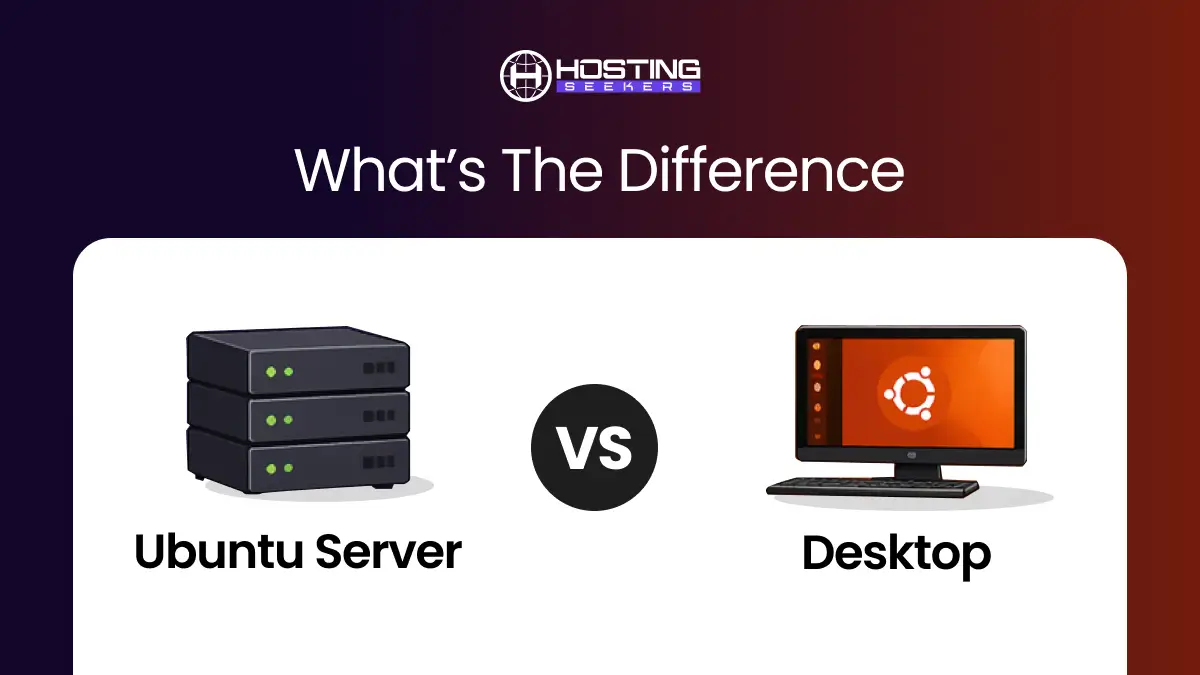
Ubuntu Server vs Desktop: What’s the Difference in 2026?
Comparison Updated on : May 7, 2026Ubuntu powers everything from a student laptop to Fortune 500 cloud infrastructure, but the version you choose matters more than most guides admit. Moreover, Ubuntu is used by 9.1% of all websites (source: W3Techs )
This article goes beyond the surface-level “Server has no GUI” answer and digs into the real architectural differences, resource implications, security trade-offs, and decision framework you need before downloading either ISO.
What is Ubuntu Server?
Ubuntu Server is a version of Ubuntu designed for running services, hosting applications, and managing infrastructure. Unlike Desktop, it does not come with a graphical user interface by default and is primarily controlled through the command line.
Ubuntu Server is optimized for performance, stability, and security. It includes only essential system tools and allows administrators to install only the services they need. This makes it lightweight and efficient, especially for long-running server workloads.
In simple terms, Ubuntu Server is built for machines that run in the background and power of websites, applications, and cloud systems.
Key Features of Ubuntu Server
- Lightweight system with no graphical interface by default
- Optimized for performance and stability
- Remote management through SSH
- Advanced networking support using Netplan
- Strong security with minimal default packages
- Supports cloud-init for automated cloud deployments
- Compatible with Docker, Kubernetes, and virtualization tools
- Long-term support for enterprise environments
Use cases of Ubuntu Server
Ubuntu Server is widely used in web hosting environments to run websites and web applications. It is commonly used for database servers, cloud computing platforms, and virtual machines. Many organizations use it for hosting APIs, managing containers with Docker, and running Kubernetes clusters. It is also used in file servers, backup systems, and enterprise infrastructure, where stability, uptime, and remote management are important.
What is the Ubuntu Desktop?
Ubuntu Desktop is a version of Ubuntu designed for everyday users who prefer a graphical interface. It comes with a full desktop environment that allows users to interact with the system using windows, icons, and menus. This makes it similar to operating systems like Windows or macOS.
The Ubuntu Desktop is built for ease of use. It includes pre-installed applications such as a web browser, office tools, media players, and a software center. It is designed so that users can start using the system immediately after installation without needing advanced technical knowledge.
In simple terms, Ubuntu Desktop is a personal-use operating system that focuses on simplicity and usability.
Key Features of Ubuntu Desktop
- Comes with a graphical user interface (GNOME desktop environment)
- Includes pre-installed apps like browser, office suite, and media tools
- Easy software installation through Software Center
- Supports multimedia, printing, and peripherals out of the box
- Strong support for development tools and programming environments
- Regular updates with long-term support (LTS versions available)
Use Cases of Ubuntu Desktop
Ubuntu Desktop is commonly used as a daily operating system on laptops and personal computers. It is widely used by students for learning and assignments, by developers for coding and testing applications, and by general users for browsing, office work, and media consumption. It is also used in design workstations and development environments where a graphical interface is important.
What Makes Ubuntu Server and Desktop Actually Different?
The short answer most blogs give you: “Server has no GUI.” That’s true but incomplete. Both Ubuntu Server and Desktop share the same Linux kernel, the same APT repositories, and the same core utilities (systemd, bash, glibc). You can technically install a desktop environment on Ubuntu Server or strip down Ubuntu Desktop to behave like a server.
The real differences are:
- Default installed packages — what ships in the ISO
- System daemon configuration — which services run on boot
- Network stack configuration — how networking is managed
- Filesystem defaults — partitioning choices during install
- Target use case optimization — what Canonical tuned the defaults for
Think of it this way: buying a pickup truck vs a sedan. Same engine family and fuel, but every default decision was made with a different job in mind.
Ubuntu Server vs Ubuntu Desktop Comparison
| Feature | Ubuntu Desktop | Ubuntu Server |
|---|---|---|
| Interface | GUI (Graphical) | CLI (Command Line) |
| Ease of Use | Beginner-friendly | Requires technical knowledge |
| Performance | Higher resource usage | Lightweight and efficient |
| Pre-installed Apps | Yes (browser, media, office) | Minimal |
| Security | Standard | More hardened by default |
| Use Case | Personal & development | Hosting & production servers |
| Installation Process | Graphical installer (easy) | Text-based installer |
| Resource Requirement | Higher RAM & CPU needed | Works on low resources |
| Default Services | Desktop apps & UI services | Server tools like SSH, web servers |
| Remote Access | Limited by default | Built for remote management (SSH) |
| Customization | Limited for backend tasks | Highly customizable for server roles |
| Stability | Stable for daily use | Optimized for long-term uptime |
| Updates | Regular updates with UI notifications | Controlled updates, often manual |
| Networking | Basic network tools | Advanced networking configuration |
| Storage Management | Simple GUI-based tools | Advanced tools like LVM, RAID |
| Automation | Less focus on automation | Supports scripting & automation heavily |
| Package Selection | General-purpose software | Server-focused packages |
| Boot Time | Slower due to the GUI | Faster boot time |
| Power Consumption | Higher | Lower (efficient for servers) |
Ubuntu Server vs Desktop Performance
- Ubuntu Server is significantly more efficient because it avoids unnecessary graphical components. This makes it ideal for environments where performance, uptime, and scalability matter.
- Ubuntu Desktop, on the other hand, consumes more RAM and CPU due to its GUI, but provides a smoother experience for human interaction.
Ubuntu Server vs Desktop Security
- Ubuntu Server is generally considered more secure due to its minimal design and reduced attack surface. Since it comes with fewer pre-installed packages, there are fewer potential vulnerabilities to exploit.
- Additionally, the absence of a graphical user interface (GUI) further lowers security risks, as GUIs can introduce additional entry points for attacks.
- Ubuntu Server also includes optimized built-in tools like SSH for secure remote access and firewall utilities for better system protection. On the other hand, Ubuntu Desktop can also be secured effectively, but it typically requires additional configurations and careful management of installed applications to achieve a similar level of security.
Ubuntu Server vs Desktop: Installation & Setup
- Ubuntu Desktop provides a smooth and beginner-friendly installation experience through its guided graphical interface. Users are walked through each step with clear visual prompts, including language selection, disk partitioning, user creation, and software setup.
- In contrast, Ubuntu Server uses a text-based installer that focuses on flexibility and control rather than simplicity. While the installation steps are still structured, they require a better understanding of system configurations such as manual partitioning, network setup, SSH configuration, and package selection. Before installing either version, you may want to verify your current system details. Here’s a quick guide on How to Check Your Ubuntu Version.
Ubuntu Server vs Desktop: Resource Usage
- Ubuntu Desktop consumes more system resources because it runs a full graphical environment along with background services. This means it uses more RAM and CPU even when idle.
- Ubuntu Server is much lighter because it avoids graphical components and unnecessary services. This allows more system resources to be dedicated to actual workloads, such as hosting applications or running databases. As a result, Server performs better on low-resource machines and in production environments.
Ubuntu Server vs Desktop: Which One Should You Choose?
Choose Ubuntu Server if you are:
- Hosting a website, API, or web app
- Running a database (PostgreSQL, MySQL, MongoDB)
- Setting up a VPS or cloud instance
- Running Docker containers or Kubernetes
- Building a home server (Nextcloud, Plex, Home Assistant)
- Using automation tools like Ansible or Terraform
- Managing everything over SSH
Choose Ubuntu Desktop if you are:
- Using it as your daily workstation
- A developer who codes and tests locally
- New to Linux and learning the ropes
- Running a VM that needs a GUI for testing
- Setting up a kiosk or thin client
Summing Up
Ubuntu Desktop and Ubuntu Server are built on the same foundation but serve different purposes. Desktop is designed for user interaction with a graphical interface, while Server is designed for performance-driven tasks like hosting and infrastructure management. Choosing between them depends on whether you need a personal computer or a powerful server system.
Frequently Asked Questions
Q1. Ubuntu Server vs Desktop: Which One is Better?
Ans. Ubuntu Server is better for hosting and backend tasks, while Ubuntu Desktop is better for daily use and beginners.
Q2. Is Ubuntu Server harder to use than the desktop?
Ans. The terminal has a learning curve, but it’s not as steep as it looks. Most common server tasks have simple, well-documented commands. The command line is also faster, scriptable, and more reliable than GUI tools for server administration.
Q3. Which is better for a VPS?
Ans. Ubuntu Server, without question. A GUI on a VPS wastes RAM you’re paying for. All major providers (DigitalOcean, Linode, Hetzner, Vultr, AWS) offer Ubuntu Server images and recommend them for server workloads.
Q4. Which is better for Docker?
Ans. Ubuntu Server. Docker containers run headlessly, and a GUI on the host adds memory overhead with no benefit. Ubuntu Server’s minimal footprint means more resources for your containers.
Q5. Is Ubuntu Desktop less secure than Server?
Ans. Not inherently, but it starts with a larger attack surface due to more default packages and running services. A desktop can be hardened, but a server is a better baseline for any machine that will run production workloads or be exposed to the internet.
Q6. Can Ubuntu Server run without a monitor?
Ans. Yes, this is its natural state. Most Ubuntu Server machines are managed entirely over SSH and never have a monitor plugged in. This is called a “headless” operation.

manvinder Singh
https://www.hostingseekers.com
Manvinder Singh is the Founder and CEO of HostingSeekers, an award-winning go-to-directory for all things hosting. Our team conducts extensive research to filter the top solution providers, enabling visitors to effortlessly pick the one that perfectly suits their needs. We are one of the fastest growing web directories, with 500+ global companies currently listed on our platform.