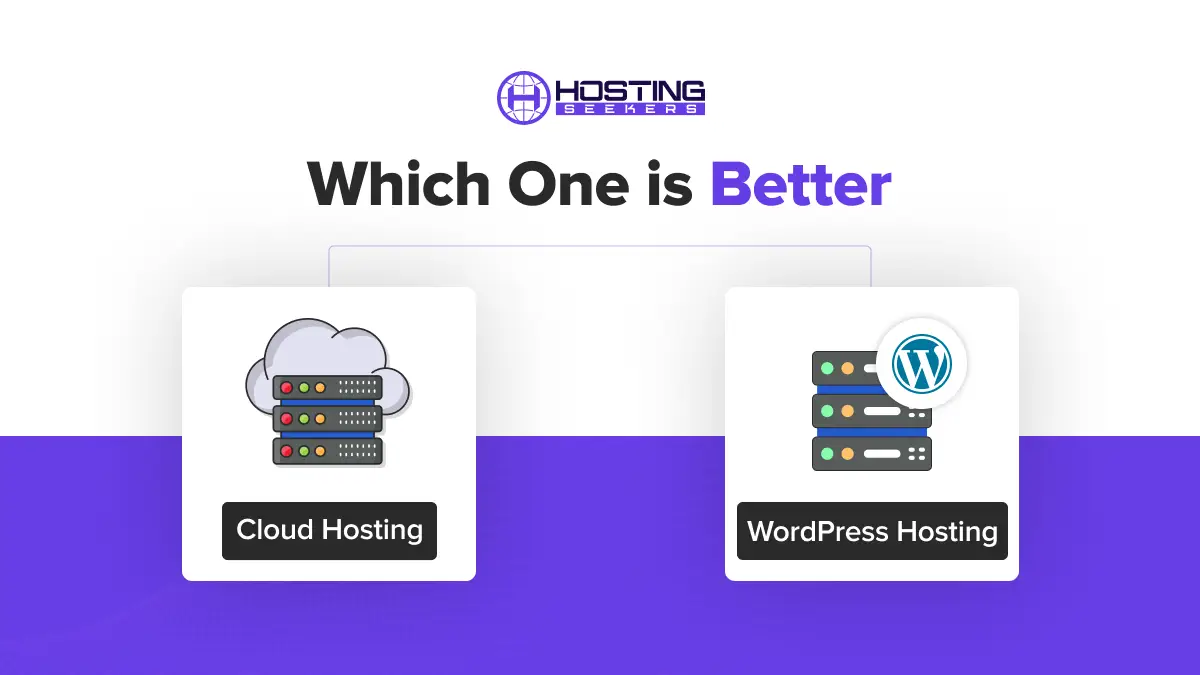
Cloud Hosting vs WordPress Hosting: Which One is Better in 2026?
Comparison Updated on : May 7, 2026Choosing the wrong hosting plan is one of the most costly mistakes a website owner can make, as a slow host can affect your search engine presence, and a plan that can’t scale collapses during a traffic spike. Here we will discuss cloud hosting vs WordPress hosting across every area that matters, which will help you make your decision confidently.
Quick Answer
Different hosts serve different needs, so if you are building a WordPress site and want a streamlined experience, WordPress hosting is the better starting point. If you need scalability, support for multiple platforms, or full server control, cloud hosting is the right choice. And if you want the best of both the hosts, here is a third option, which is WordPress Cloud Hosting.
What Is Cloud Hosting?
Cloud hosting is a type of web hosting where your website’s data and applications are distributed across a network of interconnected virtual servers rather than stored on a single physical machine.
Cloud hosting works through a technology called virtualization; each virtual machine (VM) has a pool of resources and can operate independently. If one VM experiences a traffic spike, it can pull additional resources from the shared pool to stabilize performance.
It’s a process that works through virtual layers replicated across servers in multiple geographic regions. Because the system doesn’t rely on any single server, it can be scaled rapidly and delivers built-in redundancy: if one server fails, another takes over automatically.
Types of Cloud Hosting
There are four main types of cloud hosting environments:
- Public Cloud: Resources are shared across many tenants on infrastructure managed by a third party. Major examples: AWS, Google Cloud Platform (GCP), Microsoft Azure.
- Private Cloud: Dedicated to a single organization, either hosted on-premises or by a third-party provider. Used by financial institutions and government agencies for compliance and full control.
- Hybrid Cloud: Combines public and private cloud environments, allowing sensitive data to remain in a private cloud while less critical workloads use public cloud resources.
- Managed Cloud: A third-party provider manages all operational practices (monitoring, security, backups, patching) on top of public cloud infrastructure. This is for website owners who want cloud performance without deep technical expertise.
What Is WordPress Hosting?
WordPress hosting is web hosting mainly optimized for websites built on the WordPress content management system (CMS). The environment is configured to meet WordPress’s official requirements for PHP and MySQL and includes features that make running a WordPress site faster, more secure, and easier to manage.
According to W3Techs data, WordPress powers approximately 42.5% of all websites on the internet and holds nearly 60% of the CMS market share. That’s hundreds of millions of live websites, all of which need a hosting decision.
There are Three Types of WordPress Hosting
- Shared WordPress Hosting: Multiple websites share a single server and its resources. It includes one-click installs and WordPress-optimized settings, but at a lower performance ceiling. Best for personal sites, early-stage blogs, or any site with low-to-moderate traffic.
- Managed WordPress Hosting: Everything from server optimization to updates, security, backups, and performance tuning is handled by the provider. Best for businesses, agencies, WooCommerce stores, and any site where uptime directly equals revenue.
- WordPress Cloud Hosting (Hybrid): It combines cloud infrastructure with WordPress management. Your site runs on cloud servers while the host manages the WordPress layer. It is best for growing businesses with unpredictable traffic patterns, e-commerce stores, publishing sites, and agencies managing multiple high-traffic WordPress clients.
Cloud Hosting vs WordPress Hosting: Key Differences
The key difference is that WordPress hosting is dedicated to optimizing the performance, security, and management of WordPress websites, whereas cloud hosting is a broader infrastructure model that leverages a network of virtual servers to deliver scalable, reliable, and highly flexible hosting for a wide range of applications.
| Feature | Cloud Hosting | WordPress Hosting |
|---|---|---|
| Primary Purpose | Flexible hosting for any platform or application | Optimized exclusively for WordPress sites |
| Scalability | Instant, on-demand resource scaling | Limited; requires plan upgrades |
| Performance | Dynamic resource allocation; high-performance ceiling | Pre-optimized for WordPress; consistent performance |
| Security | Infrastructure-level security; app-level protection is user-managed | WordPress-specific security (WAF, malware scanning, auto-updates) |
| Ease of Use | Requires technical knowledge | Beginner-friendly; managed options available |
| Pricing Model | Pay-as-you-go (variable pricing) | Flat monthly fee (predictable) |
| Platform Flexibility | Supports any CMS or custom application | WordPress only |
| Maintenance | Self-managed (or managed add-ons available) | Fully managed by the provider |
| Best For | Developers, multi-platform projects, high-traffic applications | Bloggers, businesses, WooCommerce stores |
Cloud Hosting vs WordPress Hosting Performance Analysis
Performance in web hosting means page load speed, uptime reliability, and the ability to handle traffic surges without slowdowns or crashes.
Cloud Hosting Performance
Cloud hosting delivers performance advantages through:
- Geographic distribution means the data centers are spread across multiple regions, bringing content closer to users, reducing latency.
- Dynamic resource allocation so that if there are traffic spikes, the system pulls additional CPU and RAM automatically, which prevents crashes.
- Redundancy, if one physical server fails, then other servers in the network absorb the load with zero downtime
- CDN integration helps in fast static asset delivery worldwide; that’s why cloud providers offer integrated content delivery networks.
WordPress Hosting Performance
Managed WordPress hosting delivers consistently strong performance through WordPress-specific optimizations:
- Edge HTML caching: Frequently served pages are converted to static HTML and served from edge nodes globally, similar to how a CDN serves static files.
- WordPress-tuned server stacks: PHP configurations, database settings, and caching layers are tuned for WordPress’s specific request patterns
- LiteSpeed or Nginx servers: Many WordPress hosts use high-performance web servers optimized for PHP execution
- Built-in caching plugins: Tools like SG Optimizer (SiteGround) or Kinsta’s MU plugin handle caching without requiring third-party setup
Performance Verdict
Cloud hosting is great for raw scalability and handling unpredictable traffic spikes, but for consistent out-of-the-box performance on a WordPress site without any technical configuration, managed hosting for WordPress is a strong choice.
Cloud Hosting vs WordPress Hosting Security Comparison
Security is a critical consideration for any website, particularly sites that store user data, process payments, or have significant traffic.
Cloud Hosting Security
According to Google Cloud’s official documentation, cloud hosting security layers include:
- Firewalls
- Identity management and access control
- SSL/TLS encryption for data in transit
- DDoS protection at the network level
- Physical security of data centers
It is best for the teams with technical expertise because application-level security is mostly your responsibility. The provider can secure your infrastructure, but you must figure out who will configure firewalls, keep software updated, manage access controls, and implement application-level protections.
WordPress Hosting Security
WordPress-specific hosting addresses security concerns that are unique to the WordPress CMS, like:
- Automatic core updates
- SSL certificate
- WordPress-specific Web Application Firewall (WAF)
- Malware scanning and removal
- Daily malware scanning
- DDoS mitigation
- Brute-force login protection
- Automatic backups
One important fact is that with managed WordPress hosting, the security system is managed by providers only, and you cannot optimize custom firewall rules or modify any configurations.
Security Verdict
For most WordPress websites, managed WordPress hosting offers stronger practical security with less ongoing effort. Cloud hosting gives you more control, but only if you have the expertise to exercise it correctly.
Pricing Comparison
Cloud Hosting Pricing
Cloud hosting widely uses a pay-as-you-go or usage-based pricing model. Cloud hosting ranges from approximately $10 to $150+ per month, but this number varies based on actual resource consumption.
Key pricing characteristics:
- You pay only for CPU, RAM, storage, and bandwidth actually used
- Costs can rise during traffic spikes or high-usage months
- No large upfront hardware investments required
- Managed cloud hosting like Cloudways on DigitalOcean starts at approximately $14/month
The pay-as-you-go model is cost-efficient for sites with variable or inconsistent traffic, as you are not paying for unused capacity. However, for sites with consistent traffic patterns, the variable pricing can make monthly budget forecasting difficult.
WordPress Hosting Pricing
- WordPress hosting uses a flat monthly fee model, which means predictable costs regardless of traffic fluctuations.
- Approximate pricing ranges:
- Shared WordPress Hosting: $2.69 to $14.99/month (introductory pricing). Renewal rates are often significantly higher.
- Managed WordPress Hosting: $10 to $100+/month. WP Engine, Kinsta, and similar premium managed hosts start at $35/month and scale with traffic/sites.
- Enterprise Managed WordPress: $100 to $750+/month
Note that many providers try to gain customers with minimal introductory pricing rates, but the renewal pricing can be higher than expected. Make sure to verify every detail before investing.
Pricing Verdict
Cloud hosting is more cost-efficient for variable traffic, and if you want to pay only for what you use, WordPress hosting offers flat-fee pricing, making it easier to forecast monthly operating costs.
For small-to-medium WordPress sites with consistent traffic, a managed WordPress hosting plan is a good catch. On the other hand, for large sites or applications with rapidly growing or unpredictable traffic, cloud hosting’s pay-as-you-go model can be more beneficial.
Pros and Cons
Cloud Hosting: Pros & Cons
Pros
- Infinite, on-demand scalability
- High uptime and reliability
- Supports any platform or application
- Pay only for the resources you use
- Full root access and server control
- Global data centers for faster content delivery
Cons
- Requires technical server management skills
- Variable costs can increase during traffic spikes
- Application-level security is your responsibility
WordPress Hosting: Pros & Cons
Pros
- Infinite, on-demand scalability
- High uptime and reliability
- Supports any platform or application
- Pay only for the resources you use
- Full root access and server control
- Global data centers for faster delivery
Cons
- Requires technical server management skills
- Variable costs can increase during traffic spikes
- Application-level security is your responsibility
How Do I Choose Between Cloud and WordPress Hosting?
Before making a decision, try to answer these few questions:
1. Are you building exclusively on WordPress?
If yes, WordPress hosting is quite the right choice for you. It delivers a pre-optimized environment with WordPress-specific performance and security tools. And if you are running a custom application or multiple platforms, cloud hosting gives you the flexibility you need.
2. What is your current and expected traffic level?
For small-to-medium sites, a well-configured managed WordPress host handles traffic without issue. Cloud hosting will be best for sites approaching high monthly traffic, or any site with very unpredictable traffic hikes.
3. Do you have technical expertise on your team?
Non-technical users and solo bloggers benefit greatly from managed WordPress hosting. Technical teams or developers who want root access, custom server configurations, and complete infrastructure control should lean toward cloud hosting.
4. What is your budget, and how predictable does it need to be?
If you need a fixed monthly budget, opt for WordPress hosting. If you are okay with usage-based billing, cloud hosting’s pay-as-you-go model suits you better.
5. Are you hosting multiple sites or applications?
For developers and agencies managing many sites simultaneously, cloud hosting (or a managed cloud solution) is more efficient. For individuals managing a single WordPress site, a dedicated WordPress hosting plan is a more reliable choice.
Decision Matrix
| Your Situation | Recommended Hosting |
|---|---|
| First website, personal blog, or small business site | Shared or managed WordPress hosting |
| Growing blog or business site (10k–100k monthly visitors) | Managed WordPress hosting |
| WooCommerce store | Managed WordPress hosting (premium tier) |
| Developer or agency managing multiple sites | Managed cloud (e.g., Cloudways) or cloud hosting |
| High-traffic or enterprise application | Cloud hosting (AWS, GCP, Azure) |
| Custom-coded application or non-WordPress CMS | Cloud hosting |
| Site with unpredictable viral traffic spikes | Cloud hosting or managed cloud |
| Non-technical user who wants simplicity | Managed WordPress hosting |
Cloud Hosting vs WordPress Hosting: Which One Should You Choose?
Choose WordPress Hosting if:
- Your website is built on WordPress
- You are a beginner, blogger, small business owner, or non-technical user
- You want automatic updates, backups, and security managed for you
- You prefer predictable monthly costs
- You want WordPress-expert support who can help with plugin and theme issues
- You run a blog, portfolio, small online store, or standard business website
Choose Cloud Hosting if:
- You need to host multiple different platforms
- Your site experiences large, unpredictable traffic spikes
- You have a technical team capable of managing server-level configuration
- You need complete server control, root access, and custom software stacks
- You are building a SaaS product, a custom web application, or enterprise-grade platform
- You prefer paying only for resources you actually consume
Here is the hybrid solution worth considering:
The option is managed cloud WordPress hosting. It gives you the functionality of cloud hosting along with the ease of WordPress hosting. In this setup, the provider handles the technical cloud infrastructure for you, so you don’t have to manage servers yourself.
For example, services like Cloudways let you use cloud providers while giving you an easy dashboard to manage your website. You get better speed, scalability, and reliability without stressing about technical skills.
The Final Verdict
Cloud hosting and WordPress hosting basically serve different needs, and the ideal answer for the question – Cloud Hosting vs WordPress Hosting, which one you should choose, depends solely on your website’s purpose, growth trajectory, and team’s technical capability.
Cloud hosting gives you a powerful, flexible infrastructure that scales on demand, but the drawback is that it requires technical investment to configure and maintain securely. WordPress hosting gives you a purpose-built environment for WordPress that minimizes technical burden, but it limits you to one platform and requires you to pay more for the managed tier.
For most WordPress users, especially those who want to focus on content and growth rather than server management, a managed WordPress hosting or WordPress Cloud Hosting delivers better day-to-day value. For developers, agencies, or teams running multi-platform environments, cloud hosting provides control and cost efficiency that fixed managed plans cannot match.
Start with what matches your current skill level and traffic needs. You can always migrate as you grow.
Frequently Asked Questions
Q1. Which is better: cloud hosting or WordPress hosting?
Ans. Both serve different solutions, and the right choice depends on your specific needs. WordPress hosting is better for users who want an easy-to-manage, pre-optimized environment, with automated updates and security. Cloud hosting is better when you need high scalability, flexibility to host multiple platforms, full server control, or pay-as-you-go pricing for variable traffic.
Q2. Is cloud hosting faster than WordPress hosting?
Ans. Not really, raw cloud hosting has a higher theoretical performance ceiling because resources scale dynamically. However, premium managed WordPress hosts today run on top of cloud infrastructure, and they can deliver comparable speed for WordPress workloads.
Q3. Is WordPress hosting only for WordPress?
Ans. Yes, WordPress hosting is specifically designed and optimized for websites running on the WordPress CMS. It offers features like one-click installs, WordPress-specific caching, automatic WordPress updates, and staging environments, etc.
Q4. Which hosting is best for beginners?
Ans. Managed WordPress hosting is the best option for beginners who are building a WordPress site. It handles server setup, software updates, security monitoring, backups, and performance optimization automatically, leaving you free to focus on creating content and growing your website. If you are a technical beginner, some managed cloud platforms (like Cloudways) offer more accessible interfaces than raw cloud providers like AWS or Google Cloud.
Q5. Is cloud hosting more expensive?
Ans. It depends on how it’s used. Cloud hosting uses pay-as-you-go pricing, so costs scale with usage. For small, low-traffic sites, entry-level cloud hosting can be cheaper than managed WordPress hosting. For sites with consistent, predictable traffic, a flat-fee WordPress hosting plan often works out to be more cost-effective and budget-predictable. For large or rapidly growing sites, cloud hosting’s ability to pay only for consumed resources can be more economical than upgrading to a higher WordPress hosting tier.
Q6. What are the 4 types of web hosting?
Ans. The four main types of web hosting infrastructure are: (1) Shared Hosting: your site shares a server and resources with many other websites; (2) VPS Hosting: a physical server is virtualized into separate private environments with dedicated resources; (3) Dedicated Hosting: you have an entire physical server to yourself; and (4) Cloud Hosting: your site runs on a distributed network of virtual servers that can scale resources on demand.
Q7. What is the difference between WordPress hosting and cloud hosting?
Ans. WordPress hosting is optimized specifically for the WordPress CMS, with pre-configured tools for automatic updates, server-level caching, and WordPress-specific security. Cloud hosting is a general-purpose infrastructure that distributes your website across multiple virtual servers for scalability and reliability. WordPress hosting trades flexibility for convenience; cloud hosting trades simplicity for power. The two are not mutually exclusive; WordPress Cloud Hosting combines both.

manvinder Singh
https://www.hostingseekers.com
Manvinder Singh is the Founder and CEO of HostingSeekers, an award-winning go-to-directory for all things hosting. Our team conducts extensive research to filter the top solution providers, enabling visitors to effortlessly pick the one that perfectly suits their needs. We are one of the fastest growing web directories, with 500+ global companies currently listed on our platform.